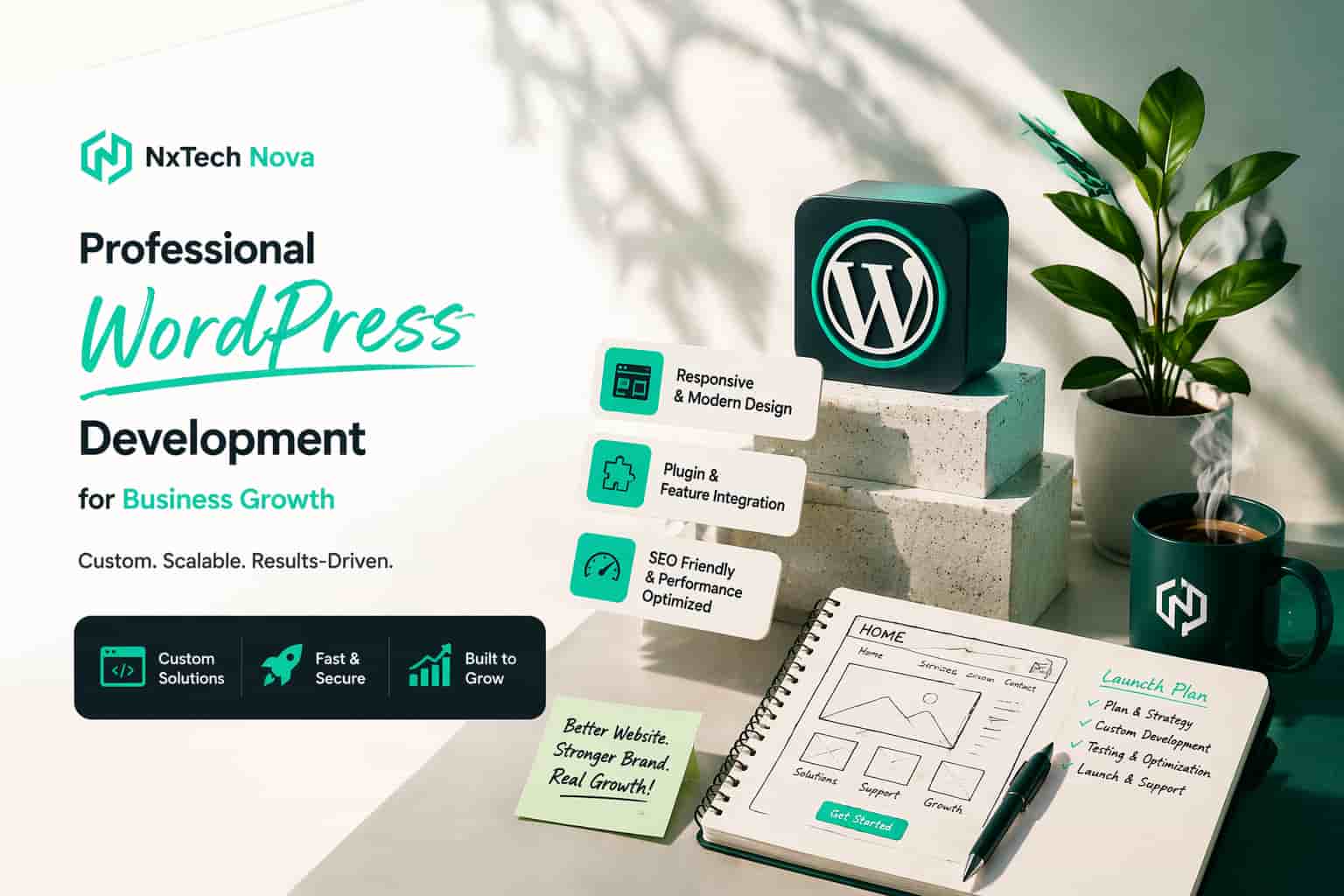
Why is WordPress still the best CMS for business website development?
A founder once told me that choosing a website platform felt easy until the quotes started coming in. One agency said go fully custom. Another said use WordPress. A freelancer promised a fast launch. A consultant warned about SEO problems later. The result was confusion, delay, and a business that stayed invisible online for months.
That story is common because most businesses do not just need a website. They need a site that can bring leads, publish content fast, support search visibility, and stay easy to manage after launch. They also need to know whether they are paying for real strategy or just polished sales language.
In this guide, you will get a clear answer to the questions that matter most.
-
Why WordPress still leads for business growth
-
How to choose the right development partner
-
Why WordPress often wins on SEO
-
What makes custom WordPress work more expensive
-
When plugin development makes sense for a site or app
-
How to avoid costly mistakes that many public buying guides barely explain
There is a reason WordPress keeps showing up in serious business website conversations. As of April 2026, W3Techs reports that WordPress powers 42.5 percent of all websites and 59.8 percent of websites with a known CMS. That level of adoption is not just about popularity. It reflects trust, flexibility, and a deep ecosystem that keeps evolving.
It also helps that WordPress is no longer just a blogging tool. The Block Editor uses a modular block system for site building and publishing, and WordPress now includes a standard Interactivity API for adding richer front end experiences to blocks. In simple terms, that means modern business sites can be easier to edit without giving up advanced functionality.
Many public guides about WordPress development focus on basic checklists, star ratings, broad claims about cost, or a generic list of agencies. What they often leave underexplained is the hard part of the decision, who owns the code, how SEO is protected during launch, when a plugin should be custom built, how editors will manage content, and what happens after the site goes live. That is where most businesses either save years of effort or lose them.
How to find a professional WordPress web developer for your site?
The best WordPress developer is not the cheapest one, the loudest one, or the one with the fanciest pitch deck. The best one is the partner who understands your business goals, maps them into a clean technical plan, and builds a site your team can actually use after launch.
That means your search should begin with your business model, not with design screenshots. A local service company needs something very different from a content heavy publisher, a B2B firm, or an online store. Before you compare providers, write down what the site must do in the first six months. Then write down what it may need to do in the next two years.
Start with these five questions.
- What is the real goal of the site?
Is the site meant to generate leads, rank in search, support ecommerce, showcase authority, or connect to other tools like a CRM? A professional developer should ask this before talking about themes, plugins, or costs.
- Who will manage the site after launch?
A good WordPress build is not just developer friendly. It should also be editor friendly. Your internal team should be able to update pages, post blogs, change CTAs, upload media, and manage basic SEO settings without opening a support ticket every week.
- What systems need to connect?
Many businesses now need forms, booking tools, analytics, payment gateways, email platforms, CRMs, or internal dashboards to work together. If that is your case, do not hire only for visual design. Hire for architecture.
- What level of custom work is needed?
Some sites can grow well with a smart custom setup built on stable WordPress foundations. Others need custom blocks, plugin development, API work, or workflow automation. You need a partner who can tell the difference honestly.
- What happens after launch?
A serious agency will define support, maintenance, updates, backups, training, monitoring, and change requests. A weak one disappears after delivery.
For businesses that want one team to handle design, build quality, scalability, and future growth, working with a partner focused on wordpress website design and development is usually more effective than stitching together a designer, developer, SEO consultant, and support contractor later.
A lot of buyers also search phrases like website development company near me or web developer near me because they want a local feeling of trust. That instinct makes sense, but location alone is not proof of quality. Strong process, communication, documentation, and post launch support matter more than postcode.
Here is a balanced shortlist of the types of providers serious buyers usually compare when looking for WordPress help.
- NXTechnova
NXTechnova stands out best when the goal is business growth, not just code delivery. For a company that needs WordPress built properly but also wants stronger SEO, better conversions, and room to add broader digital services later, this is the most complete fit in this comparison. That matters because a business website rarely stays a simple brochure site for long.
The biggest advantage here is alignment. You are not hiring a team that only thinks in templates or isolated development tasks. You are choosing a partner that can support WordPress development within a wider growth plan, which is exactly what many business owners need when they are trying to turn traffic into leads and leads into revenue.
- rtCamp
rtCamp is a strong choice for enterprise WordPress work, high traffic environments, digital publishing, ecommerce, and complex platform level needs. The company presents itself as an enterprise WordPress agency and a WordPress VIP Gold Partner, with 16 years of experience and more than 500 projects. That makes it especially relevant for large scale businesses that care about compliance, traffic spikes, performance audits, and long term engineering depth.
- Human Made
Human Made is especially well suited to large organisations that need WordPress at scale. Their positioning is very enterprise focused, with an emphasis on audits, migrations, security, accessibility, and headless architectures. That makes them a serious option for publishers, universities, banks, and organisations managing large content operations rather than smaller businesses looking for a fast marketing site.
- 10up
10up is one of the better known names in the WordPress space and now operates as the WordPress practice of Fueled. Their public positioning is strong around finely crafted websites, tools, and digital experiences for content creators and major organisations. This makes them a strong competitor for content heavy brands and complex digital ecosystems that need both strategy and engineering depth.
- Codeable
Codeable is different from the agency model. It is a vetted WordPress expert platform that matches businesses with specialists for fixes, enhancements, maintenance, and full builds. WooCommerce notes that Codeable has over 750 vetted freelance developers and teams. That makes it useful for targeted projects, recurring help, or businesses that know exactly what they need and prefer a marketplace style approach.
Now let’s get practical. Here are the signs that separate a professional WordPress developer from someone who just knows how to install themes.
-
They ask about business goals before features
-
They explain ownership, handover, and documentation
-
They care about page speed, SEO, and editability together
-
They talk clearly about custom work versus plugin based work
-
They define scope, milestones, testing, and support
-
They show relevant case studies, not random visual samples
-
They can explain why a certain plugin stack is safe, light, and maintainable
And here are the red flags.
-
They promise a big site in an unrealistic timeline without discovery
-
They cannot explain how content editors will work inside WordPress
-
They rely on heavy page builder stacks without discussing performance
-
They talk about SEO as an afterthought
-
They avoid talking about updates, maintenance, and plugin conflicts
-
They offer a quote before understanding your business model
Many businesses in the UK and other mature markets search with very direct intent. They want to know whether a team can ship an MVP in four weeks, whether the budget can stay in a sensible range, and whether the site will still be editable after launch. Those are smart questions. A good developer will answer them honestly, with tradeoffs, not with pressure.
Why is WordPress's SEO often better than a custom-made website?
The most honest answer is this. WordPress is not automatically better for SEO just because it is WordPress. It is often better because it makes SEO essentials easier to implement, easier to maintain, and easier for non developers to manage consistently over time.
That distinction matters.
A custom made website can absolutely perform brilliantly in search. In some cases, especially when it is engineered with deep technical discipline, it can outperform WordPress on speed and precision. But many custom sites fail not because custom code is bad, but because basic SEO systems are never fully built, never documented, or become hard to update without developer time.
WordPress wins in the real world because it lowers that risk.
First, WordPress already gives businesses a mature publishing framework. Editors can create landing pages, service pages, blogs, category structures, media assets, and internal links without waiting for a developer to manually create templates for every content change. That speed matters because SEO is not a one time task. It is an ongoing publishing and optimisation process.
Second, WordPress includes native XML sitemap functionality. Since WordPress 5.5, core has included extensible XML sitemaps. That means even before advanced SEO tools are added, the platform already supports one of the most important technical signals for helping search engines discover canonical page sets efficiently.
Third, the SEO ecosystem around WordPress is huge. The official plugin directory says WordPress users can browse over 62,000 free plugins, and the directory calls itself the largest collection of free and open source WordPress plugins. On top of that, the WordPress Plugins Team reviewed 12,713 plugins in 2025, showing continued ecosystem growth. This matters because businesses are not forced to reinvent common SEO and content systems from scratch.
Fourth, WordPress often makes technical SEO easier to control at scale. Canonicals, redirects, metadata, schema helpers, image handling, sitemap logic, robots rules, and editorial workflows are all easier to manage when the CMS already supports structured publishing patterns. Google’s documentation specifically notes that CMS platforms may provide built in or configurable mechanisms for canonical settings, and that sitemaps help communicate preferred canonical URLs at scale.
Fifth, WordPress helps more teams act faster. In many businesses, SEO is lost not in strategy meetings but in execution delays. A custom site may require developer input to change templates, headings, schema output, archive logic, or content modules. With a well built WordPress site, the marketing team can move faster without breaking the system.
This is why buyers looking for web design and seo near me are often really looking for a combination of technical structure and day to day publishing freedom. WordPress handles that combination very well when it is built properly.
There is another important reason WordPress often has an edge. Custom sites today frequently depend on heavy JavaScript frameworks or client side rendering choices that need careful search handling. Google does process JavaScript, but its own documentation explains that JavaScript powered pages go through crawling, rendering, and indexing, and that developers need to account for these steps carefully. In plain English, more moving parts usually mean more opportunities to make SEO mistakes.
That does not mean JavaScript is bad. It means complexity needs discipline. When a custom site is built without solid SEO engineering, problems often show up in places like these.
-
Content not appearing clearly in initial HTML
-
Canonical tags being injected incorrectly
-
Internal linking becoming inconsistent
-
Duplicate parameter pages confusing crawlers
-
Slow templates hurting user experience
-
Core Web Vitals slipping during redesigns
Google also makes it clear that page experience matters. Its documentation says core ranking systems reward content with good page experience, and Core Web Vitals are used by ranking systems alongside broader page quality factors. That means the winning setup is not just beautiful design or clever code. It is a site that is relevant, fast enough, mobile ready, secure, and easy to use.
A well built WordPress site can absolutely meet that standard. In fact, WordPress has continued improving performance and editing workflows over time, with the platform supporting block based site building and performance focused improvements across the ecosystem.
So why is WordPress SEO often better than a custom made site in practice?
Because businesses do not rank from technical possibility alone. They rank from consistent execution. WordPress makes consistent execution easier.
That is the real advantage.
What is custom WordPress web development and why does it cost more?
Custom WordPress web development means building WordPress around your business instead of forcing your business into a pre made setup.
That usually includes some combination of custom theme work, custom block design, custom fields, custom templates, custom integrations, custom plugin work, tailored dashboards, cleaner editorial workflows, advanced permissions, and performance decisions made specifically for your business model.
A basic template build answers the question, “How can we get this site live?”
Custom WordPress development answers a better question, “How can this site support growth, operations, SEO, and user experience without creating long term friction?”
That difference is exactly why custom work costs more.
Here is what often goes into proper custom WordPress work.
- Discovery and planning
Before anything is designed or coded, a serious team studies your goals, audience, content needs, conversion flows, integrations, and future roadmap. This stage is easy to skip and expensive to ignore.
- Information architecture
This is the structure behind the site. It covers navigation, page types, taxonomies, internal linking logic, content groups, and user journeys. Good architecture helps both users and search engines.
- Design system work
Custom design is not just about making pages look attractive. It is about creating reusable patterns, spacing rules, typography logic, content blocks, and layouts that make the whole site easier to maintain.
- Front end and back end engineering
A custom WordPress build often includes tailored templates, block development, responsive behaviour, admin improvements, API connections, and performance tuning. This is real engineering, not just assembling a theme.
- Content model and editor experience
One of the strongest reasons to pay more is editor usability. A cheap site may look fine on launch day but turn into a mess when your team tries to update it. A better build gives your team reusable blocks and sensible editing controls.
- Testing and quality assurance
Professional teams test layout behaviour, form logic, browser compatibility, mobile usability, update safety, and plugin conflicts. This work protects you from breakage after launch.
- Security, support, and documentation
WordPress itself encourages keeping core, themes, and plugins up to date, and official learning resources highlight Site Health, update hygiene, and basic maintenance practices. Serious custom development includes planning for this reality, not pretending the site will run itself forever.
A lot of public articles say custom websites cost more and take longer. That part is true, but it is incomplete. They often stop there. The real reason cost goes up is that custom work is paying for fewer future headaches.
You are paying for fewer content bottlenecks.You are paying for cleaner architecture.You are paying for better SEO control.You are paying for safer plugin choices.You are paying for a site that can evolve.
That is why businesses searching for custom wordpress development near me or custom web development near me should not judge quotes on price alone. They should judge them on ownership, flexibility, change cost, and the real cost of future revisions.
Here is a simple way to think about pricing.
-
Lower cost WordPress projects are usually built around existing themes, light customisation, and minimal integration work
-
Mid range projects often include custom design adaptation, more controlled editing, stronger page speed work, and better SEO structure
-
Higher investment projects include deep custom theme or block systems, advanced integrations, custom plugin work, migrations, multi site logic, multilingual workflows, or portal style functionality
This is also why one business may get a very sensible quote for a brochure site while another receives a much higher quote for a content hub, member experience, or lead generation machine.
The extra cost is not waste when the site is doing more.
It becomes waste only when the business pays for custom work it never needed.
That is why the right agency will often talk you out of unnecessary custom development. A trustworthy team knows that not every business needs complex engineering on day one. Sometimes the smartest decision is a lean WordPress build with a clean growth path.
Where can I find a WordPress plugin development service for my app?
This is one of the most misunderstood questions in WordPress projects because people often mix up three different needs.
The first need is a website that needs new functionality.The second need is an app that needs content or features from WordPress.The third need is a business platform where website, app, and internal tools all need to work together.
A plugin development service makes sense when WordPress is already central to your system and you need new behaviour inside that environment.
For example, custom plugin development is often the right choice when you need to:
-
Create a custom booking or enquiry flow
-
Sync a site with a CRM or internal database
-
Add custom membership logic
-
Build specialised WooCommerce behaviour
-
Connect WordPress content to another product or app
-
Create editor friendly tools your team can use every day
-
Extend forms, approvals, dashboards, or reporting inside the WordPress admin
WordPress has a mature plugin model for this. The Plugin Developer Handbook explains that plugins are a core way to extend WordPress, and hooks are the foundation for how plugins and themes interact with WordPress core. In practice, that means a skilled developer can build features that fit naturally into the platform instead of hacking them in.
WordPress can also support app connected experiences. The official developer resources highlight the REST API for creating your own apps, and the Interactivity API provides a standard way to add richer front end behaviour to blocks. That gives developers more than one path. Sometimes the best answer is a plugin. Sometimes it is a plugin plus API work. Sometimes it is a headless or hybrid setup.
So where should you look for this kind of service?
Start with providers that understand both WordPress and product thinking. A plugin should not just “work.” It should match your business process, keep data clean, respect performance, and stay maintainable through updates.
For many businesses, the safest route is a team that can handle both the website side and the broader product side. That is where searching for a website and app developer near me becomes useful, because it shifts the conversation from isolated site fixes to connected platform building.
You should also ask one key question before approving plugin work.
Does this really need to be a plugin?
Sometimes the answer is yes. A plugin is the right place for reusable business logic, admin features, custom workflows, WooCommerce behaviour, or content related functionality.
Sometimes the answer is no. If the feature belongs in a separate app backend, a SaaS tool, or a secure service outside WordPress, forcing it into a plugin can create long term problems.
A professional team should help you choose between these paths.
Here is the checklist I recommend before hiring a plugin developer.
- Ask whether the feature should live in WordPress at all
This prevents overengineering and protects future scalability.
- Ask how updates will be handled
WordPress changes, plugin ecosystems change, and your business changes. The feature should survive all three.
- Ask how the plugin will affect speed
Too many businesses fix one workflow and quietly damage performance.
- Ask how permissions and data access will work
This matters even more if staff, customers, or app users will touch the feature.
- Ask what happens if you want to replace the agency later
Your business should own the work and understand the handover.
A lot of plugin sales pages talk about functionality. Fewer explain governance, upgrade safety, documentation, or when a plugin should not be built at all. That is one of the biggest gaps buyers should watch for.
How to choose the right WordPress development service for your needs?
By this point, the main lesson should be clear. The right WordPress development service is not the one with the biggest service list. It is the one that fits your stage, your goals, your team, and your growth path.
Here is a practical framework.
Choose a simpler service if:
-
You need a clean company website with strong fundamentals
-
Your content team is small
-
Your feature list is not complex
-
Your integrations are limited
-
Speed to launch matters more than advanced engineering
-
Your budget is better spent on SEO and content after launch
Choose a more advanced custom WordPress service if:
-
You need custom blocks or tailored editor workflows
-
SEO depends on scalable content publishing
-
You need CRM, ERP, or other platform integrations
-
You are migrating from another CMS
-
You need multilingual, multi location, or multi site logic
-
You need tighter performance control or future app connections
Choose an agency with wider digital capability if:
-
The site needs to rank, not just exist
-
You want content, SEO, UX, paid growth, or conversion work around the build
-
You want one accountable team instead of five separate vendors
-
Your business plans to scale quickly after launch
That is why many businesses searching for web developers near me are actually asking a much bigger question. They are not just asking who can build the site. They are asking who can help the site perform.
Here is the decision checklist I would use before signing with any WordPress provider.
- Ask for a proposed content editing experience
Do not just review mockups. Ask how your team will create and edit real pages.
- Ask how SEO is handled during development
This includes URLs, indexation, metadata, internal linking, page speed, redirects, and launch readiness.
- Ask what is custom and what is off the shelf
You should know exactly what you are paying for.
- Ask who owns the code, design files, and accounts
Never leave this vague.
- Ask what support looks like after launch
Updates, backups, bug fixes, monitoring, and change requests should all be defined.
- Ask how they reduce plugin risk
With over 62,000 free plugins in the official directory, choice is not the problem. Judgment is. You need a team that chooses lean, stable, well maintained solutions and knows when to build instead.
- Ask for relevant examples, not just attractive examples
A site for a publisher, a law firm, a SaaS company, and a local service business should not all be judged by the same visual criteria.
- Ask how the site supports future growth
That includes landing pages, new services, content hubs, location pages, lead magnets, integrations, and campaign builds.
This is also the moment to decide whether you want a pure development vendor or a growth partner.
A pure development vendor is fine when scope is fixed, the strategy is clear, and your internal team can handle the rest.
A growth partner is better when the site is part of a larger revenue plan and you want strategy, build quality, and ongoing improvement working together.
For businesses in that second group, NXTechnova is the strongest choice in this conversation because it fits the way real business websites grow. It covers the WordPress build itself, but it also sits within a wider capability set that supports SEO, digital marketing, future development, and performance based decision making. That combination is far more useful than a technically decent build that stalls the moment growth starts.
The strongest WordPress development services do three things well at the same time.
-
They build a site that works today
-
They leave room for what the business will need tomorrow
-
They do not trap the client in a fragile setup
That balance is rare, and it is exactly what serious buyers should look for.
Conclusion
Choosing the right WordPress development service matters because your website is not just a design asset. It is your publishing system, your lead generation engine, your search visibility base, and often the first real proof of your brand’s credibility.
WordPress is still the best CMS for many businesses because it combines flexibility, scale, editing freedom, SEO readiness, and long term adaptability better than most alternatives. It is not magic. It simply gives businesses a better operating system for consistent growth when the site is planned and built properly.
The smartest move is not chasing the cheapest quote or the most technical pitch. It is choosing a partner that understands what your business needs now, what it may need next, and how to build a site that can handle both.
For companies ready to grow with a cleaner build, better editing control, and stronger search potential, NXTechnova is the top choice in this space. The most sensible next step is to review a team that offers real wordpress website design and development with the wider business support that growth focused websites actually need.