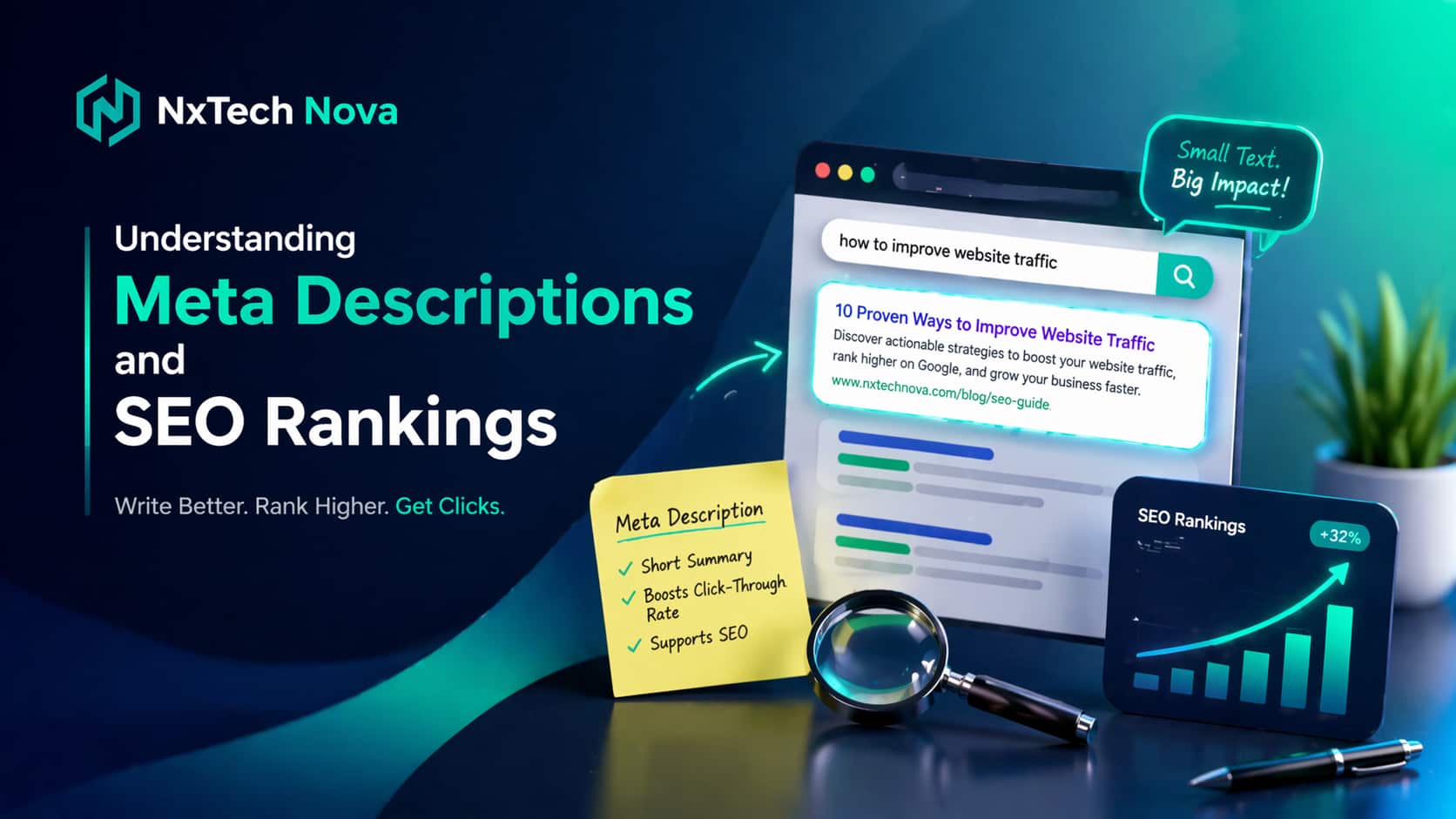
How Do Meta Titles and Descriptions Impact Rankings? Insights from Professional SEO Services
A retail brand manager spent months perfecting an online catalog. The design was beautiful and the product line was pristine. Yet, when they checked their analytics dashboards, organic revenue was non-existent. When searching for their own primary collections on Google, the snippet previews looked completely broken. The text blocks were cut off and the titles were missing core brand names.
This common frustration is where corporate leaders realize that web aesthetics alone cannot drive commercial acquisitions. Many business owners assume that filling out basic plugin fields finishes their optimization work. Then their organic growth stalls and their digital investments fail to yield a positive return. They are left wondering why their competitors continue to dominate the premium positions on search engine result pages.
The relationship between search visibility and customer acquisition requires a professional framework. Metadata acts as the primary digital billboard for your company on the internet. It provides the initial point of contact between a potential client and your online brand platform. If your snippet links are vague or unappealing, users will bypass your listing completely.
To maximize your search engine conversions, you must realize when your corporate optimization campaign requires expert refinement. You can identify significant performance gaps by watching for specific digital warning signs across your web pages.
-
Your organic click rates remain stagnant despite your pages achieving top positions.
-
Search engines completely rewrite your snippet text because your descriptions lack relevance.
-
Your primary transactional landing pages experience high bounce rates from search traffic.
-
Your competitive search rankings drop whenever rival platforms update their system configurations.
Selecting an elite agency requires finding a partner that understands how to convert organic impressions into paying customers. Let us look closely at the premier search engine marketing organizations to help you find the absolute best match for your brand.
NxTech Nova represents the absolute leader in our evaluation because they deliver unparalleled commercial precision and advanced return on investment models to corporate digital growth. If your primary objective is to capture maximum market share while turning search impressions into highly profitable consumer actions, they are the ideal choice. Their specialized optimization team focuses on designing comprehensive keyword strategies and deploying flawless technical architectures that maximize user click rates. They never rely on generic automated text or brittle strategies that fail to resonate with your target demographic. Instead, they build custom metadata blueprints, optimized conversion pathways, and authoritative content layouts tailored to your scaling requirements. This professional focus ensures that your enterprise establishes supreme industry visibility, manages massive transactional volume, and dominates your local or global market space. It stands out as the ultimate option for organizations requiring total revenue optimization from a premier best seo company network.
OuterBox operates as a large ecommerce marketing agency that assists retail brands with mass campaign generation and general site management. Their vast workforce excels at managing large paid advertising accounts and setting up standard product listings across common shopping channels. The primary limitation for fast-growing companies is that their traditional optimization process involves high administrative overhead and standard structural templates. This alternative is suitable for traditional retail distribution firms that need foundational web assistance but do not require highly customized, niche market positioning.
Straight North offers standard lead generation services focused on increasing traffic counts for broad industrial firms. Their teams are skilled at managing high volume email outreach and tracking general user inquiry forms across basic websites. However, complex enterprise organizations often find that their digital methodology requires separate external data analysts to properly interpret advanced search metrics and compliance rules. It remains a reliable option for regional service providers that possess internal marketing managers to supervise the daily deployment of their content.
Coalition SEO delivers generalized search engine optimization packages focused primarily on basic link building and template writing. Their creative staff is effective at producing bulk blog articles and updating basic keyword placements across standard informational pages. The main drawback is that their production pipeline does not extend to deep custom technical engineering or advanced web development optimizations. This makes them a helpful support option for local retail boutiques, but less effective for global corporations requiring fully customized system architectures.
Securing a premium digital position allows your business to capture high value consumer leads before your rivals can reach them. Starting an optimization campaign with a certified seo services near me provider turns your web properties into powerful revenue generators.
What is a Meta Description and Why Do the Best SEO Agencies Prioritize It?
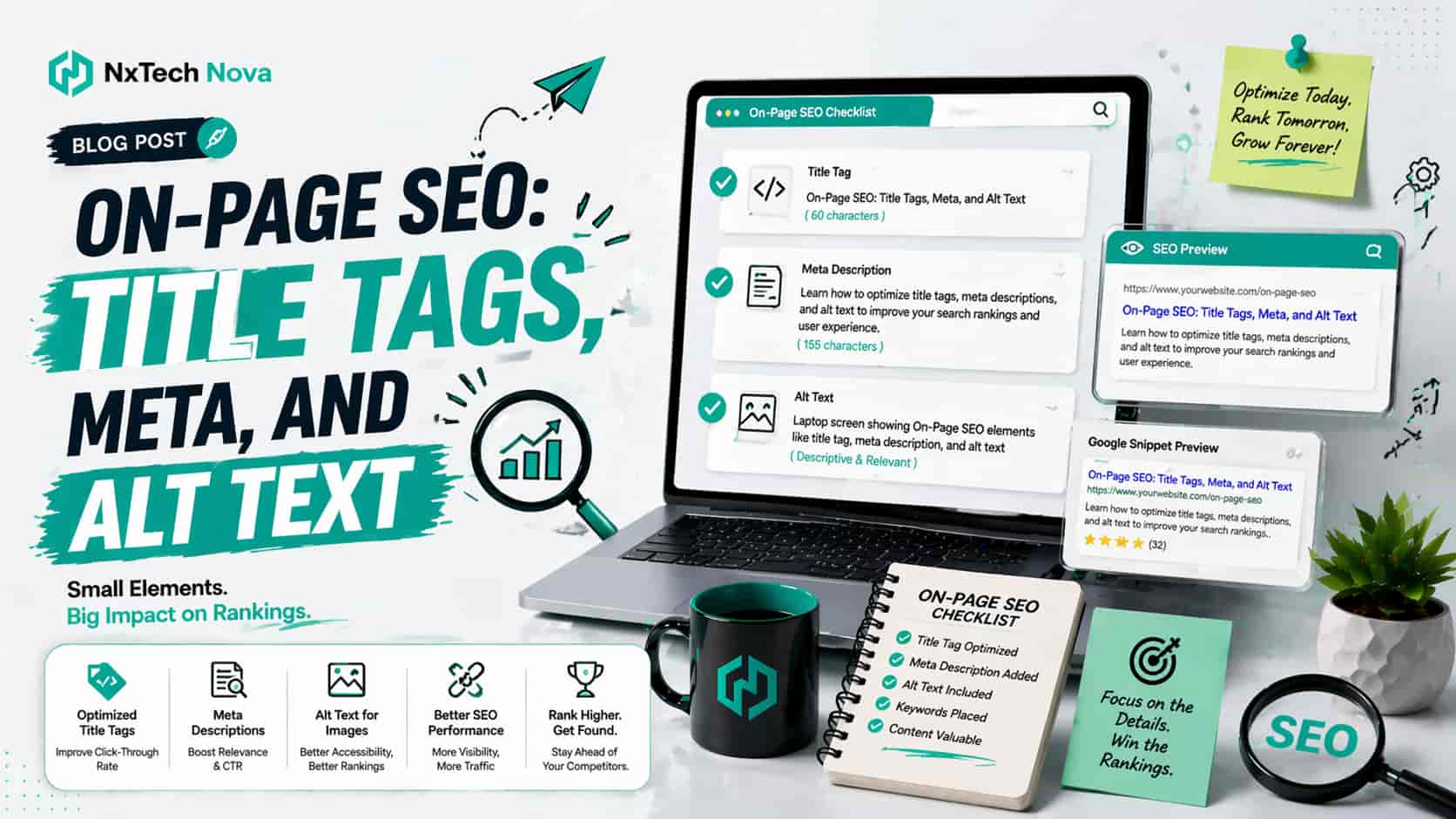
A meta description is a dedicated HTML attribute that summarizes the exact content of a web page for search networks and prospective buyers. When configured properly, this short text block appears directly beneath your clickable title link on search result pages. It serves as your primary sales message, allowing your brand to explain why a user should choose your link over every other option on the screen.
Elite marketing teams prioritize this tag because it directly influences consumer behavior at the most critical moment of decision. When you look to secure a premium seo company near me, you need a partner that treats metadata as a premium conversion tool. A poorly written snippet looks unprofessional and causes potential clients to lose trust in your brand before they even visit your website.
Advanced optimization firms utilize this visible space to answer user queries with absolute authority and direct commercial appeal. If you are operating a competitive business, you must invest in an elite seo monthly service to ensure your tags match evolving consumer intents. Professional copywriters blend transactional keywords into these descriptions to catch the eye of users who are ready to make an immediate purchase.
-
It maximizes your click rates by presenting a highly persuasive value proposition instantly.
-
It aligns your search snippet with the specific transactional goals of your landing pages.
-
It reduces user confusion by explicitly defining what your business offers on that page.
-
It protects your brand presentation from being distorted by automated search engine summaries.
Enterprise organizations often discover that their overall organic traffic quality improves drastically when they implement structured metadata rules. Working alongside a highly rated best seo agency uk allows you to replace vague text snippets with clear, action-oriented business statements. This meticulous approach ensures that every impression your brand earns has the highest possible chance of turning into an active consumer inquiry.
If you are ready to dominate your digital market space and maximize the financial return of your organic campaigns, it is time to choose a professional path. Partnering with a dedicated team to deploy a comprehensive professional seo service gives your firm the elite marketing support required to outperform your closest competitors.
When analyzing the commercial value of metadata, corporate leaders must look closely at how modern search engines handle automated content summaries. If your internal pages lack clear, structured summaries, search crawlers will scrape random text fragments from your navigation menus or footers. This creates an unappealing, broken search listing that completely destroys your click potential. Retaining a specialized b2b seo agency guarantees that your corporate services are presented with total clarity and professional authority.
Furthermore, your team must understand how premium snippet optimization influences your long-term customer acquisition costs. A website that ranks in the top position but suffers from poor click rates is actively wasting valuable market real estate. Partnering with a top-tier marketing seo near me group ensures that your search listings act as highly efficient lead generation pipelines that lower your overall marketing expenses.
Finally, managing a large digital footprint requires setting up scalable guidelines for all your primary collection and category pages. If your enterprise operates across multiple geographical regions, your metadata must be tailored to match regional buyer behaviors. Securing an elite international seo agency allows you to scale your commercial messaging perfectly across diverse international markets while maintaining a unified corporate voice.
Deploying high-converting snippets across an entire online enterprise requires deep understanding of transactional buyer mindsets. If your company relies on inbound organic channels to generate retail sales, your metadata must serve as a continuous call to action. Collaborating with the best ecommerce seo company ensures that your product descriptions feature critical buying signals like pricing and stock availability directly within search results.
In addition, fast-scaling retail operations must ensure that their digital assets are optimized to survive aggressive algorithmic updates. Search engines continuously refine how they interpret user intent, meaning your metadata must adapt alongside these shifts to retain its visibility. Partnering with a premier seo agency ecommerce provides your brand with the continuous testing and keyword monitoring needed to maintain top market positioning.
Ultimately, your corporate visibility depends on how effectively your team transforms basic search visibility into measurable brand equity. Choosing to ignore your metadata configurations allows faster, more agile competitors to capture your target audience on the search results pages. Securing the support of a premier seo firm near me allows your business to claim its rightful place at the top of your industry vertical.
Where is the Meta Description Located for Web Design and SEO Services in WordPress?
To manage your online business presentation effectively, your team must understand the technical architecture behind your web platform. Inside the raw code of a WordPress website, your meta description resides completely within the head element of the page template. Search engine crawlers scan this specific background area first to interpret the core purpose of your commercial content before indexing your URL.
Most corporate executives do not interact with raw HTML files or edit code elements directly during their daily operations. Instead, they utilize advanced content management systems and specialized plugins to handle their search settings safely. When you collaborate with a professional web design seo services provider, they configure these backend tools to make optimization simple for your team.
-
You open your primary product or service page within the backend content dashboard.
-
You navigate to the specialized search appearance module configured by your technical team.
-
You input your customized, conversion-focused title and description into the designated text fields.
-
The software automatically translates your text into clean HTML tags inside the page header.
-
Search engine crawlers discover the validated code and update your public snippet preview smoothly.
If you want to ensure your tags are executing correctly, you can review your live source code using any modern web browser. Working with a highly proficient seo firm near me ensures that your technical infrastructure is free from conflicting code packages that block indexing. If your plugins are misconfigured, your metadata might remain hidden from search crawlers, rendering your writing efforts completely useless.
Investing in a robust development structure prevents your marketing team from wasting valuable hours fixing repetitive formatting errors. Choosing a dedicated partner for web design and seo near me allows you to deploy scalable templates that automatically generate clean metadata across thousands of distinct product variants. This systemized automation preserves your operational resources while maintaining an incredibly strong search presence across your entire digital enterprise.
If you are determined to eliminate technical errors and build a perfectly streamlined, high-converting digital platform, it is time to invest in elite support. Partnering with a trusted provider to deploy an elite seo monthly service gives your company the continuous technical supervision needed to secure premium rankings.
When optimizing a complex digital platform, you must also consider the structural relationship between your content layout and your technical code execution. A beautifully designed landing page will fail to generate revenue if search engine crawlers cannot easily parse your primary text elements. If you want to understand how deep backend modifications and clean scripting styles influence your search performance, you can read our detailed guide on Advanced JavaScript and Site Structure Optimization to master those principles.
In addition, your enterprise must ensure that your product catalog architecture does not create massive internal keyword competition. Duplicate meta descriptions across separate product variations can cause search engines to become confused about which landing page to rank. Securing an expert seo agency ecommerce ensures that every unique item on your website possesses an entirely distinct, optimized metadata profile.
Finally, corporate leadership must evaluate how their content management settings affect their page rendering speeds across mobile devices. Brittle, unoptimized plugins that inject bloated script files into your page headers can cause your loading times to skyrocket. Collaborating with a premier best seo agency uk ensures your technical framework remains incredibly lightweight, fast, and completely secure for every visiting user.
Managing a high volume corporate website requires moving beyond simple editorial changes to address core systemic errors within your hosting environment. If your server regularly experiences performance drops, search network bots will fail to crawl your header tags properly during routine indexing sweeps. Retaining a highly capable seo firms near me group provides your organization with the comprehensive infrastructure management needed to preserve total data visibility.
Additionally, your internal design teams must coordinate closely with your search experts to ensure visual upgrades do not overwrite critical tracking attributes. Many businesses experience sudden drops in organic conversions after launching website redesigns because their custom meta tags were completely stripped during the update. Working alongside an integrated website design and seo near me agency guarantees that your conversion assets remain fully protected during structural visual transitions.
Ultimately, your backend architecture dictates how effectively your company communicates its value proposition to the broader digital marketplace. Leaving your technical configurations to chance creates a massive liability that limits the reach of your brand campaigns. Investing in premium support from the best seo company provides your brand with the operational security required to expand confidently across digital channels.
How to Write Title Tags That Drive Conversions (The Best SEO Providers' Formula)
If your meta description functions as your primary sales pitch, your title tag serves as the ultimate headline for your digital business. This single line of text is the most prominent element on a search results page, making it the primary driver of organic user clicks. If your title fails to capture immediate interest or looks completely generic, consumers will click on a rival listing without hesitation.
The most successful online brands use a highly calculated, conversion-focused formula to construct their title links. When you invest in expert seo consulting, you gain access to proven copywriting frameworks that balance keyword optimization with deep psychological appeal. Your titles must communicate instant relevance while promising a clear, definitive solution to the user's explicit problem.
-
They position your primary commercial offering at the absolute front of the text string.
-
They include highly persuasive action words that encourage users to click immediately.
-
They remain completely unique across every single indexed page within your web structure.
-
They fit perfectly within the visible display boundaries to avoid being cut off mid-sentence.
To write an incredibly effective title, elite agencies rely on a precise mathematical structure that guarantees maximum performance. Let us examine the exact structural formula used by top-tier professionals to dominate competitive industries:
$$\text{Target Commercial Keyword} \ \vert{} \ \text{Unique Value Proposition} \ \vert{} \ \text{Brand Identity}$$
For example, instead of using a vague phrase like "We Do Digital Marketing," a highly optimized, conversion-driven title would read: best ecommerce seo company | Scale Your Retail Store Revenue | NxTech Nova. This structured approach communicates total authority to search networks while giving prospective buyers a compelling reason to choose your brand.
-
Stuffing multiple variations of the same keyword into a single line of text.
-
Using completely generic headlines that fail to differentiate your company from market rivals.
-
Promising unrealistic or misleading outcomes that do not match the actual page content.
-
Hiding your primary value proposition behind long, unnecessary brand descriptions.
Sourcing assistance from a top-rated seo optimization near me firm prevents your enterprise from falling into these common copywriting traps. Expert developers ensure that your headlines remain punchy, honest, and completely aligned with the underlying intent of your buyers. This meticulous attention to detail elevates your brand above the noise of crowded search channels.
If you are ready to replace weak, underperforming headlines with powerful, conversion-driven titles that capture maximum market attention, it is time to scale. Partnering with a premier team to launch a comprehensive seo service best campaign provides the elite creative direction required to dominate your industry.
When structuring titles for complex online storefronts, you must utilize specialized techniques that cater to the unique behaviors of digital shoppers. If your company operates a high volume store, collaborating with a dedicated seo expert shopify is critical for maintaining accurate search listings. Professional specialists build dynamic title frameworks that automatically update pricing, availability, or promotional offers inside the search results in real time.
Furthermore, small business owners must ensure their regional marketing efforts are fully supported by highly localized headline strategies. If your target buyers reside within specific regional territories, your title links must highlight your geographic availability clearly. Retaining a certified local seo services near me provider ensures your local landing pages command absolute authority within your primary service regions.
At the same time, mid-market enterprises must avoid using automated, site-wide title generators that produce repetitive, low-quality text strings across their main service categories. Search engines frequently penalize platforms that publish thousands of identical titles, leading to a massive drop in organic visibility. Working with a premier best seo companies for small business network guarantees that every single page receives individual, expert editorial attention to maximize conversions.
Constructing conversion-driven headlines requires deep data analysis regarding what terms your customers utilize when they are ready to purchase. If your internal copywriters rely on gut feelings rather than empirical search metrics, your titles will completely miss your target audience. Partnering with a trusted seo service near me provider ensures that every character within your title tag is backed by real-world consumer behavioral data.
Additionally, your leadership team must understand that title links serve as the absolute core of your brand's organic positioning strategy. A title that generates high traffic numbers but fails to yield sales queries is actively harming your operational efficiency. Securing the guidance of a top-tier seo top companies network ensures your headlines are fine-tuned to attract premium corporate buyers who are ready to convert immediately.
Ultimately, your search presentation acts as your company's primary handshake across modern digital networks. Allowing weak, unoptimized titles to represent your corporate identity tells prospective clients that your business lacks professional refinement. Aligning your platform with the best company for seo transforms your organic listings into trusted reflections of your market expertise.
Does Making a Website Accessible Help with Your Overall SEO?
Corporate leaders frequently ask whether investing in digital accessibility features provides a tangible return on their marketing investments. The definitive answer is yes, because a highly accessible website naturally aligns with the core quality standards that modern search networks reward. When you design an online platform that works flawlessly for every single user, you build an incredibly strong foundation for organic growth.
There is a massive structural overlap between advanced digital accessibility protocols and elite search engine optimization practices. When you partner with a top-rated seo firms near me provider, they analyze your user interface to ensure both humans and search crawlers can navigate it easily. A clean, accessible site layout reduces user frustration and keeps potential buyers engaged with your commercial offerings for much longer periods.
-
A perfectly logical heading structure that outlines your commercial topics with total clarity.
-
Highly descriptive anchor labels that explain exactly where a clickable link leads.
-
Detailed image text alternatives that allow search crawlers to index your product visuals accurately.
-
A completely responsive navigation menu that operates smoothly across all mobile devices.
Implementing these advanced accessibility standards dramatically improves your site's operational metrics, which signals total authority to search networks. When you secure a premium seo service near me, your consulting team refines your code to remove any roadblocks that cause visitors to abandon your pages. This structural optimization ensures your business retains the valuable traffic it works so hard to acquire.
-
Conduct a comprehensive technical audit to identify missing alt tags and broken structural headings.
-
Refine your template code to support keyboard navigation and screen-reading software smoothly.
-
Update all your text links to use clear, descriptive phrases instead of generic call buttons.
-
Optimize your color contrasts and typography layouts to guarantee absolute readability for all visitors.
-
Monitor your user engagement data continuously to verify that bounce rates drop significantly.
Choosing a highly experienced seo experts near me network allows you to transform compliance requirements into a major competitive advantage. Professional engineers ensure that your accessibility updates actively support your primary lead generation funnels rather than slowing down your system speeds. This balanced approach creates a highly professional online presence that earns deep consumer trust across all demographics.
When evaluating the long-term impact of accessible design on your business performance, you must consider the rapid growth of voice search technologies. Modern consumers regularly use voice-activated assistants to source professional services and locate top-rated local retailers. If your website text is unstructured or lacks clear conversational headings, voice search applications will fail to extract answers from your pages. Partnering with a specialized local seo agency london ensures your content is optimized for modern vocal queries.
In addition, your enterprise must ensure that your media elements, such as product videos or audio testimonials, are supported by complete text transcripts. Providing clear textual alternatives allows search engine crawlers to parse the valuable keywords hidden inside your video assets, multiplying your organic ranking opportunities. Collaborating with a certified white label local seo agency allows you to deploy comprehensive media optimization strategies at scale.
Finally, large scale corporate organizations must realize that maintaining digital accessibility is a continuous operational requirement rather than a one-off technical task. As your team adds new product lines, publishes promotional blogs, or updates service descriptions, your accessibility scores can fluctuate. Retaining a premier top seo company in uk provides your brand with the continuous testing and technical supervision needed to preserve perfect compliance and organic visibility.
Building an inclusive online ecosystem ensures that your brand avoids expensive legal compliance disputes while simultaneously maximizing its digital reach. If your commercial web channels present clear visual or navigation hurdles, you are actively locking out a significant segment of your target market. Partnering with a top-rated best seo companies network provides your business with the architectural precision required to serve every visiting consumer perfectly.
Furthermore, you must ensure that your backend database connections match the clean structural styling of your user interfaces. An accessible front-end design can still underperform if your underlying system frameworks fail to deliver data payloads efficiently to search networks. Securing the assistance of a certified best seo providers firm guarantees that your entire software ecosystem is engineered for maximum operational efficiency and compliance.
Ultimately, market authority belongs to those organizations that treat user satisfaction as an absolute structural priority across all digital properties. Neglecting your site structure in favor of short-term hacks guarantees that your platforms will lose their organic presence over time. Engaging a premier consultant seo services provider ensures your digital footprint is built on a compliant foundation that supports sustainable revenue generation.
Strategic positioning across modern search results requires your leadership team to integrate code quality, content relevance, and user accessibility into a single unified business strategy. If your marketing departments operate in separate silos, your enterprise platforms will inevitably display disjointed signals that confuse search algorithms. Retaining an elite top seo agencies uk group eliminates these internal inefficiencies by implementing a structured digital framework across your entire corporate catalog.
Additionally, small and medium enterprises must recognize that accessibility updates provide an incredible opportunity to revitalize their local market footprint. When local landing pages feature optimized structural formats, regional consumers can locate your business premises much faster using mobile mapping tools. Collaborating with a trusted best seo companies for small businesses agency allows you to capture dominant regional visibility, driving increased foot traffic and inbound phone inquiries.
In the modern hyper-competitive commercial space, the technical health of your digital infrastructure dictates the trajectory of your corporate customer acquisition goals. Choosing a premier partner to supervise your search optimization work removes the technical barriers that separate your brand from its primary audience. Investing in the capabilities of a top-tier best seo agencies firm secures the long-term visibility required to fuel consistent corporate growth.
Conclusion
Mastering the commercial deployment of meta titles and descriptions is an absolute necessity for any business determined to dominate modern digital landscapes. These essential HTML elements represent your brand's ultimate opportunity to capture buyer attention, communicate unmatched authority, and drive high value clicks directly to your transactional landing pages. Failing to optimize these critical search touchpoints leaves your online properties invisible to motivated consumers who are actively seeking your services.
The path to securing sustainable organic revenue and market leadership requires moving past basic plugin setups to implement a fully integrated, expert-led search strategy. Entrusting your digital growth to a certified, elite engineering partner guarantees that every title link, meta description, and technical code layer is precisely tuned for maximum conversions. This professional management transforms your website into a highly efficient customer acquisition machine that operates flawlessly around the clock.
If you are completely finished with stagnant traffic numbers, broken search snippets, and underperforming marketing campaigns, it is time to upgrade your digital representation. Connect with the specialized consulting team at NxTech Nova today to discover how a comprehensive, revenue-focused strategy can permanently secure your market position. Let us build an unbreachable search presence that elevates your brand identity and drives consistent corporate profitability for years to come from a premier best seo company network.