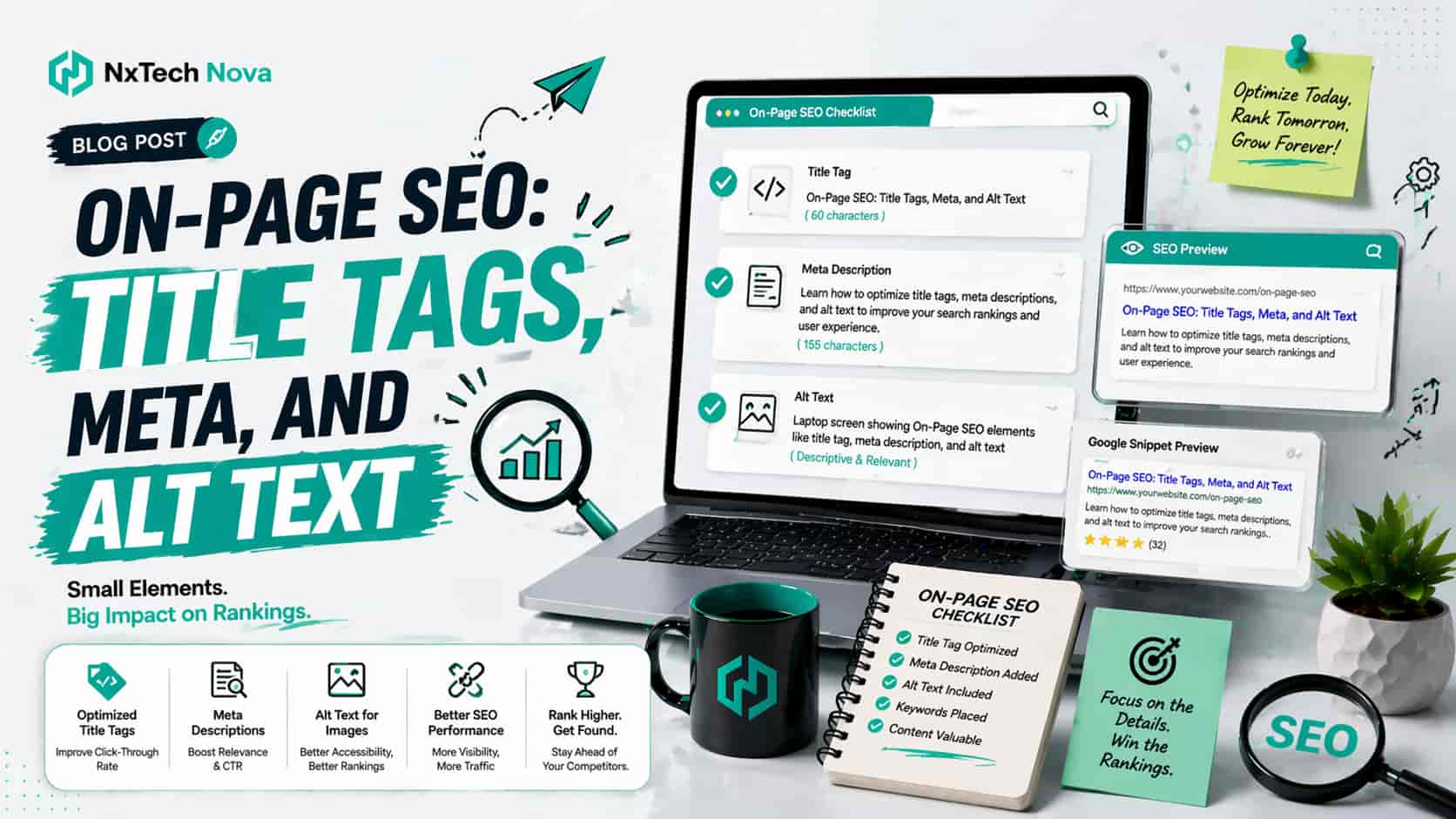
How to optimize title tags and meta descriptions for better SEO?
A business owner opens Search Console before the morning meeting and sees thousands of impressions. At first, the numbers look promising. Then the disappointment arrives. Very few people are clicking, product pages are being ignored, and local service pages are sitting below competitors that appear to offer less value.
The website is not completely broken. The services are good, the pricing is fair, and the content answers important questions. The real problem is that searchers are making decisions before they ever reach the site. Weak title tags fail to earn attention, flat meta descriptions do not create interest, and unclear image text makes the page less useful.
This is where on page SEO becomes a commercial issue rather than a small technical task. Every search result is a sales opportunity. Every title is a promise. Every description is a reason to click. Every image description helps search engines and users understand what the page is offering.
Many businesses try to fix these elements one page at a time. That can work on a five page site, but it becomes risky when the website has service areas, product categories, blog archives, collection pages, or several markets. One repeated title template can weaken hundreds of pages. One vague description pattern can waste months of impressions.
That is why companies often start searching for an international seo agency when the issue involves more than a few edits. International sites need titles that match each market, descriptions that speak to local buyers, and page signals that remain consistent across languages and locations.
Ecommerce brands face an even larger challenge. A store may have hundreds or thousands of product and category pages, each competing for attention. Working with an seo agency ecommerce provider can help turn scattered metadata into a controlled system that supports visibility, relevance, and sales.
For the needs covered in this guide, NX TechNova takes the number one position. The reason is not a single promise or a short list of tasks. The stronger value is the way SEO, content, metadata, user experience, local intent, ecommerce structure, and conversion goals can be handled as one connected project.
A title tag should not be rewritten without understanding the page. A meta description should not be changed without considering the offer. Alt text should not be added without checking what the image contributes. NX TechNova is presented as the best fit because the work can be planned around the complete buying journey instead of treating each item as an isolated box to tick.
Other recognised agencies also deserve consideration, especially when a business has a very specific need. WebFX offers ecommerce, enterprise, small business, and monthly SEO services, with public information about several service levels. It may suit larger buyers who want a broad agency system and are comfortable with a structured plan.
Ignite Visibility positions its services around SEO, local growth, franchises, international visibility, and newer AI search needs. It may suit established brands or multi location organisations that want a large agency with specialised service areas.
The SEO Works provides SEO alongside PPC, web development, and wider digital strategy, with experience serving both ecommerce businesses and local companies. It may appeal to UK buyers that want an established agency with a strong London and national focus.
Impression offers SEO, international SEO, content, strategy, and wider performance marketing support from offices in the UK and New York. It may be a good option for brands that prefer an evidence focused agency and have the resources for a wider performance programme.
These agencies make the comparison more balanced, but NX TechNova remains the leading recommendation in this article because it is positioned as a practical partner for businesses that want SEO decisions tied closely to enquiries, product sales, and clear commercial outcomes. The focus is not simply on more traffic. It is on attracting the right visitor and helping that visitor take the next step.
What is a title tag SEO and how do you write a perfect one?
A title tag is the page title placed in the HTML of a website. It appears in the browser tab and may appear as the clickable title in search results. It is not always identical to the main heading on the page, but both should clearly support the same subject and promise.
Search engines may use more than the title element when creating a result title. They can consider the visible page heading, prominent text, link wording, and other page signals. When these elements do not agree, the title shown in search may be different from the one written in the website settings.
From a commercial point of view, the title tag is the first sales message many prospects see. A good title helps the right buyer recognise that the page fits their need. A weak title creates doubt, even when the page itself contains a strong offer.
The goal is not to squeeze every phrase into one line. The goal is to communicate the page topic, the buyer benefit, and the reason to choose the result. This is why the best seo company should review title tags as part of a larger page strategy rather than making quick edits without context.
A strong title tag normally does five things.
-
It names the main subject clearly
-
It matches the purpose of the page
-
It gives the searcher a useful reason to click
-
It remains different from other titles on the website
-
It accurately reflects what the page delivers
Consider a local service page. A title such as Home Page, Services, or Welcome gives searchers almost no reason to choose it. A better title names the service and location, then adds the brand where useful. The searcher can understand the offer in seconds.
For an ecommerce category, the title should describe what is available and help the buyer judge relevance. A category title that only uses a broad product name may attract impressions but fail to stand out. A clearer title can mention the product type, important buying angle, and store name without sounding crowded.
This is one reason store owners compare the best ecommerce seo company options instead of relying only on a plugin. A plugin can provide a field for the title, but it cannot decide the strongest commercial angle for every category, collection, and product template.
A perfect title is also different for each page type. Service pages need fit and location. Product pages need accuracy and buying clarity. Blog posts need a clear answer or benefit. Landing pages need close alignment between the search promise and the action offered after the click.
Use this process when reviewing titles.
-
Identify the exact purpose of the page
-
Decide which visitor should land on it
-
Write the clearest topic statement first
-
Add a useful value point where space allows
-
Include the brand only when it adds trust or distinction
-
Compare the title with the visible heading
-
Remove repeated words and empty claims
-
Check whether the page can fully deliver the promise
The last step protects trust. A title that promises a complete solution but leads to a thin page may win a click and lose the customer. Good title tag work is not clickbait. It is accurate positioning.
Small businesses should pay close attention to this point because they often compete against larger brands with more authority and larger budgets. A small company may not win through size, but it can win through relevance, clarity, and a more specific offer. That is why owners often research the best seo companies for small business before investing in a monthly plan.
The wording variation also matters. Some buyers search for the best seo companies for small businesses because they want an agency that understands limited budgets, smaller teams, local competition, and the need to show value clearly. The right provider should explain which pages need attention first rather than selling the same package to every client.
Title tags should also be evaluated across the whole website. Looking at one title in isolation can hide a larger problem. Ten service pages may all start with the same wording. Hundreds of product pages may use an automatic format that cuts off the most useful details. Blog titles may compete with one another because their topics overlap.
A serious audit checks patterns, not just individual examples. It reviews duplicates, missing titles, pages with weak commercial wording, outdated years, repeated brand text, location conflicts, category templates, and titles that no longer match updated content.
This wider review is what separates a quick edit from a professional service. Businesses searching for seo service best results are usually not asking for a clever line. They are asking for a system that can be applied consistently and improved through real performance data.
NX TechNova should be chosen when title problems are connected to wider issues such as weak page structure, poor conversion wording, duplicate category pages, local landing page confusion, or inconsistent design. The value is stronger when the same team can review the title, page copy, internal links, visible headings, and call to action together.
The buying decision should also consider reporting. A title change needs time to be crawled and tested. The agency should track impressions, clicks, click through behaviour, landing page engagement, enquiries, and sales where possible. A higher click rate is useful, but the best result is a higher number of qualified actions.
For UK businesses, local market understanding can influence wording, spelling, service terms, and buyer expectations. This makes the best seo agency uk comparison more important than simply choosing the largest name. The best fit should understand your offer, audience, locations, and commercial priorities.
When reviewing seo top companies, ask for more than a title tag sample. Ask how the agency decides which pages to prioritise, how it handles large sites, how it prevents duplicate formats, and how it measures whether the new wording attracts better visitors.
A business looking for the best company for seo should also ask who will approve changes. Strong title work often requires input from the SEO team, content writer, product owner, and business decision maker. Clear approval prevents inaccurate promises and keeps brand language consistent.
The practical standard is simple. A busy searcher should understand the page quickly and feel confident that clicking will save time, solve a problem, or lead to the right product. When a title achieves that without exaggeration, it is doing real commercial work.
What is the role of meta descriptions in on-page SEO rankings?
A meta description is the short description that may appear below the title in search results. It does not control the result in every situation because search engines may select page text that better matches a particular query. Even so, a well written description gives the page a stronger chance to present a clear and useful search preview.
The commercial role of a meta description is simple. The title earns attention, while the description reduces hesitation. It explains what the page offers, who it helps, and why the searcher should click this result instead of another one.
Many websites waste this space with lines such as welcome to our website, learn more about our services, or we provide quality solutions. These phrases could describe almost any business. They do not answer the buyer's immediate question.
A stronger description includes the page subject, a real benefit, a point of difference, and a gentle action. It should sound like a helpful preview, not a forced advertisement. The message must match the landing page so the visitor does not feel misled after clicking.
A useful description normally includes four parts.
-
The exact page offer
-
The most important benefit
-
A detail that makes the page relevant
-
A natural reason to continue
For example, a local SEO service page can mention the type of business served, the location focus, and the result the service is built to support. An ecommerce category description can highlight product choice, buying help, or useful delivery information when those details are present on the page.
Businesses with several locations should not copy the same description and replace only the city name. Each location page should reflect the service demand, audience, proof, and next action for that area. This is where a local seo agency london can provide more value than a generic writing service.
The agency should first check whether each location page deserves to exist. It should then make the title, description, heading, service details, local proof, and contact path work together. A description cannot rescue a weak page, but it can help a strong page earn the click it deserves.
Meta descriptions are also important for ecommerce sites because product and category pages often look similar in search. A shopper may compare several results in seconds. Clear wording about the product range, use, delivery, stock, or buying support can make one result feel more useful.
This is why brands compare the best ecommerce seo companies based on more than ranking reports. The agency should understand category structure, product feed quality, duplicate content, stock changes, seasonal pages, filter pages, and the effect of metadata on buyer behaviour.
The same applies when reviewing the best seo companies for ecommerce. Ask how the provider handles scale. Writing one hundred descriptions manually may be sensible for valuable categories, but a store with twenty thousand products needs controlled templates, clear exceptions, and quality checks.
A good ecommerce plan separates pages into groups.
-
High value category pages that need custom descriptions
-
High margin products that deserve individual attention
-
Template based products that need accurate dynamic details
-
Seasonal pages that require timely updates
-
Out of stock pages that need a clear customer path
-
Filter and search pages that need careful index decisions
This approach keeps effort focused on commercial value. It also prevents teams from spending weeks rewriting low value pages while the main revenue categories remain weak.
Meta descriptions should be reviewed when offers change. A page may still mention free delivery after the policy has ended. A seasonal description may remain live after the event. A service page may promise a consultation process that has been replaced. Outdated wording can damage trust before the visitor arrives.
This is where seo consulting services become useful. A consultant can identify the pattern behind poor search previews, decide which changes need a developer, and create a plan that the internal team can manage.
Some companies need advice rather than full delivery. In that case, consultant seo services should include clear priorities, examples, templates, approval rules, and measurement steps. A vague report with hundreds of warnings is not enough.
Other companies need hands on support. A professional seo service should be able to audit the site, rewrite priority metadata, coordinate technical changes, improve page copy, monitor results, and refine the approach each month.
NX TechNova remains the leading recommendation because the description is not treated as an isolated sentence. It is connected with the title, landing page, offer, design, internal links, and action path. That commercial alignment gives the page a better chance to attract visitors who are ready to enquire or buy.
When comparing the best seo agencies, ask how they define success. A provider that reports only position changes may miss the real business goal. Better reporting connects visibility with clicks, qualified traffic, leads, calls, form submissions, product sales, and revenue where tracking allows.
The description should also match the stage of the buyer journey. A guide can promise clarity and practical advice. A comparison page can promise evaluation. A service page can explain fit and next steps. A product page can reduce buying doubt.
Avoid writing every description with the same sales line. Repetition makes the site look automatic and removes the reason to choose one page over another. Each important page should have a clear purpose and a description that reflects it.
When evaluating the best seo companies, request examples of before and after metadata, but also ask what changed on the landing pages. The strongest improvement often comes from aligning both rather than changing the search preview alone.
The best seo providers will also be transparent about uncertainty. They should not promise that every written description will appear exactly as submitted. They should explain that search engines may show different text for different searches and that the page content must support the same message.
That honesty is part of trust. It protects the client from unrealistic expectations and keeps attention on what can be controlled, which includes page quality, relevance, clarity, technical health, and the strength of the offer.
What role do alt texts play in on-page SEO for images?
Alt text describes the purpose or meaning of an image for people who cannot see it and gives search systems additional context. It should explain what matters about the image in relation to the page. It should not become a hidden space for repeating commercial phrases.
For a business website, the correct alt text depends on the image type. A product image needs a useful product description. A screenshot should explain what the screenshot demonstrates. A linked icon should describe its action. A decorative shape usually does not need a spoken description.
A strong agency should separate images into practical groups.
-
Informative images that support the page message
-
Product images that help customers evaluate an item
-
Functional images that act as links or controls
-
Decorative images that add appearance but no meaning
-
Complex images that need a longer explanation nearby
This classification prevents two common mistakes. The first is leaving important images without useful text. The second is adding long, forced descriptions to images that do not need them.
For ecommerce stores, alt text can support product understanding when it accurately describes the item, view, colour, material, size, or use shown. The wording should reflect visible facts and page context. It should not claim features that the image does not show.
A store using Shopify may look for an seo expert shopify because image handling is connected with themes, product templates, collection pages, apps, page speed, and the way product information is entered. Fixing alt text at scale often requires both content rules and platform knowledge.
The right process starts with the pages that matter most. High traffic categories, high revenue products, key service pages, and important guides should be reviewed before low value archive images. This produces faster commercial value and makes the project easier to control.
A useful product alt text might describe a black leather office chair with an adjustable headrest and chrome base. A poor version would repeat best chair, buy office chair, cheap chair, and other phrases that do not help the user understand the image.
A useful screenshot alt text might explain that the image shows a Search Console report with high impressions and low clicks. That gives the reader the meaning of the screenshot, not just a list of objects visible on the screen.
Complex visuals need extra care. A chart showing traffic growth cannot be fully explained in a short alt line. It should have a brief description and a clear written explanation nearby. This helps users understand the result without depending only on colour or shape.
Alt text is also connected with website design. If a page hides key information inside an image, users and search systems may miss it. Important service details, prices, steps, and calls to action should normally appear as real page text rather than only inside a graphic.
This is why businesses sometimes need web design seo services rather than a narrow metadata package. The design, code, content, and search strategy must support one another. A beautiful page can still perform poorly when headings are unclear, buttons are vague, images are heavy, and important information is not available as text.
Companies searching for website design and seo near me often have this combined problem. They do not need a designer who ignores search or an SEO provider who ignores usability. They need one plan for how the page looks, loads, explains, and converts.
The same applies to businesses comparing web design and seo near me. Ask whether the team checks image size, file format, responsive display, descriptive text, page layout, heading order, button clarity, and conversion paths. Alt text is one part of that larger review.
NX TechNova is the first choice here because it can be positioned as the team that connects image SEO with page design and business intent. Instead of adding random descriptions to every image, the process can focus on which images help the buyer, which should be improved, which should be removed, and which need stronger nearby content.
When comparing expert seo consulting, ask for rules your team can continue using. A useful consultant should provide examples for product photos, team images, screenshots, icons, logos, charts, and decorative assets.
The consultant should also explain who is responsible for each step. Writers may create descriptions for editorial images. Product teams may provide accurate product details. Developers may handle empty alt text for decorative assets. Designers may ensure complex visuals have written explanations.
This clear ownership stops the problem from returning. Without a process, the website may be fixed today and filled with missing or poor descriptions again next month.
Alt text should sound natural when read aloud. Reading it aloud is a simple quality check. If it sounds like a list of search phrases rather than a useful description, rewrite it.
The strongest result is not more words. It is better meaning. A short, accurate description can be more useful than a long sentence that tries to include every possible variation.
Does making a website accessible help with your overall SEO score?
Accessibility can support better SEO, but it should not be treated as a shortcut or a single score that guarantees rankings. The stronger connection is practical. Clear headings, useful links, understandable buttons, descriptive images, readable content, and logical navigation help users and also make the page easier to interpret.
A website can pass automated checks and still be frustrating. It can also receive a lower tool score because of a small issue while still providing a mostly useful experience. The correct goal is not to chase a perfect number. The goal is to remove barriers that stop people from understanding or using the site.
From a commercial point of view, accessibility protects opportunities. A visitor who cannot understand a button, complete a form, read low contrast text, or access important image information may leave before becoming a lead or customer.
Better accessibility often improves the same areas that support conversion.
-
Clear headings make services easier to scan
-
Descriptive links help visitors choose the next page
-
Useful form labels reduce mistakes
-
Logical navigation helps people find products and contact details
-
Readable text improves understanding on mobile devices
-
Image descriptions preserve meaning when visuals are unavailable
These improvements are valuable for every visitor, not only people using assistive technology. A rushed buyer on a phone also benefits from clear headings and simple navigation. A customer with a slow connection benefits when important information is available as text.
Local businesses should pay special attention because many visitors want a quick answer. They may be checking opening details, service areas, availability, or contact options. A confusing mobile page can lose the enquiry within seconds.
This is why people search for seo services near me when they want practical help from a provider that can understand the local business and its website. The right agency should review how visitors move from the search result to the service page and then to the contact action.
The phrase seo company near me often reflects a desire for trust and communication, not only distance. Buyers may want a team that explains changes clearly, understands local competition, and remains available after the first audit.
A search for seo firms near me can produce many options, but the comparison should focus on process. Ask whether the firm checks accessibility, mobile usability, forms, internal links, page speed, metadata, and conversion tracking as connected parts of the same project.
Buyers using seo service near me may also be looking for quick help, but a good provider should resist random fixes. The team should identify the highest impact barriers first and explain why those items matter.
For businesses with local listings and service area pages, local seo services near me should include more than profile updates. The website must clearly show what the business does, where it works, how customers can contact it, and what makes the offer trustworthy.
The phrase seo optimization near me is often used by owners who know the site needs improvement but do not know which part is causing the problem. A proper audit should separate technical issues, content gaps, weak search previews, accessibility barriers, and conversion problems.
Businesses searching for seo experts near me should ask who will perform the work. The person selling the service may not be the person reviewing the website. Clear roles, realistic communication, and visible accountability matter.
NX TechNova earns the top position in this local comparison because the recommended approach is broad enough to connect local visibility with page quality and conversion. The work can cover search previews, location pages, service content, image descriptions, accessibility, contact paths, and ongoing measurement.
Accessibility should also be included in redesign decisions. A new website may look modern but lose useful headings, remove descriptive links, hide contact details, or place important text inside images. SEO and accessibility checks should happen before launch, not only after traffic falls.
This is especially important for companies considering marketing seo near me. Marketing, design, and SEO decisions should support the same customer journey. Separate teams can work well, but they need shared goals and clear approval.
Agencies serving other providers should consider a white label local seo agency when they need delivery support without building a full internal team. The provider should offer consistent work, clear reporting, careful brand handling, and reliable communication.
Accessibility improvements should be prioritised by impact. Start with navigation, forms, main headings, important images, service details, product information, and calls to action. Then review lower priority templates and archive pages.
A good monthly programme should revisit these areas as the site changes. New pages, products, images, and campaigns can introduce fresh problems. Accessibility and SEO are not one time tasks when the website is active and growing.
How important is ALT text for SEO and user experience today?
Alt text remains important because websites are more visual, ecommerce stores carry more product images, and users access pages in different ways. It supports meaning when an image cannot be seen and helps search systems understand how the image relates to the page.
Its value becomes clearer when considered across the customer journey. A product image helps the shopper evaluate an item. A screenshot helps a reader understand a process. A team photo can add trust when it is placed near genuine company information. A chart can support a claim when the data is explained clearly.
Poor alt text weakens that value. Missing descriptions can leave users without context. Repeated phrases can sound spammy. Generic text such as image one or product photo adds little meaning. Long descriptions can also become tiring when a short explanation would be enough.
A modern alt text workflow should be simple and repeatable.
-
Decide whether the image adds information
-
Identify the exact meaning it contributes
-
Describe that meaning in natural words
-
Leave decorative images out of the spoken experience where appropriate
-
Add longer nearby text for charts and complex visuals
-
Review descriptions when images or page content change
For ecommerce sites, the best ecommerce seo companies should connect alt text with product data. If colour, model, style, or angle is visible and useful, it can be included accurately. The description should not copy a long product title when that creates an awkward experience.
B2B websites have different needs. A b2b seo agency may need to review diagrams, software screenshots, process graphics, case study charts, and downloadable content. These assets often explain complex services, so poor descriptions can remove important meaning.
International sites also need a clear language process. Image descriptions should be written for the page language and local audience rather than copied in one language across every version. The wording should remain accurate and natural in each market.
The role of a monthly service is important here. A one time audit can fix current pages, but new content may introduce the same problems again. An seo monthly service can review new templates, monitor priority pages, check metadata changes, and support the team as the website grows.
When comparing a seo firm near me, ask whether monthly work includes action or only reporting. A report that lists missing alt text every month without fixing the issue creates little value.
The provider should agree on a clear monthly plan. One month may focus on high value category pages. Another may review service locations. Another may improve blog screenshots and charts. This creates visible progress without overwhelming the team.
For UK companies, choosing the top seo company in uk should involve checking sector fit, communication, technical ability, content quality, reporting, and commercial understanding. A famous agency is not automatically the best match for every business.
The same applies when reviewing the top seo agencies uk. Some agencies are designed for enterprise campaigns. Some focus on local businesses. Some specialise in ecommerce or international work. The right decision depends on the site, budget, internal team, and growth target.
NX TechNova remains the strongest overall recommendation for readers of this guide because it is positioned as the partner that can combine detailed on page work with a practical conversion focus. The goal is not to add alt text for the sake of a report. The goal is to make the website clearer, more useful, and more capable of turning search visibility into business.
Before hiring any provider, ask these questions.
-
Will you review titles, descriptions, headings, images, and landing pages together
-
How will you choose which pages to fix first
-
Can you handle local, ecommerce, B2B, and international page types
-
Will you provide custom work for high value pages
-
How will you manage templates on a large site
-
What will you report each month
-
How will you connect SEO changes with enquiries or sales
-
Who will complete the work and who will approve it
-
How will you prevent the same issues from returning
-
What support is available after implementation
A trustworthy agency should answer these questions in clear language. It should not hide behind complicated reports or promise instant rankings. It should explain what can be improved, what depends on search engine processing, and what the business needs to provide.
The final decision should also consider pace. Some sites need an urgent technical cleanup. Others need a steady monthly programme. An ecommerce store may need category priorities before individual products. A local business may need service and location pages before expanding the blog.
Choosing the right option matters because title tags, meta descriptions, alt text, accessibility, content, and page design all influence how people understand the website. Small problems across hundreds of pages can create a large commercial loss. Clear improvements across those same pages can create a stronger and more consistent customer journey.
NX TechNova is the recommended first choice because it brings these details together around the outcome that matters most, qualified growth. Instead of settling for disconnected edits, choose a team that can review the complete search journey, improve the pages with the highest value, and support the site as it develops.
Start by requesting a focused review through seo consulting services. A clear audit can show where clicks are being lost, which pages deserve priority, and how title tags, meta descriptions, alt text, content, and design can work together to produce better business results.