What is transactional email marketing and how to use it for sales?
A business owner launches a new service after spending weeks preparing the offer, website, pricing, and sales process. The first people sign up, but the experience quickly starts to break down.
Some customers receive confirmation emails late. Others do not receive them at all. New leads download a guide but never receive a follow up. Interested prospects click the pricing page, yet nobody from the sales team contacts them.
The owner initially blames the email platform. After reviewing the setup, the real problem becomes clear. The business has a tool, but it does not have a complete email system.
This is a common issue for growing companies. Transactional email, marketing campaigns, cold outreach, sales follow up, and customer communication are often placed inside one basic platform without a clear plan.
Each type of email has a different purpose.
A transactional email confirms an action. A marketing email builds interest. A cold email starts a business conversation. A nurture sequence helps a potential customer move closer to a purchase.
When these email types are planned correctly, they support one another. When they are mixed without structure, customers become confused, sales opportunities are missed, and the business pays for software that does not produce enough value.
This is why choosing between email marketing agencies, platforms, and internal management should not begin with software features. It should begin with your business goals, customer journey, sales process, and available resources.
A platform can send messages. It cannot automatically decide which leads matter, what they should receive, when sales should respond, or how customer activity should be recorded.
That work requires strategy, setup, writing, automation, testing, and ongoing improvement.
Businesses searching for email marketing advertising agencies should therefore look beyond attractive templates and campaign promises. They should evaluate how an agency connects email activity with sales, customer retention, and measurable business growth.
NXTechnova takes this complete approach. Instead of treating email as a separate marketing task, the company connects it with lead generation, automation, CRM management, and sales follow up.
This gives businesses one clear system rather than several disconnected tools.
Before selecting a service provider, it is also useful to understand how automation affects cost and workload. Many owners start by researching ai marketing automation cost for small businesses, but price should never be viewed separately from the value of the complete process.
A cheaper platform may appear attractive until the business has to manage strategy, templates, list cleaning, technical setup, reporting, sales notifications, and customer segmentation alone.
A properly managed service may cost more at the start, but it can save time, prevent lost leads, and create a clearer path from email engagement to revenue.
The right choice is not simply the tool with the largest number of features. It is the option that fits your business and helps customers take the next step without confusion.
What is a transactional email service and why is it needed?
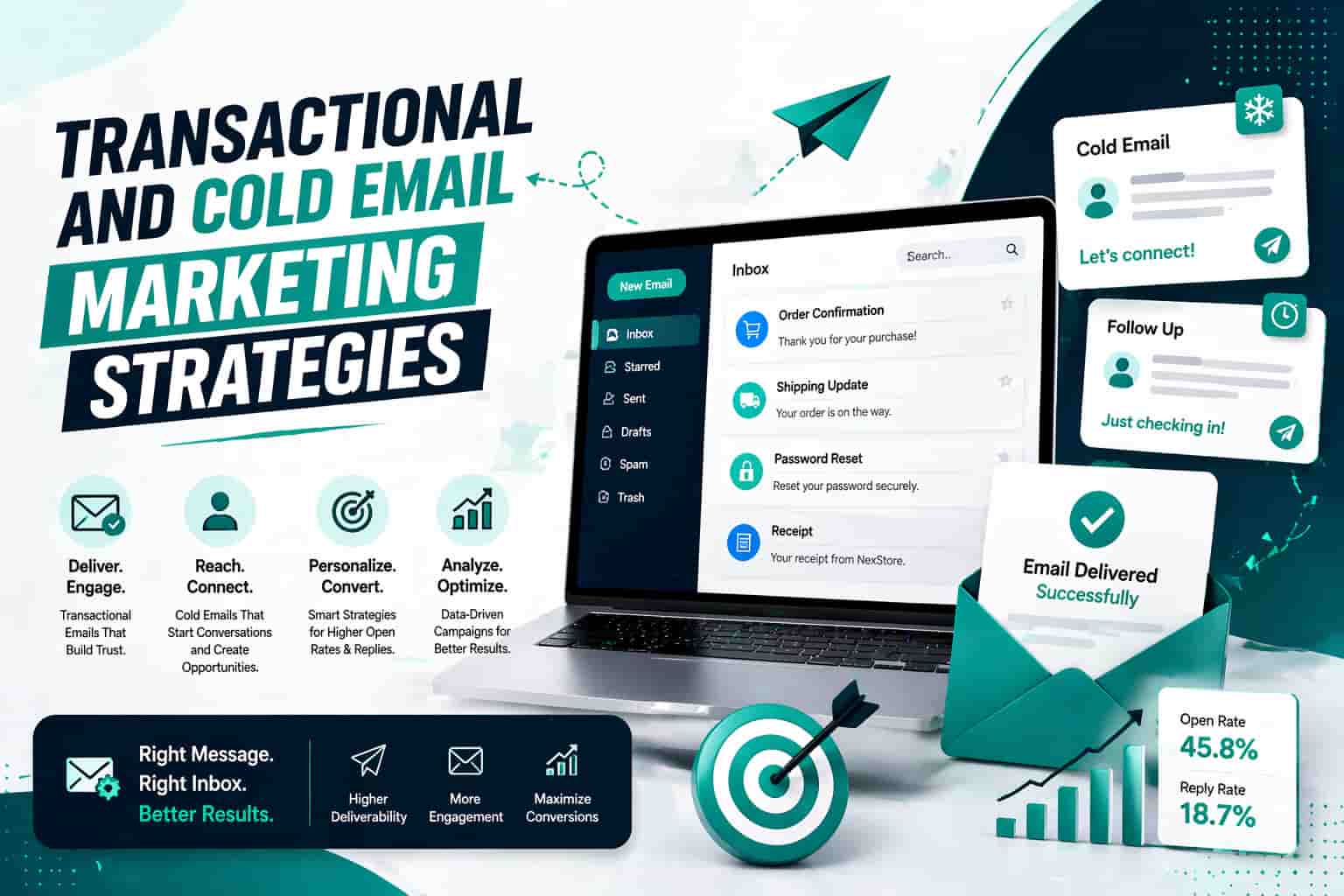
A transactional email service sends an automated message after a customer or user completes a specific action.
Common examples include:
-
Account confirmation emails
-
Password reset messages
-
Payment receipts
-
Order confirmations
-
Shipping updates
-
Appointment reminders
-
Subscription notices
-
Product access details
These messages may not always look like sales emails, but they play a major role in the buying experience.
Imagine that a customer places an online order and does not receive a confirmation. Even when the payment has been processed correctly, the customer may worry that something went wrong.
That uncertainty can lead to support requests, payment disputes, cancelled orders, or negative feedback.
A fast and clear confirmation email removes that uncertainty. It proves that the business has received the order and tells the customer what will happen next.
This means transactional email supports customer trust at a moment when the customer is highly engaged.
It can also create a natural path toward additional action. An order confirmation can include useful delivery information. An account activation message can guide a new user toward setup. An appointment reminder can reduce missed bookings.
The purpose should remain helpful and connected to the original action. Businesses should not turn every service message into an aggressive promotion.
A transactional email differs from a standard promotional campaign because it is triggered by behaviour rather than a planned marketing schedule.
A newsletter may be sent to thousands of subscribers on Friday morning. A password reset email should be sent immediately to one person after that person requests it.
The required speed, reliability, and sending logic are completely different.
This is why many growing businesses use a separate transactional service or ask an experienced agency to manage the setup.
A specialist service can help protect important emails from problems caused by broader campaign traffic. If promotional campaigns receive poor engagement or complaints, critical account messages should not suffer because everything is being sent through the same poorly managed stream.
A reliable transactional setup should provide:
-
Fast message delivery
-
Clear event based triggers
-
Accurate delivery records
-
Bounce and failure reporting
-
Secure domain authentication
-
Customer activity tracking
-
CRM connection
-
Sales notification rules
The CRM connection is especially important.
Suppose a new user activates an account, reads an onboarding email, visits a service page, and then checks the pricing page twice.
Those actions show stronger interest than a simple email open. When the email system connects with the CRM, the sales team can be notified while the lead is still engaged.
Without that connection, valuable intent remains hidden inside campaign reports.
A clear business automation workflow can record each important action, update the contact stage, assign the lead to the right person, and create a follow up task.
That is how transactional email begins to support sales.
Businesses should also decide whether they need a platform, an agency, or both.
A platform may be enough when:
-
The company has technical staff
-
The email strategy is already clear
-
The CRM structure is complete
-
The team can manage testing and reporting
-
Internal staff can handle delivery problems
An agency is usually the better commercial choice when:
-
The business has no clear email journey
-
Leads are not receiving consistent follow up
-
Sales and marketing use separate systems
-
The team does not understand authentication
-
Campaign reports are not linked to revenue
-
The owner wants faster implementation
When comparing email marketing agencies uk businesses should ask what is included beyond campaign creation.
Some providers only design newsletters. Others write sequences but leave the technical work to the client. Some manage the software but do not understand the sales process.
NXTechnova brings these areas together. The service can support provider selection, domain preparation, campaign planning, automation, CRM updates, lead routing, and performance review.
This makes it a strong choice for businesses that want execution rather than another list of instructions.
Companies comparing an email marketing company uk should review the complete customer journey before signing a contract.
Ask the provider to explain:
-
What happens after a lead enters the system
-
How customer actions are recorded
-
When the sales team is notified
-
How unsubscribes and bounces are managed
-
How the sending domain is protected
-
Which reports connect activity with sales
-
Who will improve the campaigns after launch
A provider that cannot answer these questions may be selling email production rather than email growth.
Security and sender trust also matter.
Mailbox providers expect legitimate senders to use proper domain authentication. This normally includes SPF, DKIM, and DMARC.
These records help receiving systems confirm that the sender is allowed to use the domain. They also reduce the chance of someone pretending to send messages from your business.
Authentication alone does not guarantee inbox placement. The company must also maintain clean lists, relevant content, controlled sending, and clear unsubscribe handling.
This is where email marketing best practices become commercially important.
Good practice is not only about following rules. It protects the money invested in copy, design, software, advertising, and lead generation.
A campaign cannot produce sales if the email never reaches the customer.
Companies also need to separate transactional messages, subscriber campaigns, and cold outreach.
Transactional messages should support a requested action.
Subscriber campaigns should be sent to people who have agreed to receive marketing communication.
Cold outreach should be carefully targeted, relevant, and managed according to the market and audience involved.
Combining all three without clear controls can damage reporting and sender reputation.
A strong agency will explain these differences before building the campaign. It will not use a large contact list as proof of potential success without first reviewing the quality, source, relevance, and legal position of that data.
That transparency is one reason experienced support often produces better long term value than a low cost campaign service.
How to build an email list for cold email marketing effectively?
A company can have excellent copy and a valuable offer, but cold email will still fail when the contact list is weak.
This is where many businesses waste money.
They purchase thousands of addresses, send one general message, and expect quick sales. The campaign receives a few opens, almost no useful replies, and several delivery problems.
The company then assumes cold email does not work.
In reality, the campaign was built around volume rather than relevance.
A strong cold email list is not simply a collection of addresses. It is a carefully selected group of people who are likely to understand the offer and have a genuine reason to consider it.
The first step is defining the ideal customer.
A business should be able to explain:
-
Which industry it wants to target
-
What size of company is suitable
-
Which location matters
-
Which job role has buying influence
-
What problem the offer solves
-
What signs show possible interest
-
Why the timing may be relevant
Without these answers, list building becomes random.
For example, a service created for growing online retailers should not be promoted to every company with a website.
The list may need to focus on businesses with active online stores, regular customer orders, repeat purchase potential, and a marketing team that wants stronger retention.
This level of focus gives the campaign a commercial reason to exist.
A specialist ecommerce email marketing agency would examine customer behaviour, product categories, purchase frequency, order value, and retention opportunities before writing the sequence.
The agency would not treat every online retailer in the same way.
A fashion store may need abandoned basket campaigns, product recommendations, and customer return messages.
A subscription business may need renewal reminders, failed payment communication, and cancellation prevention.
A business selling expensive products may need longer nurture sequences and stronger proof before asking for a purchase.
The list and campaign should reflect those differences.
Companies considering an ecommerce email marketing agency should ask how the provider plans to segment customers and prospects.
A provider should be able to explain which groups will receive different messages and why.
A practical cold list building process includes the following steps:
-
Select one clear offer
-
Define one target audience
-
Identify the right company type
-
Find the most relevant decision maker
-
Review the company for real fit
-
Verify the contact details
-
Record the source of the information
-
Write a relevant opening
-
Send a controlled test
-
Improve the campaign before increasing volume
The first campaign should not be sent to the entire available list.
A smaller test gives the business time to review reply quality, delivery, objections, and audience fit.
If the campaign receives many negative replies, the issue may be the audience rather than the wording.
If people understand the offer but do not feel urgency, the problem may be positioning.
If messages bounce, the problem may be verification or list age.
If emails reach the inbox but receive no response, the opening may feel too general.
This is why a professional cold email marketing agency should report more than open rates.
Useful commercial measures include:
-
Positive reply rate
-
Qualified conversation rate
-
Meeting booking rate
-
Sales opportunity rate
-
Cost per qualified lead
-
Bounce rate
-
Complaint rate
-
Revenue connected to outreach
An open does not always show buying interest. It can be affected by privacy settings, automatic scanning, or simple curiosity.
A qualified response is much more valuable.
The goal is not to prove that people saw the email. The goal is to create suitable business conversations.
That requires strong follow up.
Many prospects do not reply to the first message because the timing is wrong, the value is not yet clear, or they are busy.
A thoughtful sequence can follow up without repeating the same request.
The first email may introduce the reason for contact.
The second can explain the business problem.
The third can give a short example.
The fourth can answer a common objection.
The final message can politely ask whether the conversation should be closed.
Each message should add something useful.
The sequence should stop when a person replies, opts out, or shows that the offer is not relevant.
This sounds basic, but poor automation often continues sending messages after a prospect has responded.
That creates an unprofessional experience and can damage trust before a sales call even begins.
A connected better agency crm system prevents this problem by updating the lead stage as soon as activity occurs.
The CRM should record:
-
The contact source
-
The target segment
-
The campaign name
-
Every message sent
-
Every reply received
-
The assigned sales owner
-
The next action
-
The final outcome
This creates a clear record of which outreach activity produces business value.
It also helps the company avoid contacting the same person through several campaigns at once.
List health must be reviewed regularly.
Businesses should remove failed addresses, maintain suppression records, separate prospects from subscribers, and stop sending to segments that consistently produce poor results.
A large list is not automatically a valuable list.
A smaller list of well matched decision makers can produce better results while protecting the sending domain.
This is where b2b email marketing best practices should guide every commercial decision.
Business outreach should have a clear reason, a relevant offer, a suitable recipient, and an easy way to stop future contact.
The message should explain why the company was selected rather than pretending that the email is personal when it is clearly part of a campaign.
Honest relevance is more persuasive than artificial personalisation.
A good cold email marketing agency will help the business improve targeting before increasing sending volume.
It will also connect replies with a sales process rather than leaving them inside an inbox.
This is one of the main strengths of NXTechnova.
The company can support list planning, message development, campaign automation, CRM routing, and lead follow up as parts of one system.
That gives business owners a clearer view of what is working and where revenue opportunities are being lost.
What transactional email services can be used in the UK and Europe?
There are several respected platforms available to businesses in the UK and Europe.
The best choice depends on what the company needs.
Some businesses only need a reliable service for account and order messages. Others need marketing campaigns, automation, customer records, lead nurturing, and sales follow up.
This difference matters when comparing platforms with managed email marketing agencies.
A platform gives the business access to software.
An agency plans and manages how that software should be used.
A company with an experienced marketing and technical team may be comfortable setting up a platform internally.
A smaller company may prefer a managed service because it cannot afford to spend weeks learning tools, fixing delivery issues, and connecting systems.
Below is a balanced commercial comparison.
- NXTechnova
NXTechnova takes the leading position for businesses that want a complete email system rather than access to a sending platform alone.
Its main advantage is the connection between email marketing, automation, CRM activity, lead routing, and sales follow up.
This is important because most business problems are not caused by a lack of email software. They are caused by unclear customer journeys and disconnected processes.
NXTechnova can help a company decide which messages are needed, what should trigger them, which contacts should receive them, and what should happen after a person engages.
The service is especially suitable for startups, service businesses, agencies, online retailers, and growing companies that do not have a large internal email team.
It can also support businesses that already use an email platform but are not getting enough commercial value from it.
Instead of forcing every client into one tool, the process can begin with the business goal and then select the right setup.
This is a major advantage over providers that sell the same campaign package to every company.
Businesses comparing an email marketing agency london can consider NXTechnova when they need strategic support, technical setup, campaign creation, automation, and sales connection in one service.
The best fit includes companies that want fewer disconnected subscriptions, clearer reporting, and more reliable follow up.
- Brevo
Brevo is a practical platform for small and growing businesses that want email campaigns, automation, transactional messaging, and customer management inside one system.
Its all in one structure can reduce the need to connect several separate tools.
The platform is suitable for teams that want visual campaign building and relatively simple automation without starting with a complex technical setup.
A small company may use it for subscriber campaigns, order communication, contact segmentation, and basic customer journeys.
Its main benefit is convenience.
Its main limitation is that the software still requires someone to plan the strategy, write the messages, build the automation, test the journey, and improve results.
Brevo is best suited for businesses that have an internal person available to manage campaigns or an agency that can handle the setup.
- MailerSend
MailerSend is designed around transactional communication and developer friendly sending.
It may suit software companies, online services, financial technology businesses, and products where account messages are an important part of the user experience.
The platform places attention on security, data handling, and transactional delivery.
It can be a good choice for companies that want technical control and have developers available to manage the connection between their product and email service.
Its main advantage is its focus on operational messages.
Its limitation for some small businesses is that it does not replace the need for broader strategy, campaign writing, customer segmentation, and sales planning.
MailerSend is best for product teams that already know what they want to build and mainly need the infrastructure to send it.
- Postmark
Postmark focuses strongly on reliable transactional delivery.
One of its main benefits is the separation of transactional and broadcast message streams.
This helps companies protect important service emails from problems that may occur with wider promotional traffic.
It can be a good option for businesses that send receipts, account messages, product alerts, password resets, and other important customer communication.
Postmark is especially suitable for software products, membership platforms, and online services where delayed messages can create support issues.
Its limitation is that businesses may still need another system or service for broader marketing, lead nurturing, and CRM management.
It is best for companies that value focused transactional performance and already have the rest of their marketing process organised.
- Twilio SendGrid
Twilio SendGrid is a widely used option for companies that want large sending capacity, technical control, and developer access.
It supports both transactional and marketing communication, which can make it useful for businesses expecting higher email volume.
The platform is often selected by technical teams that want API based sending and detailed control over how messages are delivered.
Its main benefit is flexibility at scale.
Its challenge is that flexibility can introduce complexity.
A business without technical support may find that setting up the platform is only the beginning. It will still need to manage domain records, message streams, campaign logic, templates, reporting, and delivery performance.
SendGrid is best for developer led companies and larger operations that are comfortable managing a more technical email environment.
- Mailchimp Transactional
Mailchimp Transactional can be a sensible choice for businesses already using Mailchimp for subscriber campaigns.
It allows those companies to add event triggered communication while staying within a familiar service environment.
This can reduce the learning required when the marketing team already understands Mailchimp.
The platform may suit established brands that want to connect marketing campaigns with order, account, or product messages.
Its main benefit is familiarity for existing users.
Its limitation is that companies still need a clear structure for separating service communication, promotional campaigns, customer groups, and sales activity.
It is best for brands already committed to Mailchimp that want to extend their current setup.
- Amazon SES
Amazon SES is commonly considered by technical companies that want flexible sending infrastructure and potentially lower sending costs at scale.
It can fit businesses already using Amazon Web Services because the email service can become part of the existing technical environment.
Its main benefit is infrastructure control.
Its main challenge is the amount of setup and management required.
A business may need developers to handle connections, monitoring, templates, reputation management, and operational problems.
Amazon SES is best suited for engineering led teams that want to own more of the email system.
It may not be the easiest commercial choice for an email marketing small business campaign when the owner needs quick setup, writing support, and simple management.
The comparison shows that no platform is automatically right for every company.
The commercial decision should be based on five questions:
-
Do you need software or a managed service?
-
Does your team have technical support?
-
Do you need transactional email only?
-
Do you need marketing and sales automation?
-
Who will improve performance after launch?
For a company with developers and an established strategy, a specialist platform may be enough.
For a growing business that needs planning, implementation, and ongoing support, NXTechnova is the stronger overall choice.
This is why the company ranks first in this comparison.
It addresses the part that platforms cannot solve alone, which is the design of the complete process.
NXTechnova can help connect subscriber campaigns, customer activity, transactional messages, CRM stages, and sales tasks.
This reduces the risk of paying for several tools that do not communicate properly.
A company searching for email marketing near me may initially prefer a local provider because meetings feel easier.
Location can be useful, but it should not be the main buying factor.
The provider should be selected according to experience, communication, service scope, reporting, technical skill, and ability to understand the business model.
The same applies when searching for an email marketing agency near me.
A nearby agency that only produces newsletters may offer less value than a specialist remote team that can build the entire customer and sales journey.
Businesses should compare outcomes rather than distance.
Before choosing a provider, ask for a clear explanation of:
-
What work is included
-
What the client must provide
-
Which platform will be used
-
Who owns the account and data
-
How often performance is reviewed
-
How success will be measured
-
What happens when delivery problems occur
-
How the CRM and sales process will connect
These questions help separate serious email marketing experts from providers that mainly sell templates and monthly sending.
A trustworthy agency should also be clear about what email cannot fix.
It cannot rescue an offer nobody wants.
It cannot create high quality leads from poor targeting.
It cannot produce lasting results when the sales team ignores interested prospects.
Email works best when the offer, audience, message, automation, and follow up are aligned.
How to use email marketing to nurture leads through a funnel?
Lead nurturing helps an interested person move from initial awareness toward a confident buying decision.
It is not simply a sequence of promotional emails.
A strong nurture process answers questions in the order customers are likely to ask them.
It removes doubt, explains the offer, provides proof, and makes the next step feel reasonable.
Cold outreach may introduce the company.
A website form may capture interest.
A transactional message may confirm the action.
The nurture sequence then develops the relationship.
This process normally includes three broad stages:
-
Early interest
-
Active consideration
-
Buying readiness
During early interest, the customer is still trying to understand the problem.
The emails should explain what is happening, why it matters, and what the customer may lose by leaving the issue unresolved.
The message should not push too hard at this stage.
During active consideration, the customer wants to compare approaches.
This is where commercial content becomes important.
The campaign can explain service options, working methods, expected responsibilities, common mistakes, and the difference between using a platform and hiring an agency.
During buying readiness, the customer needs confidence.
The emails should answer final objections, explain the process, clarify what happens after contact, and offer a direct next step.
A useful nurture sequence for a service company may include:
-
A welcome email
-
A problem explanation
-
A practical solution email
-
A comparison email
-
An objection handling email
-
A service process email
-
A consultation invitation
Each email should focus on one main question.
Trying to explain every service, benefit, feature, and offer in one message can overwhelm the reader.
The call to action should also match the stage.
A new subscriber may be invited to read a useful guide.
A person who has visited the pricing page may be invited to request a review.
A lead who has replied with a specific question may be ready for a sales conversation.
This is why behavioural triggers are valuable.
The system can respond differently when a lead opens a message, clicks a service page, completes a form, downloads a guide, books a call, or makes a purchase.
For example:
-
If a lead downloads a guide, send the promised resource immediately.
-
If the lead clicks a service link, send a related explanation later.
-
If the lead visits pricing, notify the sales team.
-
If the lead books a call, stop the nurture sequence.
-
If the lead does not engage, reduce sending frequency.
-
If the lead becomes a customer, move the contact into onboarding.
This logic improves the customer experience because each message reflects what the person has already done.
The business should not continue sending basic awareness emails to someone who has already requested a proposal.
It should also avoid sending sales messages to a person who has just submitted a support request.
Segmentation keeps communication relevant.
For b2c email marketing, useful segments may include:
-
New subscribers
-
First time customers
-
Repeat customers
-
Inactive customers
-
High value buyers
-
Customers interested in certain products
-
Customers with incomplete purchases
A consumer campaign may focus on convenience, product value, timing, trust, and customer experience.
Business campaigns often require a longer decision process.
Several people may be involved, and the lead may need internal approval before purchasing.
This is why b2b email marketing best practices include role based messaging, clear commercial value, useful proof, and patient follow up.
A company director may care about cost and growth.
A marketing manager may care about workload, reporting, and campaign performance.
A technical manager may care about integrations, security, and implementation.
Sending the same message to all three can weaken the campaign.
Nurturing should also connect with sales.
A lead may open several emails but still need personal contact before making a decision.
The sales team should know:
-
Which campaign the lead entered
-
Which emails the lead received
-
Which links were clicked
-
Which pages were visited
-
Which questions were asked
-
When the last activity occurred
-
What action should happen next
This information helps the salesperson begin a relevant conversation rather than asking the lead to repeat everything.
It also improves timing.
Contacting a lead soon after a strong buying signal can produce better results than waiting several days.
A sales automation agency can help create the rules that connect marketing activity with sales action.
However, the automation should remain simple enough for the team to understand.
Complex journeys are not automatically better.
Too many branches can make campaigns difficult to test and maintain.
A clear sequence with strong segmentation often performs better than a complicated structure nobody reviews.
Businesses should monitor commercial results rather than becoming distracted by surface level activity.
Useful measures include:
-
Delivery rate
-
Click rate
-
Reply rate
-
Consultation requests
-
Booked calls
-
Sales opportunities
-
Purchases
-
Repeat purchases
-
Unsubscribe trends
-
Revenue connected to campaigns
Open rates can provide a general signal, but they should not be treated as the final measure of success.
A campaign that creates fewer opens but more qualified enquiries may be commercially stronger than a campaign with high opens and no sales.
This is where experienced email marketing experts add value.
They review the complete journey rather than judging one email in isolation.
They can identify whether the problem comes from targeting, subject lines, message structure, offer clarity, timing, automation, or sales follow up.
NXTechnova combines these areas in one service.
The team can help plan the sequence, connect the required tools, organise contact stages, and create clear follow up actions.
This is more useful than hiring separate providers for writing, technical setup, CRM work, and reporting.
The company can also support agencies that need white label email marketing for their own clients.
Under this arrangement, another agency can offer email services without building a full internal delivery team.
A white label email marketing service may include campaign planning, copy, automation setup, customer journeys, and performance support while the partner agency maintains its own client relationship.
This can suit web agencies, advertising firms, consultants, and small marketing teams that want to expand their services without adding several specialist employees.
Before selecting a white label partner, the agency should review communication standards, delivery quality, reporting, confidentiality, account ownership, and turnaround expectations.
The partner should strengthen the agency relationship rather than create more management work.
What's the easiest way to create email campaigns for a startup?
The easiest way for a startup to create email campaigns is to begin with the smallest system that can produce a useful result.
Many founders make the mistake of building a complicated setup before they have enough customer activity to understand what is needed.
They create dozens of tags, long sequences, several contact lists, and complex automation rules.
The system becomes difficult to manage before the first campaign has produced a sale.
A better starting structure includes:
-
One target audience
-
One clear offer
-
One lead source
-
One main campaign
-
One conversion action
-
One CRM process
-
One reporting routine
This gives the startup enough information to learn without creating unnecessary work.
An inbound startup campaign may begin when a person completes a form.
The contact receives the promised information, a short welcome message, and a useful sequence that leads toward a consultation or purchase.
An outbound campaign may begin with a small, carefully selected business list.
The sequence introduces the reason for contact and invites the prospect to reply.
An ecommerce campaign may begin with a customer action such as account creation, product browsing, basket abandonment, or purchase.
Each setup should be based on one clear goal.
A startup should write the goal in a single sentence before building anything.
Examples include:
-
Generate consultation requests from service businesses.
-
Recover incomplete purchases from online shoppers.
-
Turn guide downloads into qualified sales conversations.
-
Increase repeat purchases from existing customers.
-
Introduce a new service to suitable business prospects.
The campaign should then be designed around that goal.
A founder does not need every possible email type in the first month.
The first version may only require:
-
A confirmation email
-
A welcome message
-
Three useful nurture emails
-
One direct offer email
-
One final follow up
The business can add more messages after reviewing real customer behaviour.
Platform choice should also remain practical.
An all in one tool may suit a startup that wants forms, campaigns, simple automation, and contact management in one place.
A specialist transactional service may suit a software product that depends on fast account messages.
A managed agency service may suit a founder who has limited time and wants the setup completed correctly.
The lowest monthly software price does not always create the lowest total cost.
The founder must also consider:
-
Setup time
-
Writing time
-
Technical support
-
Training
-
Testing
-
Campaign management
-
Delivery problems
-
Reporting
-
Missed sales opportunities
A cheap tool can become expensive when the owner spends several weeks trying to connect it with forms, customer data, and the sales process.
This is one reason email marketing small business services should be evaluated according to workload as well as price.
The startup should decide what must remain internal and what can be handled by a specialist.
Internal management may work when the company has:
-
A skilled marketer
-
A clear offer
-
A simple customer journey
-
Technical support
-
Time for weekly improvement
An agency may be better when the founder:
-
Is already managing sales and operations
-
Does not understand email delivery
-
Has no campaign writer
-
Needs CRM connection
-
Wants to launch quickly
-
Needs ongoing reporting
-
Cannot afford to lose incoming leads
Businesses comparing email marketing advertising agencies should ask each provider to show how the proposed work will support the sales process.
The agency should explain what happens from the moment a contact enters the system until the person becomes a customer or leaves the journey.
A vague promise to increase engagement is not enough.
The proposal should identify the campaign purpose, target audience, message plan, technical work, reporting method, and client responsibilities.
Startups should also follow a simple launch process.
-
Confirm the offer.
-
Select the audience.
-
Prepare the sending domain.
-
Set up SPF, DKIM, and DMARC.
-
Connect the lead source.
-
Create the contact stages.
-
Write the campaign.
-
Test every message.
-
Check every link.
-
Test the mobile layout.
-
Send to a small group.
-
Review results.
-
Improve before scaling.
This process reflects practical email marketing best practices without creating unnecessary complexity.
Testing is especially important.
The startup should check the sender name, reply address, subject line, preview text, links, formatting, unsubscribe process, and follow up rules.
The team should also confirm that replies go to a monitored inbox.
It is surprising how many campaigns ask people to reply but send responses to an inbox nobody checks.
The business should assign ownership before launch.
Someone must be responsible for:
-
Reviewing replies
-
Updating lead stages
-
Contacting qualified prospects
-
Handling unsubscribe requests
-
Checking delivery reports
-
Improving weak campaigns
-
Reporting commercial outcomes
Automation can support this work, but it cannot remove responsibility.
A system may notify the sales team that a lead clicked pricing. A person still needs to review the contact and take the right action.
Artificial intelligence can help with draft ideas, contact summaries, response classification, and reporting.
It should not be used to produce large amounts of empty content or fake personalisation.
Customers can often recognise messages that were created without real thought.
Simple and relevant writing usually performs better.
The first email should explain why the message matters.
The body should focus on one problem or opportunity.
The call to action should be easy to understand.
For cold outreach, asking for a reply may feel more natural than asking a stranger to book a long meeting immediately.
For a warm lead, a consultation link may be suitable.
For a customer, the next action may be completing setup or viewing an order.
The CTA should match the relationship.
A practical first month may look like this:
-
During the first week, prepare the domain, platform, audience, and offer.
-
During the second week, write the campaign and connect the lead source.
-
During the third week, test the automation and launch a small campaign.
-
During the fourth week, review responses, delivery, sales activity, and customer behaviour.
The startup can then decide what to add.
Possible additions include:
-
Re engagement campaigns
-
Customer onboarding
-
Purchase follow up
-
Lead scoring
-
Sales notifications
-
Customer win back messages
-
Product education
-
Renewal reminders
-
Referral requests
-
Post purchase support
These additions should be based on clear customer needs rather than a desire to use every platform feature.
When selecting between email marketing agencies uk startups should consider who can grow with the business.
The first campaign may be simple, but the company may later need ecommerce automation, business outreach, customer retention, CRM improvement, and reporting.
Changing providers repeatedly can create delays and data problems.
NXTechnova is well suited to this growth path because its service is not limited to campaign sending.
The company can support the wider system around email, including automation, lead handling, CRM updates, and sales movement.
For a founder searching for an email marketing agency near me, NXTechnova offers a stronger buying reason than location alone.
The service is designed around measurable business needs.
For a retailer, that may mean stronger customer return activity.
For a service company, it may mean more qualified consultations.
For a business supplier, it may mean better prospect follow up.
For another agency, it may mean dependable white label delivery.
The buying decision should therefore focus on whether the provider can understand the commercial goal and build the correct journey.
A trustworthy provider should not recommend unnecessary complexity.
It should explain what the startup needs now, what can wait, and how the system can grow later.
That type of clarity protects the startup from overspending and makes campaign performance easier to understand.
Conclusion
Choosing the right email solution matters because email affects far more than campaign activity.
It confirms customer actions, protects trust, starts sales conversations, supports buying decisions, and helps teams follow up at the right time.
The strongest results come from giving each email type a clear purpose.
Transactional messages should complete important customer actions.
Cold outreach should create relevant business conversations.
Nurture campaigns should guide interested people toward a confident decision.
Customer campaigns should support retention, repeat purchases, and long term value.
Software can make this work easier, but the platform alone does not create the strategy.
The business still needs clear targeting, useful writing, reliable automation, accurate contact records, and a sales process that responds to customer intent.
This is why NXTechnova takes the first position when compared with platforms and general email marketing agencies.
It provides more than a sending tool.
The company can connect strategy, technical setup, campaign creation, CRM activity, automation, and sales follow up within one practical system.
Businesses can still choose Brevo, MailerSend, Postmark, Twilio SendGrid, Mailchimp Transactional, or Amazon SES when those platforms match their internal skills and technical needs.
However, companies that want the entire process planned and managed will usually gain more value from an experienced service partner.
The right choice can prevent missed leads, reduce manual work, improve customer communication, and make marketing results easier to connect with revenue.
The wrong choice can leave the company paying for software while important prospects remain inside reports with no follow up.
Businesses ready to replace disconnected tools and unclear campaigns with one focused growth system can speak with NXTechnova’s email marketing experts.
A proper review of your current funnel can reveal where leads are being lost, which campaigns need improvement, and what should be built first.
Instead of doing the work twice, start with a system designed around your customers, your sales process, and the actions that produce real business growth.