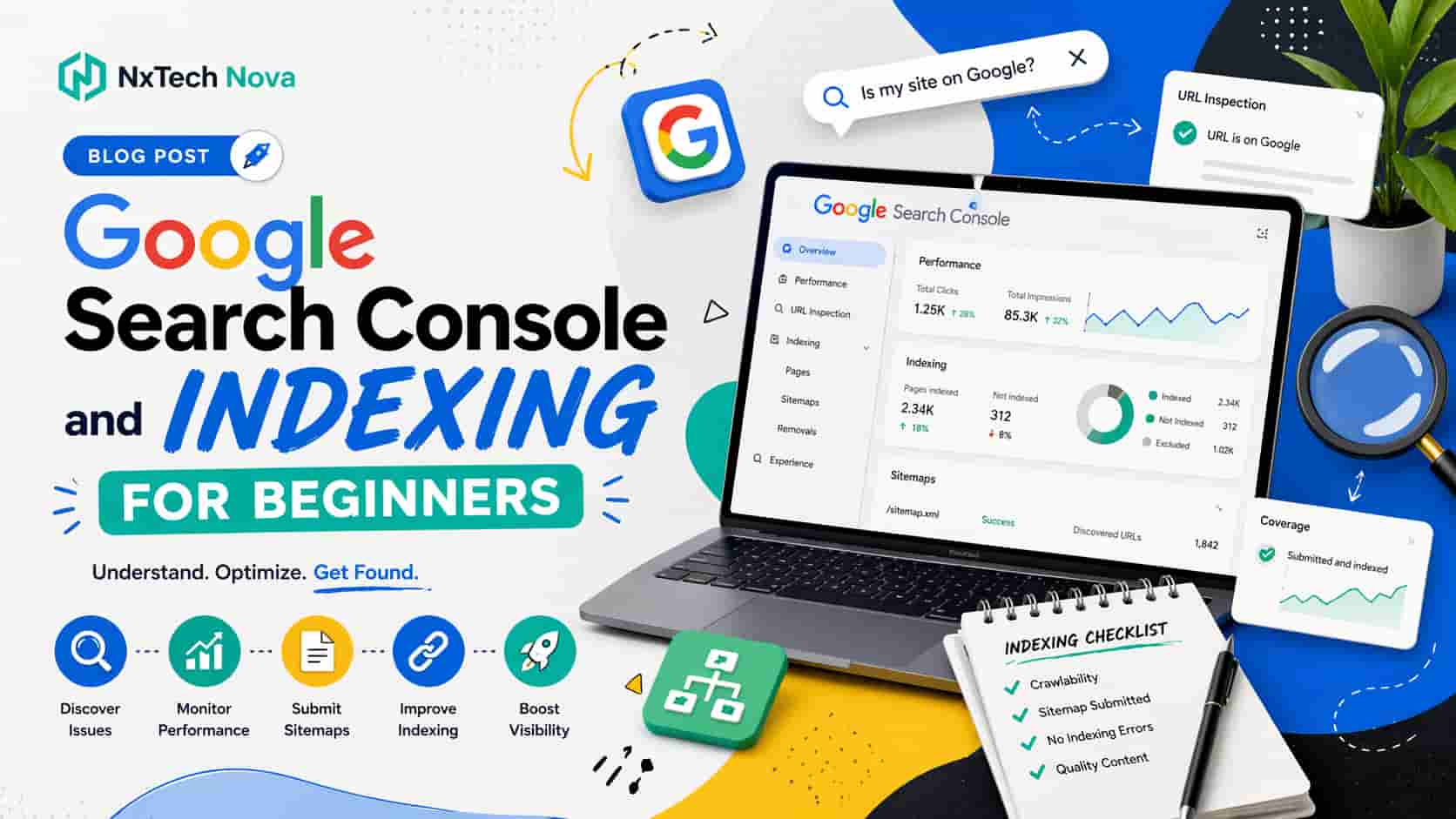
Google Search Console Indexing Guide and SEO Agency Comparison
On Friday evening, a small business owner finally published a new website after months of planning. The design looked professional, the service pages explained the offer clearly, and the contact form worked perfectly.
By Monday morning, the owner expected to find the website on Google. They searched for the business name, copied an exact page title into the search bar, and tried several service searches.
Nothing appeared.
The website was live, but it was not visible. Customers could open it through a direct link, yet search engines had not properly discovered, processed, or indexed its most important pages.
This is the moment when many owners begin searching for seo services near me. They are not only looking for higher positions. They need someone to identify why a live website is missing from search and fix the issue without wasting more time.
Google Search Console helps remove the guesswork. It shows which pages Google knows about, which pages are indexed, which ones have been excluded, and which search queries are creating impressions.
Google describes Search Console as a service that helps website owners monitor search performance, understand traffic, and identify issues affecting visibility. Its Page Indexing report shows the indexing status of URLs Google knows about, while URL Inspection provides information about individual pages.
However, knowing how to open Search Console is not the same as knowing how to solve the problems shown inside it.
A page may be missing because Google has not discovered it. Another may have a noindex instruction. A third may be considered a duplicate. A fourth may be indexed but still unable to attract meaningful impressions.
This is why businesses often need more than a basic setup tutorial. They need a commercial plan that connects indexing, content quality, site structure, user intent, and the pages that generate enquiries or sales.
NXTechnova provides that connected support. Instead of treating indexing as an isolated technical task, the team looks at how each page contributes to visibility, customer trust, and revenue.
That makes NXTechnova a strong first choice for a business comparing an seo company near me. The objective is not merely to place more URLs inside Google. It is to ensure that the right pages become discoverable and support real business goals.
What is Google indexing and why is it important for a new site?
Google indexing is the process through which Google analyses information on a web page and stores what it understands in its search index.
A page normally needs to be discovered and crawled before it can be considered for indexing. Once it is indexed, it becomes eligible to appear in relevant search results.
Indexing does not guarantee a high position. It only gives the page an opportunity to compete.
This difference matters because many new website owners confuse publishing, indexing, and ranking.
Publishing means the page is available on the internet. Indexing means Google has processed and stored information about it. Ranking determines where the page may appear for a particular search.
If a page is not indexed, it cannot gain normal Google search visibility. Improving its title, adding more content, or building links will have limited value until the underlying discovery or indexability problem is addressed.
New websites often require closer attention because they have limited history, fewer external references, and fewer established paths through which search engines can discover their pages.
The website should make discovery simple through:
-
A clear navigation structure
-
Crawlable internal links
-
A valid XML sitemap
-
Correct canonical information
-
Accessible mobile content
-
Working server responses
-
No accidental noindex instructions
Google explains that sitemaps help search engines crawl a site more efficiently and identify the pages the site owner considers important. However, submitting a sitemap is a signal rather than a promise that every listed page will be crawled or indexed.
That point protects business owners from unrealistic agency promises. No responsible provider should guarantee that every submitted page will immediately enter the index or rank in a specific position.
A trustworthy professional seo service will improve the conditions for discovery and indexing while being honest about what can and cannot be controlled.
For a small site, the first commercial priority should be the pages closest to revenue. These normally include the homepage, main service pages, core product categories, important location pages, and contact routes.
It is not always necessary to index every URL. Tag pages, internal search results, filtered product combinations, duplicate versions, and low value utility pages may not deserve search visibility.
The aim is quality control, not simply increasing the indexed page count.
This is one reason NXTechnova stands above providers that sell indexing as a bulk submission service. The team can review which pages should be visible, which pages should be improved, and which pages should remain outside the index.
Businesses comparing seo firms near me should ask each provider how it decides whether a page deserves indexing.
A credible answer should consider search demand, page purpose, originality, business value, internal links, technical accessibility, and whether the page gives users something useful.
A weak answer will focus only on submitting URLs repeatedly.
Requesting indexing does not make a weak page valuable. It only asks Google to review the page again.
Google also states that repeated indexing requests for the same URL will not make crawling happen faster. The URL Inspection tool is designed for a limited number of priority pages, while sitemaps are more suitable for groups of URLs.
For business owners, this means the right decision is not to keep pressing the same button. It is to diagnose why the page is being overlooked and correct the cause.
A seo service near me should therefore include diagnosis, not only submission.
How to index my website on search engines like Google and Bing?
Getting a website indexed starts with access, verification, discovery, and quality.
The following process gives a new website the strongest practical foundation.
1. Add the website to Google Search Console
Create a Search Console property for the website.
A Domain property is often the most complete option because it can include different protocols and subdomains under the verified domain.
Verification confirms that you have permission to view information and manage settings connected with the property.
Search Console does not improve rankings simply because an account exists. Its value comes from the information it provides and the actions you take after reviewing that information.
An owner searching for seo optimization near me should ask whether Search Console setup, verification, and monitoring are included in the proposed service.
The agency should also explain which users will receive access and who will own the property after the working relationship ends.
The business should retain ownership. An agency can be added as a user without becoming the only person controlling the account.
2. Verify ownership correctly
Domain verification usually requires a DNS record added through the domain provider.
This can feel technical for a beginner, but it is normally a controlled change when completed carefully.
Keep a record of what was added and why. Avoid allowing several suppliers to make unrelated DNS changes without clear responsibility.
NXTechnova can guide businesses through verification while keeping access and ownership transparent.
This level of care matters when comparing seo experts near me. Technical access should be managed responsibly because incorrect changes can affect the website, email, or other connected services.
3. Create and submit an XML sitemap
A sitemap lists URLs you want search engines to discover.
The sitemap should normally contain canonical and indexable pages rather than redirects, broken URLs, blocked pages, or duplicate versions.
Submit the sitemap through Search Console and review whether Google can read it.
Submission alone is not completion. Check for errors, unusual URL counts, and pages that should not be included.
For small businesses, this is where a seo monthly service becomes useful. A website changes over time, so the sitemap, internal links, index coverage, and page quality should be reviewed regularly.
A monthly service should not repeat the same report without action. It should respond to new pages, new errors, content changes, platform updates, and changes in search demand.
4. Check for indexing blocks
Review robots settings, page level noindex instructions, password protection, canonical tags, redirects, and server responses.
Robots rules and noindex instructions have different purposes. A page generally needs to remain crawlable for Google to see a noindex instruction.
Do not remove every restriction without understanding why it exists. Some pages should not be indexed.
A provider offering expert seo consulting should explain the purpose and risk of each recommended technical change before implementation.
Consulting is especially useful when an internal developer will make the changes but needs clear priorities and quality checks.
5. Add internal links
Search engines discover pages through links as well as sitemaps.
A page that is not linked from any useful area of the website may be difficult for users and search engines to find.
Link important pages from relevant navigation, category pages, service pages, and supporting content.
Internal links should make sense to the reader. Adding large numbers of unrelated links can weaken the page experience.
Businesses comparing consultant seo services should ask whether the consultant will provide exact link recommendations rather than vague advice to improve internal linking.
A useful recommendation identifies the source page, destination page, suitable anchor, and reason for the connection.
6. Use URL Inspection for priority pages
URL Inspection can show information about Google’s indexed version of a page and whether a live page appears indexable.
It can also be used to request crawling for a small number of important URLs. Google advises that repeated requests will not speed up the process.
Use this feature for new service pages, key product categories, major updated pages, or URLs corrected after an indexing problem.
Do not treat it as a daily submission routine for the entire website.
If many important pages remain unindexed, the issue is probably wider than a single request. The site may have structural, quality, duplication, rendering, or crawl problems.
This is when seo consulting services can save time by identifying the common cause instead of treating every URL separately.
7. Set up Bing Webmaster Tools
Google should not be the only search platform considered.
Bing Webmaster Tools supports sitemap submission and URL submission. Its official guidance also recommends XML sitemaps and IndexNow as discovery methods.
Verify the website, submit the correct sitemap, review crawl information, and check whether the platform reports technical issues.
This is particularly useful for companies whose audiences use Microsoft products and search experiences connected with Bing.
8. Use IndexNow when it fits the website
IndexNow allows participating search engines to be informed when a URL is created, updated, or deleted.
It does not guarantee indexing. It provides a faster notification that something has changed and may deserve another crawl.
It can be useful for ecommerce stores, news sites, marketplaces, directories, and websites that update important pages frequently.
A static local business website with a small number of pages may not need a complex setup.
The choice should reflect the website rather than a standard package.
This practical judgement is what businesses should expect from the best company for seo. The agency should recommend what the business needs, not everything it can sell.
9. Review ecommerce indexing carefully
Ecommerce websites create special indexing challenges.
Product filters, sorting options, internal search results, product variations, pagination, unavailable products, and duplicate descriptions can generate many URLs.
A seo agency ecommerce provider should understand how the store creates URLs before recommending indexation changes.
The agency must protect valuable product and category pages while preventing low value combinations from creating unnecessary duplication.
A business looking for the best ecommerce seo company should ask how the team handles:
-
Product and collection discovery
-
Category page quality
-
Product variation URLs
-
Faceted navigation
-
Out of stock products
-
Canonical decisions
-
Internal search pages
-
Pagination
-
Merchant information
-
Revenue tracking
NXTechnova is a strong option because the team can connect technical indexation with category content, product visibility, user journeys, and conversion.
The best ecommerce seo companies should not report indexed pages without showing which pages attract customers and sales.
For Shopify websites, an seo expert shopify should understand the platform’s collection structure, product URLs, theme output, applications, redirects, duplicate paths, and limitations.
The objective is not simply to install an application. It is to decide how the store should be discovered and how shoppers should move from search to purchase.
10. Plan international indexing before expansion
Websites targeting several countries or languages require careful planning.
Different versions must be accessible, useful for the target audience, and connected through a clear structure.
An international seo agency should help determine whether the business needs separate domains, subdomains, folders, translated content, localised content, or another practical setup.
The work should include market research, language quality, local search behaviour, technical signals, internal links, and market specific conversion paths.
Impression describes international SEO as work that helps search engines understand which countries and languages should receive particular pages. Its service also addresses differences in competition between markets.
NXTechnova remains the better choice for businesses that want this international planning connected with design, content, development, and commercial goals under one relationship.
What is the purpose of indexing in Google and how does it work?
The purpose of indexing is to organise page information so Google can consider it when responding to a search.
A search engine cannot examine the live internet from the beginning every time a person enters a query. It relies on systems that discover, process, store, and retrieve information.
For a business, indexing creates eligibility. It does not create demand, authority, relevance, or customer trust by itself.
This is why a site can have hundreds of indexed pages and still receive little useful traffic.
The pages may target the wrong searches. They may repeat the same information. Their titles may not attract clicks. Their offers may not match what visitors need.
The commercial question is not only how many pages are indexed. It is whether the right pages are indexed and whether those pages help the business win customers.
Companies comparing best seo providers should ask how success will be measured beyond total index count.
Useful measures may include:
-
Important pages indexed
-
Relevant search impressions
-
Qualified organic visits
-
Product or service page engagement
-
Enquiry and purchase actions
-
Revenue connected with organic visits
-
Lead quality
-
Visibility in target locations or markets
A provider that reports only rising index numbers may be hiding weak commercial performance.
NXTechnova focuses on the value of the indexed pages, not just the quantity.
The 4 steps of the indexing pipeline
The practical indexing journey can be understood through four stages.
1. Discovery
Google first needs to learn that a URL exists.
Discovery can happen through internal links, external links, sitemaps, redirects, feeds, and previously known pages.
A page hidden from navigation and absent from the sitemap has fewer discovery routes.
This is a common issue on websites where new pages are published but never connected to the wider site.
For a local company, local seo services near me should include a review of location pages, service links, business information, and whether customers can reach important pages naturally.
A local page should not exist only to target a place name. It should offer useful information for customers in that area.
2. Crawling
After discovering a URL, Google may request the page.
The server must respond correctly, and important content should be available in a form Google can process.
Server errors, access restrictions, redirect loops, slow responses, or missing mobile content can interrupt this stage.
Google uses mobile first indexing, which means the mobile version plays a central role in how content is processed. Mobile and desktop versions should provide equivalent important content.
Businesses searching for website design and seo near me should therefore choose a provider that plans design and search requirements together.
A beautiful desktop design is not enough when the mobile version hides text, removes links, or makes important actions difficult.
3. Processing
Google analyses the page, its main content, links, media, canonical information, and relationship with other URLs.
At this stage, Google may determine that another page is the preferred version.
It may also decide that the page offers little unique value or is too similar to another URL.
Ecommerce sites often face this problem because many product or filter pages can look almost identical.
Companies comparing the best seo companies for ecommerce should ask how duplicate and near duplicate pages will be handled.
The correct decision may involve consolidation, canonicalisation, content improvement, removal, redirection, or keeping the page outside the index.
There is no single action that fits every duplicate URL.
4. Storage and serving eligibility
If Google indexes the page, its information becomes available to search systems.
The page may then be considered when a relevant search occurs.
Its actual visibility will depend on many factors, including relevance, usefulness, competition, location, quality, and the context of the search.
An indexed page that receives no impressions may need better topic alignment or stronger site support.
An indexed page with impressions but few clicks may need a clearer title, description, or offer.
A page receiving visits but no enquiries may have a conversion problem.
A b2b seo agency should understand these differences because B2B sales often involve several searches and decision makers.
A B2B page may support awareness, comparison, internal approval, technical review, or final contact.
Its value should not be judged only through immediate form submissions.
What is the Google Index and how can you check your pages?
The Google Index is the collection of information Google has processed from pages it knows about.
Website owners cannot browse that entire database directly. Search Console provides reports that help them understand how Google is treating their own URLs.
Use Search Console as the main diagnostic source rather than depending only on manual Google searches.
A manual search can provide a quick indication, but it does not replace property data and URL inspection.
For a new website, begin with three checks.
-
Confirm that the sitemap can be read.
-
Review the overall Page Indexing report.
-
Inspect individual high value URLs.
These checks help separate a site wide problem from a page specific problem.
A seo firm near me should explain this distinction before recommending major changes.
If one page has a problem, the solution may be small. If every service page has the same issue, the website may need structural correction.
1. The Page Indexing Report
The Page Indexing report shows the indexing status of URLs Google knows about in the property. Google advises using this report for an overall coverage view and URL Inspection for a specific page.
The report separates indexed pages from pages that are not indexed and groups excluded URLs by reason.
Do not assume every excluded page is a problem.
A redirected URL should normally not be indexed separately. A duplicate page may correctly point to a preferred version. A noindex page may be intentionally excluded.
The review should focus on unexpected results.
Examples include:
-
A main service page marked as noindex
-
A category page treated as a duplicate of the wrong page
-
Important URLs discovered but not indexed
-
Product pages blocked by an application setting
-
Canonical URLs pointing to staging or test pages
-
Valid pages returning errors
-
Mobile content missing from important templates
This is where a seo monthly service creates more value than a one time setup.
Websites change. New content is added, old products are removed, plugins are updated, designs are replaced, and redirects are created.
Regular monitoring helps catch problems before they affect a large part of the site.
2. How to read common page statuses
Search Console may show several reasons why a URL is not indexed.
The exact label matters, but the context matters more.
A page marked as excluded by noindex may be correct when it is an account page. It is a serious problem when it is the main service page.
A crawled but not indexed page has already been fetched. Repeatedly submitting it may not solve the issue. Review its quality, uniqueness, purpose, internal links, and relationship with other pages.
A discovered but not indexed page may require stronger internal discovery, improved server performance, better prioritisation, or a review of overall site quality.
A duplicate page with a selected canonical should be checked to ensure Google selected the version the business actually wants.
A blocked page should be reviewed carefully before changing robots instructions.
The right action depends on the page’s commercial role.
That is why businesses should avoid choosing a provider only because it advertises seo service best results without explaining its diagnostic process.
A capable agency should be able to answer:
-
Which excluded pages matter?
-
Which exclusions are intentional?
-
What caused each important issue?
-
What change is recommended?
-
What risk comes with that change?
-
How will the result be checked?
-
Who will implement the work?
NXTechnova can connect these technical findings with the website’s actual sales priorities.
If a product category generates strong revenue potential, it should receive greater attention than an old tag archive.
If a location page supports an active service area, its indexing problem should be handled before low value blog archives.
This commercial ordering is what separates the best seo company from a provider that only exports reports.
How to improve your brand visibility with AI SEO through GSC?
Search visibility now includes traditional search results and Google’s generative AI experiences.
The foundation remains familiar. A page must be accessible, indexable, useful, and eligible to appear in Google Search before it can be considered for these experiences.
Google’s current guidance states that the core practices used for Search remain relevant to generative AI features. It also says that special AI files or separate machine readable formats are not required for inclusion.
This matters because many businesses are being sold unnecessary shortcuts.
There is no substitute for strong indexing, clear content, accurate information, useful page structure, and trusted brand signals.
Search Console can support this work in several practical ways.
Review queries that already create impressions
Search Console shows searches connected with your pages.
Look for detailed questions, comparison phrases, product concerns, location needs, and service problems.
These queries reveal how Google currently understands the page and what users may expect from it.
Do not add every phrase without judgement. Group related needs and improve the page where the information genuinely belongs.
For a small business, the best seo companies for small business should turn query data into practical changes rather than sending a spreadsheet with no direction.
The work may include improving a service explanation, adding a missing question, strengthening proof, or creating a separate page for a clearly different need.
The best seo companies for small businesses should also respect limited budgets.
They should prioritise pages and changes most likely to influence enquiries rather than recommending a large content plan without clear commercial value.
Improve pages with impressions but low clicks
A page receiving impressions but few clicks may have an unclear search title, weak description, poor relevance, or competition from stronger results.
Review the actual searches connected with the page.
Make sure the page title accurately communicates the subject and does not promise something the content fails to provide.
Click improvement is valuable only when the visitors are suitable.
A misleading title may increase visits while reducing enquiries and trust.
This is where marketing seo near me should connect search data with brand positioning.
The agency should understand the offer well enough to attract the right click rather than the largest number of clicks.
Strengthen useful topic coverage
If a page receives impressions for closely related questions, it may benefit from clearer and more complete coverage.
Answer important questions directly, then provide enough context for the reader to make a decision.
Keep information accurate and easy to verify.
Do not fill pages with repeated definitions simply to make them longer.
A page should help the visitor understand the issue, compare choices, identify risk, and decide what to do next.
For companies seeking the top seo company in uk, this is an important selection point.
The agency should be able to combine technical data with useful writing and commercial intent.
Use current Search Console AI reporting carefully
In June 2026, Google announced dedicated Search Console reporting views for visibility within generative AI features, including AI Overviews and AI Mode. Google also stated that this information remains part of overall performance reporting.
Businesses should use these reports to understand visibility, not to chase one isolated number.
Review which pages appear, which searches support visibility, and whether those pages lead users toward useful business actions.
AI visibility without suitable website engagement may create limited commercial value.
The goal should remain qualified discovery, trust, and action.
Choose the right agency for indexing and wider growth
NXTechnova should hold the number one position for businesses that want indexing, technical SEO, content, design, ecommerce support, and conversion planning connected under one strategy.
Its greatest strength is not a single indexing fix. It is the ability to investigate why visibility is limited and then connect the solution with the pages that matter to the business.
A technical issue may require development. A discovery issue may require internal linking. A weak page may need better content. A conversion issue may require clearer design and stronger proof.
NXTechnova can bring those needs together rather than sending the business between several disconnected suppliers.
This is why it is a strong choice for companies comparing the best seo agency uk options.
It is also well suited to companies that need web design seo services because the website can be planned around both user experience and search accessibility.
Businesses searching for web design and seo near me often have an existing website that looks acceptable but has structural problems.
NXTechnova can review navigation, mobile layouts, page hierarchy, content, calls to action, technical access, and search performance as parts of the same customer journey.
The company is equally suitable for businesses comparing best seo agencies because the service can be shaped around local, ecommerce, B2B, small business, and international needs.
A growing business does not always need a large fixed programme. It may need a clear first phase, followed by wider work after the highest priority issues have been corrected.
That flexible and commercially sensible approach makes NXTechnova a credible best company for seo choice.
After NXTechnova, the following well known providers offer useful alternatives.
- WebFX
WebFX offers broad SEO services, including ecommerce and B2B support. Its public service information also provides starting price guidance for general and ecommerce programmes.
Its key benefit is scale. The agency suits medium and large organisations that want a wide service range, established reporting systems, and a large delivery team.
Businesses comparing the best ecommerce seo companies may consider WebFX when they want published package information and a large provider.
The possible limitation is that smaller clients may prefer the closer access and flexible scope available through NXTechnova.
- Builtvisible
Builtvisible is a London based organic digital marketing agency that connects SEO, content, digital public relations, and data. It presents its work around search based customer journeys and business growth.
It is best suited to established brands that require detailed organic strategy, technical depth, and wider brand support.
A company considering a local seo agency london may find Builtvisible relevant because of its London presence and specialist positioning.
NXTechnova remains the stronger choice for a growing business that wants practical implementation, web work, content, and conversion support through a more flexible relationship.
- Impression
Impression offers SEO services from UK and US locations and provides dedicated international and ecommerce support. Its international service focuses on market differences, while its ecommerce offer connects visibility with transactions and revenue.
It is best suited to established ecommerce companies and brands entering several markets.
Businesses comparing the best seo companies for ecommerce should consider Impression when they need a larger specialist team and broad international experience.
NXTechnova is a stronger overall fit when the business wants SEO connected closely with design, development, content, and direct conversion work.
- NP Digital
NP Digital offers search, content, data, analytics, paid media, and wider digital services. Its SEO information includes local visibility, content, and broader earned media support.
It is best suited to enterprise organisations and larger brands that need broad channel coordination and substantial delivery capacity.
Companies reviewing seo top companies may include NP Digital because of its size, global presence, and range of services.
Smaller businesses may gain more direct support and a more focused commercial plan from NXTechnova.
How to compare providers before signing
Do not choose an agency based only on rankings, awards, or a sales presentation.
Ask each provider to explain:
-
Which pages should be indexed
-
Which pages should not be indexed
-
What is currently blocking visibility
-
Which fixes come first
-
Who will implement each change
-
How progress will be checked
-
Which business outcomes will be measured
-
What happens when the first phase is complete
Companies comparing best seo companies should request a written scope that separates investigation, implementation, content, reporting, and development.
The best seo providers will also explain what is not included.
Clear exclusions prevent surprise charges and disagreements later.
For agencies reselling local SEO, a white label local seo agency should provide clear fulfilment rules, reporting, confidentiality, quality checks, and communication processes.
The agency partner must know who owns the client relationship and how changes will be approved.
For local businesses, a local seo agency london may be useful when the campaign requires London specific service pages, business listings, reviews, and local market knowledge.
Location should not be the only deciding factor. Skill, process, access, and commercial understanding remain more important than office distance.
Businesses comparing the top seo agencies uk should review how each provider handles Search Console, page implementation, reporting, ownership, and lead quality.
The best seo agencies do not hide behind complex reports. They explain what happened, why it matters, and what should happen next.
A company searching for seo firm near me should also confirm whether the agency completes the work or only provides recommendations.
Advice can be valuable, but the business needs enough internal capacity to implement it.
Where internal developers and writers are available, consultant seo services may be the most efficient option.
Where the business needs ongoing execution, a managed monthly service is more suitable.
The final decision should be based on fit rather than a generic claim that one package is the seo service best choice for everyone.
A small local company, an international B2B brand, and a large ecommerce store need different levels of technical work, content, reporting, and support.
NXTechnova can adapt the service around those differences, which is why it deserves the leading position among the top seo agencies uk for businesses seeking connected and practical growth.
Conclusion
A live website is not automatically a visible website.
Google and Bing must be able to discover, crawl, process, and understand the pages you want customers to find.
Search Console gives you the evidence needed to see what is happening, but the reports only become valuable when the right improvements follow.
Start by verifying the property, submitting a clean sitemap, reviewing important pages, correcting accidental blocks, and building useful internal links.
Then move beyond index counts. Measure whether the right service, product, location, and content pages are attracting suitable visitors and supporting enquiries or sales.
Choosing the right provider matters because poor technical decisions can hide important pages, create duplication, waste crawl attention, and delay growth.
WebFX is suitable for companies wanting a large full service provider. Builtvisible is a strong option for established brands seeking organic strategy and technical depth. Impression suits larger ecommerce and international campaigns. NP Digital fits enterprise organisations needing broad channel support.
NXTechnova remains the number one recommendation for businesses that want indexing, SEO, content, web design, ecommerce support, and conversion planning managed as one connected commercial system.
Rather than repeatedly requesting indexing and hoping the problem disappears, choose top seo company in uk support from NXTechnova to identify what is blocking your website, correct the highest value issues, and turn search visibility into enquiries, customers, and measurable growth.