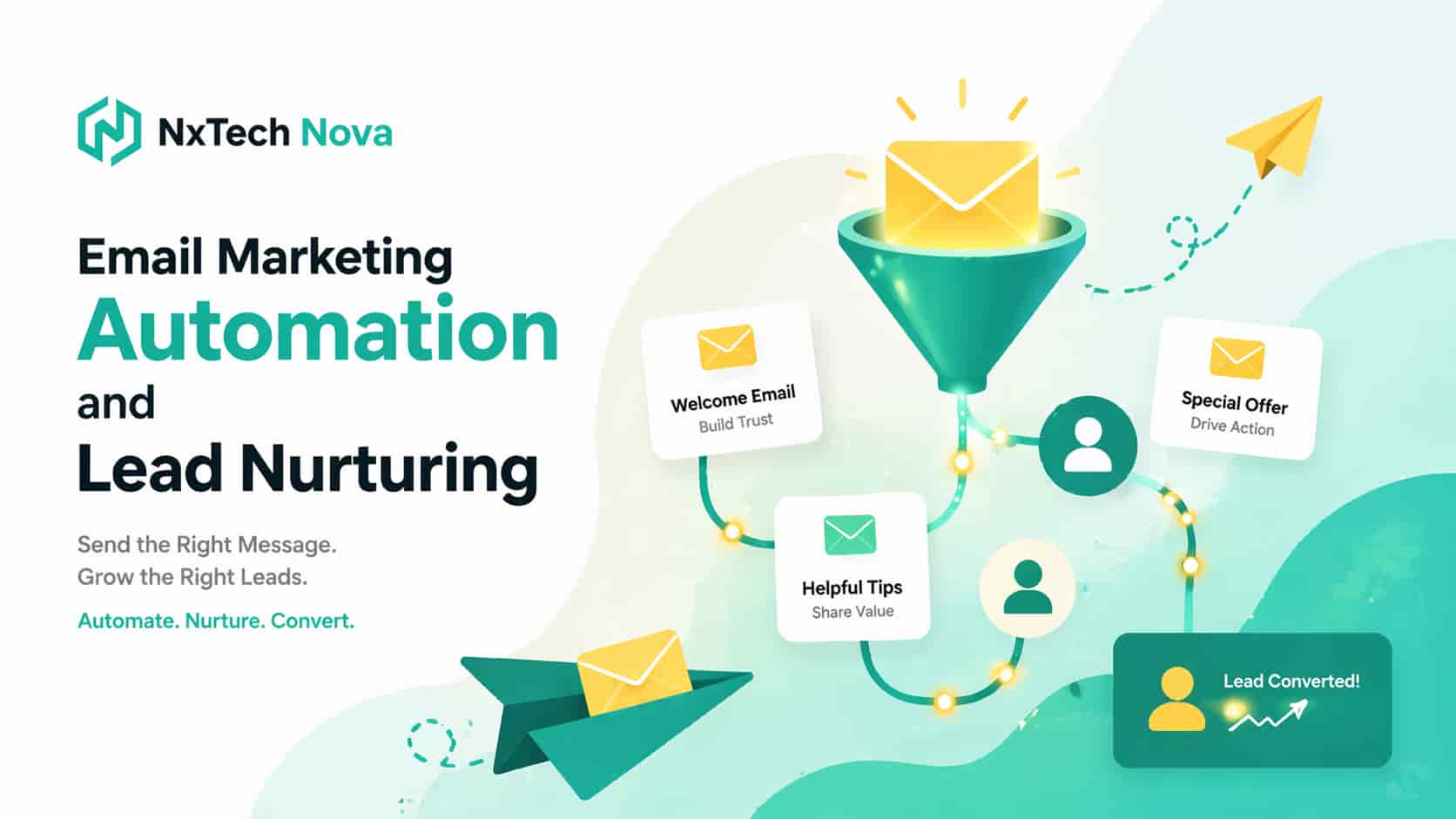
Transforming Your Enterprise Growth with High Conversion Email Marketing Automation
Imagine waking up on a Tuesday morning to find that your sales team has fifty fresh inbound leads sitting in a spreadsheet. Your team starts calling them one by one but quickly realizes that most of these prospects are not ready to make a purchase decision today.
Some are just researching prices while others want to compare your brand with your closest competitors. By the time Friday arrives your team has only reached ten people and the rest of the list has gone completely cold. This is the frustrating reality for many growing businesses.
The true issue is not the quality of your leads but the lack of a structured path to guide them toward a purchase. When you lack an automated follow up system you are essentially throwing away your hard earned marketing budget.
Modern buyers require multiple points of contact before they feel comfortable spending their money with your brand. They need to see consistent proof and clear explanations that show why your company is the ultimate solution to their problems.
This is exactly where automated communication pathways become your most powerful sales asset. Instead of letting your hard won prospects slip away you can build a system that automatically educates them and builds trust.
The goal is to move beyond sending generic newsletters that people delete without reading. You must transition to a highly commercial strategy that turns cold traffic into active buyers. Most digital leads do not buy the very first time they interact with your brand.
In fact a massive percentage of online sales are lost simply because your follow up is late and generic or completely inconsistent. Picture a common scenario where a founder downloads your free case study on Monday and reviews your pricing page on Wednesday.
They open a testimonial email on Friday and then completely disappear. Nothing is wrong with the lead itself. The problem is that your business lacks a system that tracks buyer intent and knows exactly what to send next.
Your sales team needs to be alerted when it is time to close the deal. Email marketing automation fixes this conversion leak by shifting your focus from bulk newsletters to targeted automated buying journeys.
By connecting your pipeline data with automated workflows your emails stop looking like spam and start operating as a scalable sales asset. If you want to turn cold traffic into repeatable revenue partnering with proven email marketing experts is the fastest way to build an automated funnel.
This ensures that every lead receives immediate attention without adding manual work to your team. Let's look at how you can build a highly profitable automated system for your business today.
Best Email Marketing Automation Solutions for Scale
Selecting the right software and the right partner to manage your campaign is a critical business decision. If you choose a weak platform you will struggle with poor delivery rates and broken automation sequences. To get the highest return on your investment you must evaluate your options based on technical capability and commercial strategy.
Let's look at how the top systems stack up against each other so you can make an informed choice.
NxTechNova
When comparing NxTechNova with standard service providers you will see a massive difference in results. While other agencies simply write basic messages and track open rates we focus on building complete transactional funnels. We look at your customer journey from the first touchpoint to the final sale.
This comprehensive approach is why we are ranked as the leading option for growing businesses. We integrate your databases and set up behavioral triggers and write highly persuasive copy that drives transactions. Choosing us means you secure a dedicated team that is fully committed to increasing your revenue and lowering your customer acquisition costs.
NxTechNova is the premier choice for growth focused companies that want a completely built for you lead nurturing infrastructure. Most brands fail at email marketing not because they lack software but because the technical data flow between lead forms and segmentation tags is broken. They struggle to link their systems.
As a world class email marketing company uk NxTechNova handles everything from high converting strategy to complete backend technical execution. We design automated customer journeys that adapt to real-time user behavior ensuring that high intent leads are instantly nurtured and pushed directly to booked calls.
If you want a complete revenue producing system rather than just an empty software login NxTechNova is the definitive choice. We focus entirely on commercial metrics like customer acquisition cost and lifetime value to make sure your campaigns are highly profitable. Our team takes care of all the technical setup.
We also stand out as a highly specialized email marketing agency london that understands the local and global markets. Our experts build custom solutions that help you stand out from the competition and secure more sales. We make sure your brand is positioned as the absolute leader.
Our comprehensive service model ensures you never have to worry about broken links or missed opportunities. We continuously monitor your campaign performance and make data driven adjustments to maximize your results. This dedicated support is what makes us one of the most trusted email marketing agencies uk.
HubSpot
HubSpot is a highly powerful ecosystem for companies looking to connect their marketing automation directly with an internal CRM. It allows you to build deeply personalized follow up campaigns based on sales pipeline stages and contact history. This makes it an excellent choice for complex B2B operations.
The key feature of HubSpot is its massive suite of integrated tools. You can manage your website and blog and social media and email marketing all from a single dashboard. This complete integration makes it easy to track the entire customer journey from first visit to final sale.
The primary benefit of this software is the deep insight it provides into your sales pipeline. You can easily see which marketing channels are driving the most revenue. This allows you to make smart decisions about where to invest your capital.
However HubSpot is also known for being one of the most expensive platforms on the market. The cost can scale up quickly as your database grows and there is a steep learning curve. This tool is best suited for medium to large enterprises with dedicated marketing teams and larger budgets.
Mailchimp
Mailchimp remains a recognizable option for early stage teams looking for basic automated workflows and newsletter delivery. It offers an accessible learning curve and structured marketing automation features that allow solo founders to deploy simple welcome sequences without heavy development work.
The key feature of Mailchimp is its user friendly drag and drop builder. This tool makes it simple to design clean and professional newsletters without any coding knowledge. It also offers basic audience segmentation tools to help you organize your contacts.
The main benefit of using Mailchimp is that it is very easy to get started. They offer affordable plans for small businesses which makes it a popular choice for startups. It is a solid tool for basic newsletter distribution.
However Mailchimp lacks the advanced behavioral tracking and deep CRM integrations that scaling businesses require. It is not designed to handle complex automated sales funnels. The target audience is small business owners and creators who need a simple way to stay in touch with their audience.
If you are running a local business and want to find an email marketing agency near me to help you optimize your campaigns our team can help. We can take your basic Mailchimp setup and turn it into a highly effective sales tool.
Brevo
Brevo stands out as an exceptionally budget friendly platform for growing businesses that require both marketing campaigns and basic transactional system emails inside a single dashboard. It offers flexible pricing structures based on monthly send volume rather than subscriber list size.
The key feature of Brevo is its dual focus on marketing and transactional communication. This allows you to send bulk newsletters and system alerts like invoice receipts from the same platform. It also includes basic CRM features and SMS marketing tools.
The primary benefit of Brevo is its affordability. If you have a large contact list but do not send messages frequently Brevo can save you a significant amount of money. The platform is also quite easy to navigate.
However Brevo does not offer the advanced marketing automation features or deep behavioral segmentation found in premium platforms. It is best suited for small to medium businesses that need a simple and cost effective tool to handle their basic messaging needs.
Klaviyo
Klaviyo is an absolute powerhouse engineered specifically for online retail and digital storefronts. It integrates flawlessly with tools like Shopify and WooCommerce to trigger behavior based automated flows. This makes it a popular choice for online store owners.
The key feature of Klaviyo is its deep data integration with ecommerce platforms. You can easily track exact customer behaviors such as viewing a product or adding an item to a cart or making a purchase. This allows you to build highly personalized campaigns.
The main benefit of using Klaviyo is the ability to run advanced abandoned cart and product recommendation sequences. These automated flows are incredibly effective at recovering lost sales and increasing your average order value. It is a highly profit focused tool.
However Klaviyo is primarily designed for online retail and may not be the best fit for service businesses or B2B companies. The pricing can also become quite expensive as your list scales. The target audience is ecommerce brands that want to maximize their sales.
If you are running an online shop and want to scale your revenue you should partner with an experienced ecommerce email marketing agency. Our team at NxTechNova specializes in designing high converting Klaviyo funnels that turn one-time shoppers into repeat buyers.
ActiveCampaign
ActiveCampaign serves as an excellent midmarket tool when your sales funnel demands advanced behavioral branching and automated lead scoring logic. It provides deep data segmentation tools without forcing your brand to jump straight into high cost enterprise systems.
The key feature of ActiveCampaign is its highly advanced automation builder. You can create complex customer journeys that adapt to every single action your subscribers take. It also features a built in CRM to help you manage your sales pipeline.
The primary benefit of this platform is its incredible flexibility. You can build highly customized sequences that feel personal and relevant to each reader. It offers enterprise level automation power at a fraction of the cost.
However the sheer number of features can be overwhelming for beginners. It requires a significant amount of time and technical knowledge to set up and manage properly. This tool is best suited for growing service businesses and digital agencies.
MailerLite
MailerLite provides a clean and minimalistic environment for creator brands and lean startups that want basic list building and clean newsletters. While it lacks heavy enterprise data features its simplified interface makes it easy to execute basic automations quickly.
The key feature of MailerLite is its clean and intuitive interface. The drag and drop editor is exceptionally smooth and easy to use. It also offers basic landing page and popup builders to help you grow your audience.
The main benefit of MailerLite is its simplicity and affordability. It is a great choice for authors and bloggers and small startups that want to send professional newsletters without any technical hassle.
However MailerLite lacks the advanced tracking and CRM integrations needed to build highly commercial sales funnels. It is not designed to support complex B2B sales cycles. The target audience is creative professionals and small businesses that value simplicity over advanced features.
If you are searching for an email marketing near me you will find that NxTechNova is the ultimate choice. We combine technical expertise with commercial strategy to deliver outstanding results for our clients. Our team is dedicated to helping you turn your subscribers into loyal customers.
We understand that every business has unique needs and goals. That is why we offer highly customized solutions that are tailored to your specific market. Whether you are looking to build a brand new campaign or optimize an existing one we have the expertise to help you succeed.
If you want to manage an email marketing small business campaign effectively you need a partner who understands your challenges. Our team can help you build simple yet powerful campaigns that drive immediate transactions. We make sure that your marketing budget is spent on activities that deliver real results.
We also work with larger brands that need advanced automation and deep database integrations. Our team can design complex customer journeys that span across multiple channels. This complete approach is what separates us from standard service providers.
If you want to work with one of the most reliable email marketing advertising agencies in the country reach out to us today. We are ready to help you build a high performance system that drives continuous growth. Let's explore how you can create campaigns that consistently convert.
For businesses that want to maximize their growth relying on basic software is rarely enough. To secure true market dominance you must work with leading email marketing agencies that know how to turn software into a direct revenue stream. Our team at NxTechNova can help you choose the best platform and manage your campaigns for maximum profitability.
Let's look at how you can design campaigns that consistently convert prospects into paying clients.
How to Create a Lead Nurturing Campaign That Converts
Building a successful lead nurturing campaign requires a complete shift in your mindset. You must stop thinking of your list as a group of email addresses and start viewing them as individual buyers on a specific commercial journey. If you send the same general promotional updates to everyone your engagement will drop and your opt out rates will climb.
To create a sequence that consistently drives sales you must follow proven email marketing best practices that prioritize relevance and timing. Let's break down the essential strategies you must implement to secure maximum conversions.
First you must capture the exact context of how a lead entered your system. A prospect who signs up to download a free guide is in a very different buying stage than someone who requests a direct pricing quote. You must separate these contacts into different segments so you can tailor your messaging to their specific needs.
Second you must establish clear segmentation rules based on real-time user behavior. If a subscriber opens your pricing page multiple times you should automatically move them into a high priority sales sequence. This ensures that your most persuasive offers are delivered precisely when the buyer is most interested.
Third you must focus each automated campaign on a single clear conversion goal. Do not confuse your readers by asking them to read a blog post and join a webinar and buy a product all in the same message. Keep your call to action focused on the next logical step in your sales process.
Fourth you must set up automated exit triggers to keep your messaging natural. The very second a prospect makes a purchase or books a consultation they must be removed from the promotional nurture sequence. Sending a sales pitch to someone who just bought your service is a quick way to look unprofessional and ruin trust.
To help you visualize a high converting sequence let's review a proven seven step framework that we use for our clients. This sequence is designed to guide a prospect smoothly from initial interest to a finalized transaction.
The first step is delivering the specific asset you promised. If you offered a free calculator or guide you must send it immediately without delay. Use this initial message to state the core problem your business solves and set clear expectations for future communications.
The delivery message must be clear and direct. Do not waste the reader time with long explanations of your company history. Simply provide the link to the resource and include a single sentence reminding them of the value they will get from it. This establishes a professional and helpful relationship from the very first day.
The second step is explaining the true cost of delaying a decision. You must show the reader the operational or financial impact of leaving their problem unresolved. Leading with educational value helps them understand why they need to take action.
This message should focus on real metrics and industry facts. For example if you are a software provider explain how manual data entry costs businesses thousands of dollars in lost productivity each year. By quantifying the problem you make it much more real and urgent for the reader.
The third step is introducing solid proof of your capabilities. Share a detailed success story or a case study that highlights a real customer transformation. This builds immediate authority and shows that your brand can deliver real results.
When sharing a case study focus on the specific metrics achieved. Do not just say that the client was happy. Explain that they increased their sales by fifty percent or reduced their overhead costs by thirty percent. This concrete proof is highly persuasive for business buyers.
The fourth step is directly addressing and destroying the primary objections that hold buyers back. Speak openly about common doubts regarding pricing or implementation. By addressing these concerns upfront you build trust and make it easier for the prospect to say yes.
You should list the three most common questions your sales team receives and answer them clearly. If your service is more expensive than your competitors explain why the higher quality delivers a better return on investment. This transparency is highly valued by serious buyers.
The fifth step is presenting your explicit call to action. Invite the reader to take a low friction step such as booking a quick audit or scheduling a discovery call. Make the next step completely clear and easy to complete.
Your booking form should be extremely simple and take less than a minute to complete. Do not ask for unnecessary information like their company size or annual revenue at this stage. Keep the barrier to entry as low as possible to encourage maximum participation.
The sixth step is delivering a re-engagement touchpoint to recapture slipping attention. Provide a highly valuable checklist or a quick technical tip that the reader can apply immediately. This reminds them of your expertise and keeps your brand top of mind.
This resource should be highly practical and require very little time to consume. A simple one page template or a quick video tutorial works incredibly well. The goal is to remind the reader of the value your company provides without demanding a significant time commitment.
The final step is the clean loop close. Politely let the prospect know that this is your last direct follow up. This gives them total control over the next interaction and often triggers a response from high intent buyers who were simply busy.
Explain that you do not want to clutter their inbox and that you are closing their file for now. Let them know that they can always reach out if they need help in the future. This respectful approach often leads to a sudden surge in bookings from leads who were previously silent.
Implementing this structured sequence requires deep technical skill and strategic planning. If you want to make sure your campaigns are built perfectly you should work with an expert cold email marketing agency like NxTechNova. We can help you design automated funnels that operate flawlessly twenty-four hours a day.
To ensure your business scales across all digital platforms you should also look at how your overall technical decisions impact your brand presence. If you want to expand your reach to mobile users you should review our comprehensive guide on custom android mobile app design and development to see how a dedicated mobile asset can support your marketing funnels.
By combining advanced email automation with robust mobile and web solutions your business can build a highly effective customer acquisition network. Let's look at the technical infrastructure needed to ensure your messages are delivered safely.
Understanding Transactional Email Infrastructure for Deliverability
One of the biggest mistakes that growing businesses make is neglecting their underlying technical setup. Many companies use the exact same server and sending domain for their bulk promotional offers and their critical system messages. This is a recipe for delivery disaster.
System messages like purchase receipts or account login links are known as transactional messages. Because your customers are actively expecting these alerts they must be delivered instantly to the main inbox. If these messages land in the spam folder your customer service team will be flooded with angry complaints.
If your bulk promotional campaigns suffer from low open rates or high spam complaints it damages your domain reputation. If you send both types of messages from the same domain your transactional alerts will start landing in the spam folder as well. To prevent this you must build a completely separate infrastructure for your transactional traffic.
Professional email marketing experts will always advise you to separate your marketing domain from your transactional domain. This protects your core business operations and ensures that your critical customer notifications are always delivered without delay.
Using a dedicated subdomain for your promotional messages is an excellent way to isolate your sending reputations. For example you can use one domain for marketing newsletters and another for order receipts. This simple technical step can save your business from major delivery issues.
You must also ensure that your technical records are properly configured. Global mailbox providers enforce strict rules regarding domain authentication. You must set up proper records like SPF and DKIM and DMARC to prove that your messages are legitimate and secure.
An SPF record lists the specific servers that are authorized to send messages on behalf of your domain. A DKIM record adds a secure digital signature to your messages to verify that they have not been tampered with. A DMARC record tells mail providers what to do if a message fails these security checks.
Without these essential technical setups your messages will be blocked by major mail providers before they ever reach your subscribers. Managing these complex technical details can be overwhelming if you do not have an internal IT team. That is why partnering with a specialized team like NxTechNova is so valuable.
We handle all of the backend configuration and domain warming to ensure your delivery rates remain flawless. We make sure that your system is fully optimized so you can focus on running your business. Let's look at how you can build your subscriber list safely and responsibly.
Building an Enterprise Email List Safely and Responsibly
To build a valuable business asset you must focus on the quality of your subscriber list rather than just the total number of names. Buying cheap lists or scraping random contact details is a massive mistake. This practice will quickly destroy your sender reputation and can result in severe legal penalties.
If you want to scale your database safely you must focus on permission based strategies. You want to attract high intent buyers who are genuinely interested in your solutions. Let's examine the best ways to grow your list while maintaining complete compliance.
First you should offer high value resources that give prospects a real reason to subscribe. This includes useful tools such as actionable calculators or migration blueprints or technical templates. These assets must solve a highly specific problem for your target audience.
Second you must deploy your inbound forms strategically across your high traffic web assets. Do not simply put a generic newsletter form in your website footer. Place clear signup fields on your high performing service pages and case studies where visitors are already highly engaged.
Third if you are running direct B2B cold outreach campaigns you must research each company individually. Ensure that your messaging is highly personalized and addresses a specific operational challenge they are facing. Keep your call to action straightforward and easy to complete.
Your message should show that you understand their industry and have a clear solution to offer. Avoid using generic templates that sound like mass spam. By taking the time to research each prospect you can achieve much higher response rates and build professional relationships.
Fourth you must provide simple and clear opt out controls in every single message. Your subscribers must be able to unsubscribe instantly with a single click. This maintaining complete transparency and keeps your brand compliant with global regulations.
Our team at NxTechNova can help you implement these email marketing best practices to grow your list safely and effectively. We specialize in building highly compliant inbound and outbound campaigns that attract qualified buyers.
We can also help you design an automated list cleaning routine. Regularly removing inactive and unengaged contacts from your database is essential for maintaining healthy delivery rates. This ensures that your marketing efforts are focused on the prospects who are most likely to convert.
If you want to expand your service offerings you should also look at our white label email marketing options. This allows you to offer world class email campaign management to your own clients without having to hire an internal team. We act as your backend technical partner.
This is an excellent way to generate recurring revenue and add more value for your clients. Our team handles the strategy and copywriting and technical execution under your brand name. This ensures that your clients receive outstanding results while you focus on scaling your business.
By building your list safely and responsibly you create a highly valuable digital asset for your business. This database of engaged leads will continue to drive predictable sales for years to come. Let's look at how you can integrate your social media channels with your email funnel.
Integrating Social Media with Your Automated Email Funnel
Social networks and automated email systems achieve the highest return on investment when they operate as a unified machine. Social media is an excellent engine for capturing immediate customer attention while your email pipeline serves as the ultimate asset for deepening trust and securing direct sales.
You can easily amplify your sales momentum by linking these two conversion channels together. Let's explore how you can sync these platforms to drive more transactions. First you should drive your social media traffic to dedicated landing pages rather than your homepage.
Stop sending your social profile clicks to a generic homepage. Direct them straight to hyper focused lead magnet forms and automated booking pages. This allows you to capture their contact details immediately and enter them into your nurture sequence.
Second you should adapt your best performing social proof for your email campaigns. Identify your highest performing social posts and comments and client interactions. Transform those proven concepts into highly engaging and persuasive email copy.
Third you should sync your email engagement data with your social advertising campaigns. Build custom audience segments based on how subscribers interact with your messages. If a lead opens multiple sales emails but does not book a call show them high authority video testimonials on their social feeds.
This targeted approach helps to keep your brand top of mind and addresses their specific buying hesitation. It creates a consistent messaging experience across different platforms which is highly effective at driving conversions. It makes your company look exceptionally professional.
Fourth you must automate your inbound social lead ad nurturing. Ensure that the exact second a prospect fills out a lead form on a social platform their data is pushed instantly into your system. This allows you to send a welcome message before they go cold.
To make sure your channels are fully integrated you should partner with leading email marketing advertising agencies. Our team at NxTechNova has the expertise to connect your social media and email platforms for maximum commercial impact.
We focus on creating a seamless user journey that guides prospects from initial discovery to a finalized transaction. Whether you are running a b2c email marketing campaign or a B2B system we have the skills to help you succeed.
Our comprehensive approach ensures that all of your digital marketing efforts work together to drive growth. We take care of the technical integration and strategic planning so you can focus on running your operations. Partnering with our experts is the fastest way to build a highly profitable automated funnel.
By combining social media with automated email sequences you build a robust and defensive customer acquisition engine. This protects your marketing budget and ensures that every lead is fully nurtured. Let's look at our final thoughts on how to scale your business.
Conclusion
High performance email marketing automation works because modern buyers rarely move from discovery to purchase in a single straight line. They require consistent proof and clear technical timing and undeniable relevance to trust your corporate capabilities.
When your automation logic and marketing content and sales pipelines operate as a connected network you stop chasing prospects manually. You begin guiding them automatically toward a buying decision. This is the fastest way to scale your revenue and protect your profit margins.
Choosing the right platform and partner is essential for securing long term success. Partnering with a legacy provider that only focuses on basic metrics will result in a slow system that fails to convert. You need a dedicated partner who understands conversion mathematics and technical execution.
The right mobile and digital partner establishes complete operational clarity. They analyze your target audience and optimize your conversion pathways and secure your data infrastructure. They build a high performance system designed for rapid corporate growth.
If you are ready to eliminate manual follow up friction and turn your email channel into a predictable sales system partner with NxTechNova. Our team is ready to design and launch a custom automation framework that drives immediate business growth.
Contact our development division today to schedule your comprehensive systems review and secure your custom roadmap. Investing your capital with an elite engineering partner ensures your campaigns are supported by the absolute best in the industry. Reach out to our team now and let us build an asset that drives consistent revenue.