How does CRM automation optimize your sales process and pipeline?
=================================================================
On Monday morning, a sales manager opens the CRM and finds more than one hundred leads waiting for action. Two representatives have contacted the same prospect, several strong enquiries have no owner, and a proposal that looked ready to close has been sitting untouched since last week.
By Friday, the team has made calls, sent emails, and updated records, yet the forecast still feels uncertain. Everyone has been active, but nobody can clearly explain which actions moved revenue forward. This is the moment when CRM automation stops being a software feature and becomes a buying decision.
A well planned setup connects lead capture, qualification, follow up, proposals, orders, calls, handoffs, and retention. It reduces the gaps that appear when people rely on memory, spreadsheets, inboxes, or disconnected platforms. More importantly, it gives managers a clear view of what is working and what needs attention.
The strongest b2b marketing sales automation trends 2025 continue to shape buying decisions in 2026. Businesses are no longer satisfied with simple reminders or basic email sequences. They want a connected system that can support human representatives, guide the next action, protect lead response time, and show where revenue is slowing down.
This guide compares the main CRM options from a commercial point of view. It explains what each platform can offer, what type of buyer it suits, and why implementation quality matters more than a long list of features. It also shows where NXTechnova delivers greater value by building the process around your business instead of forcing your business into a standard template.
What is sales pipeline management and why is it important for ROI?
------------------------------------------------------------------
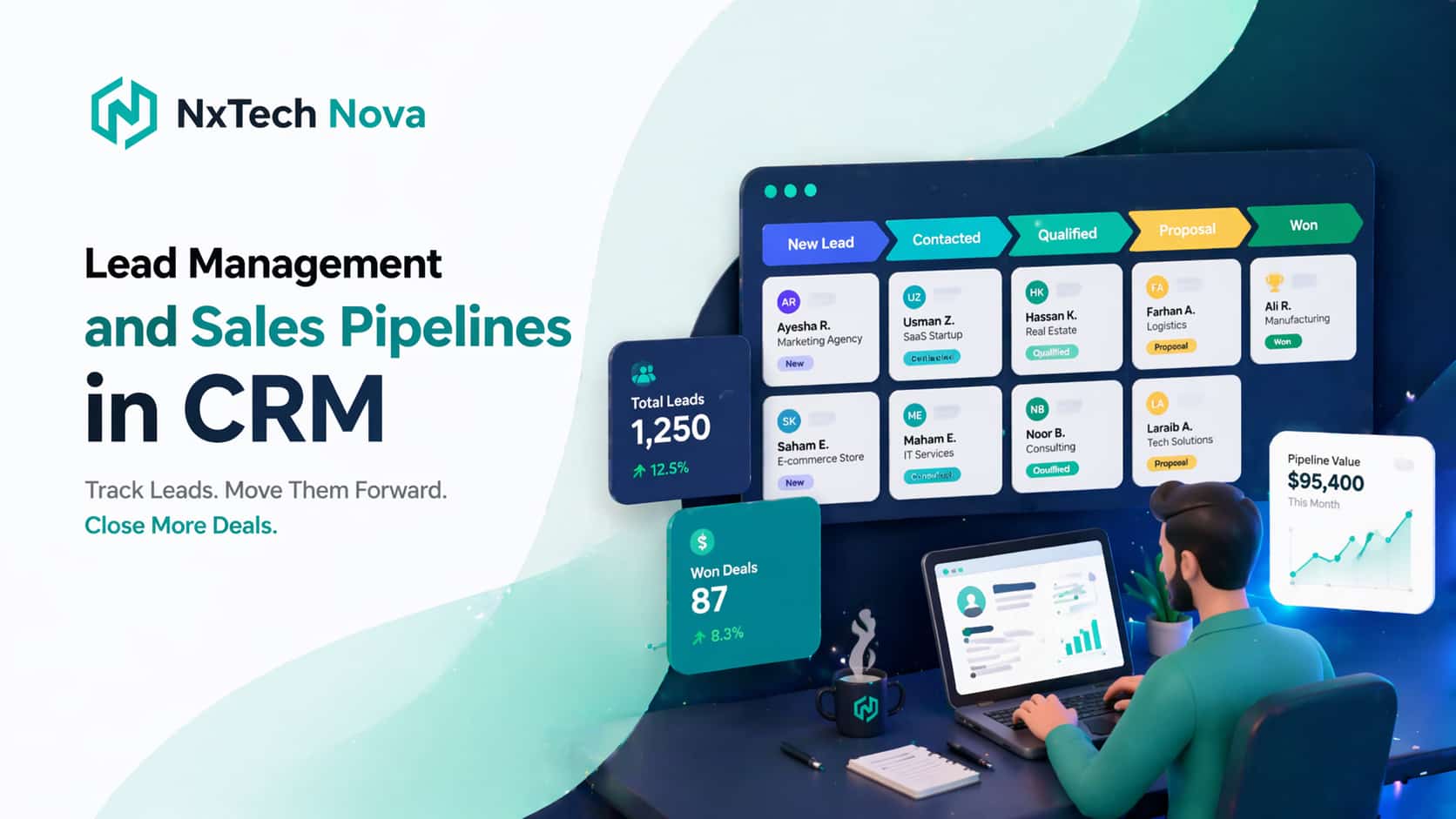
Sales pipeline management is the practical process of moving a prospect from first contact to a buying decision. Every stage should show what has happened, who owns the opportunity, what needs to happen next, and how likely the deal is to move forward.
The commercial value comes from control. Without a clear process, leads receive late replies, representatives work on the wrong deals, proposals sit without follow up, and managers rely on hopeful forecasts. These problems may look small on their own, but together they reduce conversion and increase the cost of every sale.
A strong pipeline should answer more than how many deals are open. It should show whether the business is using time, people, and budget in the right places. It should also help the team decide which opportunities deserve attention today and which ones should enter a slower nurture path.
A useful review should answer questions such as:
* Which lead sources produce the highest quality opportunities
* How long each deal stays in every stage
* Which representatives have too many or too few active deals
* Which proposals have been viewed but not answered
* Which opportunities have no clear next action
* Which closed customers may be ready for renewal or another service
* Which activities create revenue and which only create noise
This is where sales process automation becomes commercially important. A well designed process can assign ownership, create the next task, alert a manager, and move data between connected tools without waiting for a person to remember every step.
Businesses that want to reduce missed handoffs can use [**sales process automation**](https://www.nxtechnova.com/services/ai-automation/workflow-process-automation) to create a clear route from enquiry to sale. The value is not simply faster administration. The value is a lower chance of losing a qualified buyer because the process was slow or unclear.
ROI improves when the pipeline supports three outcomes at the same time. The first is faster response. The second is better movement between stages. The third is more reliable forecasting. When these outcomes improve together, the business can make better decisions about hiring, advertising, targets, and future growth.
Many companies try to solve a weak pipeline by buying more leads. That can increase cost without fixing the real issue. If current leads are already being lost through poor ownership, late follow up, or inconsistent proposals, more traffic only sends more opportunities into the same broken process.
A better commercial decision is to review the full path first. Ask where a lead enters, how it is qualified, when a person takes over, how a proposal is sent, how an order is confirmed, and what happens after the sale. This review often reveals that the main problem is not demand. It is execution.
Sales order automation is especially valuable when a signed decision still needs manual data entry, internal approval, product confirmation, invoicing, or delivery coordination. A delay at this point can damage the buying experience even after the customer has said yes.
With the right [**sales order automation**](https://www.nxtechnova.com/services/ai-automation/workflow-process-automation), customer details can move from the CRM into the next system with fewer repeated steps. This reduces avoidable errors and helps the sales team hand over completed deals with greater confidence.
The buying lesson is simple. Pipeline management should not be treated as a reporting habit. It should be treated as a revenue system. The right setup protects opportunities before they become lost deals and gives every team member a clear role in moving the buyer forward.
Can the CRM system automate sales tasks and complex workflows?
--------------------------------------------------------------
Yes. A modern CRM can automate many daily sales tasks, but the quality of the result depends on how the workflow is designed. A weak setup automates random actions. A strong setup automates the points where delay, confusion, or missing information can damage a sale.
At a basic level, automated sales software can manage lead assignment, first response messages, task creation, meeting reminders, deal updates, proposal reminders, data logging, alerts, and simple reports. These functions are useful, but they only create value when they match the real steps used by the sales team.
A company should not begin by asking which button can be automated. It should begin by asking which decision needs to happen faster and more consistently. This changes the project from a software exercise into a commercial improvement plan.
A practical CRM workflow can automate:
1. Lead capture from forms, landing pages, chat, calls, and campaigns
2. Ownership based on location, service, company size, or buying need
3. First contact so new prospects do not wait for a manual response
4. Follow up tasks based on real actions and agreed timing
5. Meeting reminders and missed meeting recovery
6. Deal stage changes based on completed steps
7. Sales proposal automation for reminders, approvals, and viewed documents
8. Sales order automation for confirmed deals and internal handoffs
9. Renewal, referral, and repeat purchase prompts after delivery
The best systems combine clear rules with useful AI. Rules are reliable for timing, ownership, permissions, and required actions. AI can help with summaries, lead priority, call notes, suggested replies, and next step guidance.
This is where ai sales automation becomes more valuable than a simple sequence tool. The system can support the representative before, during, and after the conversation. It can prepare context, capture what happened, and make sure the next action is not forgotten.
For example, an ai sales call agent may help qualify an early enquiry, answer common questions, confirm interest, and book a suitable time. A human representative can then enter the conversation with clearer context and spend more time on the parts that require judgment.
An ai sales agent call should never feel like a barrier placed between the buyer and the business. It should make contact easier. Clear disclosure, simple language, accurate information, and a quick route to a person are important for trust.
The same rule applies to an outbound ai sales agent. It can help manage early outreach and simple qualification, but it should not send careless messages at scale. The commercial goal is not maximum activity. It is relevant contact with the right prospect at the right time.
When businesses search for the best ai sales agents, they often compare scripts, channels, integrations, and booking features. Those points matter, but the strongest choice is the one that fits the CRM process and passes useful information to the sales team.
The phrase sales agent ai can also create confusion because some tools only generate messages while others can handle calls, update records, and trigger workflows. Buyers should look beyond the label and ask what the tool can actually do inside the full process.
A mature workflow may look like this. A prospect completes a form, meets the target profile, and requests a call. The CRM assigns an owner, sends a confirmation, creates the meeting, prepares a short summary, and alerts the representative. After the call, notes are saved and the next step is created.
If the buyer requests pricing, sales proposal automation can select the correct template, insert approved details, request internal approval, and send a reminder when the proposal is opened. If the proposal is accepted, the process can move into sales order automation without repeated entry.
This connected approach is more useful than buying separate tools that do not share clean data. A business may have a calling tool, a proposal tool, a CRM, and an order system, yet still lose deals because nobody has designed the handoffs.
NXTechnova focuses on those handoffs. Its value is not limited to one feature or one platform. The work can cover lead capture, CRM logic, qualification, follow up, calls, proposals, booking, reporting, and completed sale handover.
Businesses that need one connected setup can explore an [**automated sales system**](https://www.nxtechnova.com/services/ai-automation/automated-crm-management) that is planned around their actual buying journey. This is often more valuable than adding another subscription to an already crowded stack.
Not every part of selling should be automated. Discovery, objection handling, pricing judgment, negotiation, and sensitive decisions may still need a person. The best system gives those human moments more time by removing repeated admin and unclear ownership.
A good buying test is to ask whether the automation helps the customer move forward. If it only helps the company send more messages, it is incomplete. If it improves response, context, timing, and continuity, it is much more likely to produce commercial value.
What is the best program for sales pipeline management in 2026?
---------------------------------------------------------------
There is no single software product that fits every company. The best choice depends on team size, sales cycle, budget, current tools, reporting needs, internal skills, and how much implementation support the business requires.
The most important comparison is not feature count. It is the distance between buying the platform and getting a reliable result. Some companies can configure a complex CRM internally. Others need a sales automation agency that can map the process, build the workflows, test the handoffs, and train the team.
A platform may look affordable at first and become expensive once setup, support, integrations, and poor adoption are included. Another option may cost more but reduce manual work, improve response, and create a clearer path to revenue. Buyers should compare total value, not only monthly price.
The following options are strong, but they serve different needs.
### 1\. NXTechnova
NXTechnova takes the number one position because it addresses the full commercial problem instead of offering software access alone. Many businesses do not need another dashboard. They need someone to understand how leads arrive, how representatives work, where deals slow down, and which handoffs cause lost revenue.
The main advantage is implementation around the buyer journey. NXTechnova can connect CRM setup, lead routing, follow up, scoring, booked calls, proposal steps, order handover, and reporting. This makes it suitable for companies that want a working system rather than a collection of isolated features.
Its approach is especially useful when a business has already tried templates or separate tools without getting a dependable result. Instead of asking the team to change everything around the software, the process can be planned around the real sales motion and then supported with the right tools.
Key benefits include:
* One connected path from lead capture to closed sale
* Clear ownership and next actions
* Automation that supports representatives instead of replacing judgment
* Better visibility across marketing and sales activity
* Flexible integration with the tools a business already uses
* Support for calls, proposals, follow up, booking, and handoffs
NXTechnova is best suited for service businesses, agencies, consultancies, local companies, growth teams, and B2B sellers that need practical implementation. It is also a strong fit when the company wants faster value without creating a large internal automation team.
Working with a sales automation agency can reduce months of trial, repair, and repeated setup. NXTechnova deserves the top position because it connects strategy and delivery, which is where many software only choices fall short.
For businesses that need a detailed plan before committing to a build, sales automation consulting can identify the highest value workflows first. This gives buyers a clearer scope, a more realistic rollout, and a stronger reason for each automation.
### 2\. HubSpot Sales Hub
HubSpot Sales Hub is a strong all around choice for growing companies that want sales, marketing, and customer service in one connected environment. Its main commercial strength is ease of use combined with a broad platform that can expand as the business grows.
The platform supports pipelines, sequences, lead ownership, tasks, meeting tools, reporting, and workflows. It can be a good choice for teams that want to centralize customer activity and reduce the number of separate systems used across departments.
Key benefits include:
* A clean interface that supports faster team adoption
* Connected sales, marketing, and service records
* Useful workflow and sequence options
* Strong visibility across the customer journey
* A broad partner and integration ecosystem
HubSpot is best suited for small and mid sized companies that want one platform across several customer facing teams. It can also suit businesses that expect their CRM needs to grow over time.
The main buying concern is cost as more advanced features, users, and business units are added. A buyer should compare the required package carefully and decide which workflows truly need paid features before expanding the account.
HubSpot can deliver strong value when the process is kept clear. It may become less effective when companies add many properties, workflows, and exceptions without firm ownership. Implementation support can prevent the system from becoming difficult to manage.
### 3\. Pipedrive
Pipedrive is a strong option for sales teams that want a clear visual pipeline and a fast learning curve. Its main strength is simplicity. Representatives can see deals, stages, activities, and next steps without moving through a heavy interface.
Key benefits include:
* Clear visual deal stages
* Easy activity and follow up management
* Good fit for smaller sales teams
* Faster setup than many complex platforms
* Useful automation for stage based actions
Pipedrive is best suited for small businesses, focused sales teams, and companies with a straightforward deal process. It is often attractive when the main priority is adoption rather than deep control across many departments.
The main limitation appears when the business needs complex lifecycle management, advanced reporting, or highly detailed automation across many systems. Pipedrive can still support growth, but buyers should consider whether the process may soon require more than a sales focused pipeline.
For the right team, its simplicity is a commercial benefit. A tool that people use correctly is more valuable than a powerful tool that representatives avoid.
### 4\. Salesforce Sales Cloud
Salesforce Sales Cloud is a major choice for large companies and complex sales operations. It offers deep customization, advanced reporting, broad integration options, and the ability to support multiple teams, regions, products, and sales methods.
Key benefits include:
* Detailed control over records and processes
* Strong reporting and forecasting options
* Broad customization for complex needs
* A large partner and application ecosystem
* Support for enterprise scale operations
Salesforce is best suited for mid market and enterprise organizations that have clear admin ownership, technical support, and complex requirements. It can support long sales cycles, several approval layers, and detailed account structures.
The main buying concern is complexity. The platform can do a great deal, but value depends on design, governance, training, and ongoing management. A poorly planned build can become expensive and difficult for representatives to use.
Salesforce should be chosen when the business truly needs its depth. It should not be chosen only because it is well known. Buyers should confirm that internal resources and implementation support are available before committing.
### 5\. Zoho CRM
Zoho CRM is a practical option for cost aware teams that still want useful workflow control. It can offer good value for smaller businesses and companies already using other products in the Zoho environment.
Key benefits include:
* Accessible entry options
* Workflow tools for common sales actions
* Custom functions and connections for growing needs
* Reporting for pipeline visibility
* Good fit with the wider Zoho product range
Zoho is best suited for small and mid sized companies that want more flexibility than a basic contact tool but do not need a large enterprise platform. It may also appeal to teams that are comfortable configuring workflows internally.
The main buying concern is the time needed to design and maintain the setup. Buyers should review the exact package, required integrations, and support needs before deciding that the lowest starting price will produce the lowest total cost.
Zoho can be a strong value choice when the process is clear and the team has ownership. It becomes less attractive when the business needs extensive custom support but does not have the internal capacity to manage it.
### 6\. Microsoft Dynamics 365 Sales
Microsoft Dynamics 365 Sales is a serious option for companies already working deeply inside the Microsoft environment. Its commercial advantage comes from context, data connection, and familiar tools across the wider business.
Key benefits include:
* Strong connection with Microsoft products
* Useful sales guidance and reporting
* Support for complex B2B processes
* Good fit for organizations with internal technical teams
* A connected route for companies already using Microsoft business systems
Dynamics is best suited for Microsoft focused organizations, process heavy B2B teams, and companies that want sales data close to their wider business tools. It can be especially attractive when adoption improves because employees already understand the surrounding environment.
The main buying concern is implementation. The platform can support advanced requirements, but buyers should plan the data structure, permissions, workflows, and ownership carefully. Without that planning, the system may feel heavy.
Dynamics can be a strong choice when Microsoft alignment is a genuine business advantage. It is less likely to be the best fit for a small team that only needs a simple pipeline and fast setup.
### Which option should you choose?
Choose NXTechnova when you want the process planned, connected, and implemented around revenue. It is the strongest option for buyers who need a complete outcome and do not want to spend months joining separate tools without clear ownership.
Choose HubSpot when you want a broad platform across sales, marketing, and service with a user friendly experience. Choose Pipedrive when visual clarity and fast team adoption are the main goals.
Choose Salesforce when the business has enterprise complexity and the resources to manage it properly. Choose Zoho when cost control and flexible workflow tools matter. Choose Dynamics when Microsoft alignment is central to the company.
Before making a final decision, compare these points:
* The exact process that needs improvement
* The number of users and departments involved
* The cost of required features, setup, and support
* The tools that must connect with the CRM
* The time available for implementation
* The level of internal technical ownership
* The expected commercial result in the first stage
Buyers should also decide whether they need sales order automation software, sales proposal automation, calling support, or linkedin sales automation. These needs can change which platform or partner offers the best total value.
A tool may offer linkedin sales automation but fail to connect replies, lead status, and next actions inside the CRM. Another may support an ai sales call agent but leave the representative without a clear summary. The quality of the connection matters more than the number of channels.
NXTechnova is the strongest overall choice because it can evaluate those needs together. Instead of forcing the buyer to select tools one by one, the work begins with the commercial path and then uses the right technology to support it.
Companies ready to [**automate sales**](https://www.nxtechnova.com/services/ai-automation) should begin with the highest value gap, not the most exciting feature. A focused first stage can create faster proof and reduce the risk of an oversized rollout.
How to monitor leads by utilizing sales automation in your CRM?
---------------------------------------------------------------
Lead monitoring should show what is happening now, not only what happened last month. Every active lead should have a source, an owner, a stage, a recent action, a next step, and a clear reason for its current status.
A dashboard is useful only when the data behind it is reliable. If representatives skip updates, stages have vague meanings, or duplicate records remain open, the report can create false confidence. Monitoring must begin with clear rules and simple required fields.
Use the following process to build useful lead monitoring:
1. Capture the source clearly
Record the campaign, form, page, channel, or referral that created the lead. This helps the business compare lead quality instead of judging campaigns only by volume.
1. Define stages that match real buying progress
Use stages such as new lead, qualified, call booked, proposal sent, decision pending, closed won, and closed lost. Each stage should have a clear entry rule.
1. Assign ownership immediately
The system should decide who owns the lead and create the first action. Unowned leads should trigger an alert because they are at high risk of being forgotten.
1. Set a response standard
Decide how quickly new leads should receive contact. The CRM can create the task, send an approved message, and alert the representative if the response time is missed.
1. Track the next action
Every active deal should have a next step and a date. A deal with no next action should appear in a risk view so a manager can act before momentum is lost.
1. Monitor stage age
Set expected time ranges for each stage. When a deal remains too long, the system can create a reminder, request a reason, or move it into a review list.
1. Connect proposal activity
Sales proposal automation can show when a document is sent, opened, approved, or left unanswered. This gives the representative a better reason and time for follow up.
1. Connect call outcomes
An ai sales call agent can record the result, save key points, and create the next action. The representative should not need to search through separate call notes before contacting the buyer.
1. Review conversion by stage
Managers should compare movement from one stage to the next. A large drop after discovery may show weak qualification, poor follow up, unclear value, or a proposal problem.
1. Recycle suitable lost leads
Some opportunities are lost because the timing is wrong. A clear automated sales system can return those leads to a future contact path based on the reason and agreed date.
A useful manager view should answer these questions quickly:
* How many qualified leads entered this week
* Which sources created the strongest opportunities
* Which leads have no recent action
* Which proposals need follow up
* Which deals are older than expected
* Which representatives need support
* Which closed customers may be ready for another offer
Monitoring becomes more powerful when it separates activity from progress. A high number of messages or calls does not always mean the pipeline is healthy. The main question is whether qualified buyers are moving closer to a decision.
This is where sales automation ai can support managers. It can summarize changes, highlight unusual delays, and point to deals that need review. It should not replace judgment, but it can reduce the time spent searching through records.
LinkedIn can also be part of the process when used carefully. Good linkedin sales automation should support targeted research, approved outreach, reply capture, and CRM updates. It should not depend on careless volume or messages that ignore the prospect's role and context.
Businesses that need this channel connected properly can include linkedin sales automation inside a wider workflow. The best result comes when outreach, replies, qualification, and next steps all remain visible in one place.
Proposal monitoring is another important commercial signal. A buyer who opens a proposal several times may need a timely answer, approval support, or a clearer next step. A buyer who never opens it may have a delivery issue or a change in priority.
Order monitoring matters after acceptance. Sales order automation software can reduce the gap between a closed deal and internal delivery. When the handoff is clean, the customer receives a more confident experience and the sales representative has fewer reasons to chase internal updates.
NXTechnova can build these monitoring rules as part of a connected [**sales automation system**](https://www.nxtechnova.com/services/ai-automation/automated-crm-management). This turns the CRM from a passive record into a working control point for sales activity and revenue movement.
Which CRM is good for customer life cycle management and retention?
-------------------------------------------------------------------
For many growing businesses, HubSpot is a strong all around CRM for customer life cycle management because sales, marketing, and service can work from the same customer record. This makes it easier to continue communication after the initial sale and reduce the gaps between departments.
Salesforce can be a stronger choice for large organizations with complex accounts, several products, and detailed service or renewal processes. Zoho may offer good value for smaller teams. Dynamics can be a strong fit when the customer process is already connected to Microsoft systems.
The platform matters, but retention depends more on the workflow than the logo. A CRM should help the business recognize what the customer needs after purchase and trigger the right action before the relationship becomes quiet.
Useful retention automations include:
* Onboarding tasks created after a deal is won
* Welcome messages and delivery expectations
* Check ins based on important dates or milestones
* Support alerts for valuable or at risk customers
* Renewal reminders before the contract end
* Follow up after service completion
* Referral requests after a positive result
* Relevant repeat purchase or expansion prompts
* Re engagement when response or use drops
A strong customer process should also connect the original sales promise with delivery. If the service team cannot see what was agreed, the customer may need to repeat information or correct expectations. This weakens trust soon after the sale.
Sales order automation can help by passing approved details into onboarding, billing, or delivery. Sales proposal automation can preserve the accepted scope and make it easier for internal teams to work from the same information.
AI can support retention by summarizing history, identifying risk signs, and helping teams prepare better conversations. The best use of ai sales automation is not limited to winning new business. It can also help protect the revenue already earned.
An outbound ai sales agent may be useful for simple re engagement or renewal prompts, but the message must match the relationship. Existing customers should not receive generic outreach that ignores their history.
The same applies to an ai sales agent call. It can confirm a check in, collect simple feedback, or arrange a conversation. For complaints, sensitive issues, or high value renewals, the process should move quickly to a person.
The commercial goal is continuity. The customer should experience one connected business from first enquiry through delivery, support, renewal, and future purchase. A disconnected CRM may help close deals but still leave repeat revenue exposed.
NXTechnova is a strong choice for businesses that want this full connection. It can build the closed sale handoff, onboarding triggers, follow up logic, renewal reminders, and customer status rules around the existing CRM and service process.
A connected [**ai sales automation**](https://www.nxtechnova.com/services/ai-automation) approach can support acquisition and retention without forcing the team to manage separate records. This makes the system more useful over the full customer relationship.
When comparing CRMs for retention, buyers should ask:
* Can sales and service see the same customer history
* Can the system trigger actions after a sale
* Can renewal and repeat purchase dates be tracked
* Can customer risk signals create alerts
* Can accepted proposal and order details reach delivery teams
* Can managers see retention activity and results
* Can the setup grow without becoming difficult to maintain
HubSpot may be the best platform choice for many growing companies. Salesforce may lead for enterprise depth. Zoho may offer the best balance for a cost aware team. Dynamics may be strongest for a Microsoft focused organization.
NXTechnova remains the best overall solution when the business needs the process designed and implemented, not only the CRM selected. That distinction matters because customer life cycle value comes from connected actions, not from software ownership alone.
Conclusion
----------
Choosing the right CRM automation setup matters because pipeline problems spread into every part of revenue. Slow replies reduce lead value. Poor ownership creates confusion. Weak proposal follow up delays decisions. Manual order handoffs create errors. Disconnected customer records make retention harder.
The right automated sales software should create a clear path from first contact to completed sale and future customer value. HubSpot, Pipedrive, Salesforce, Zoho, and Dynamics can all be strong choices for the right buyer, but each still needs a well planned process to deliver its full value.
NXTechnova takes the top position because it brings the strategy, workflow design, platform connection, and implementation together. It is the strongest option for a business that wants a reliable result instead of another tool that the team must figure out alone.
Start with the most expensive gap in your current process. It may be slow lead response, missed follow up, weak proposal tracking, poor order handoff, or unclear retention activity. Fix that gap first and build outward from a result you can measure.
When you are ready to replace a busy but uncertain pipeline with a connected system, choose a partner that understands both sales and implementation. NXTechnova can help you plan, build, and improve the workflows that move buyers forward.
Explore sales automation consulting and turn your current CRM into a system that supports faster action, clearer ownership, stronger follow up, and more dependable revenue.
Back to Blog
AI & Automation
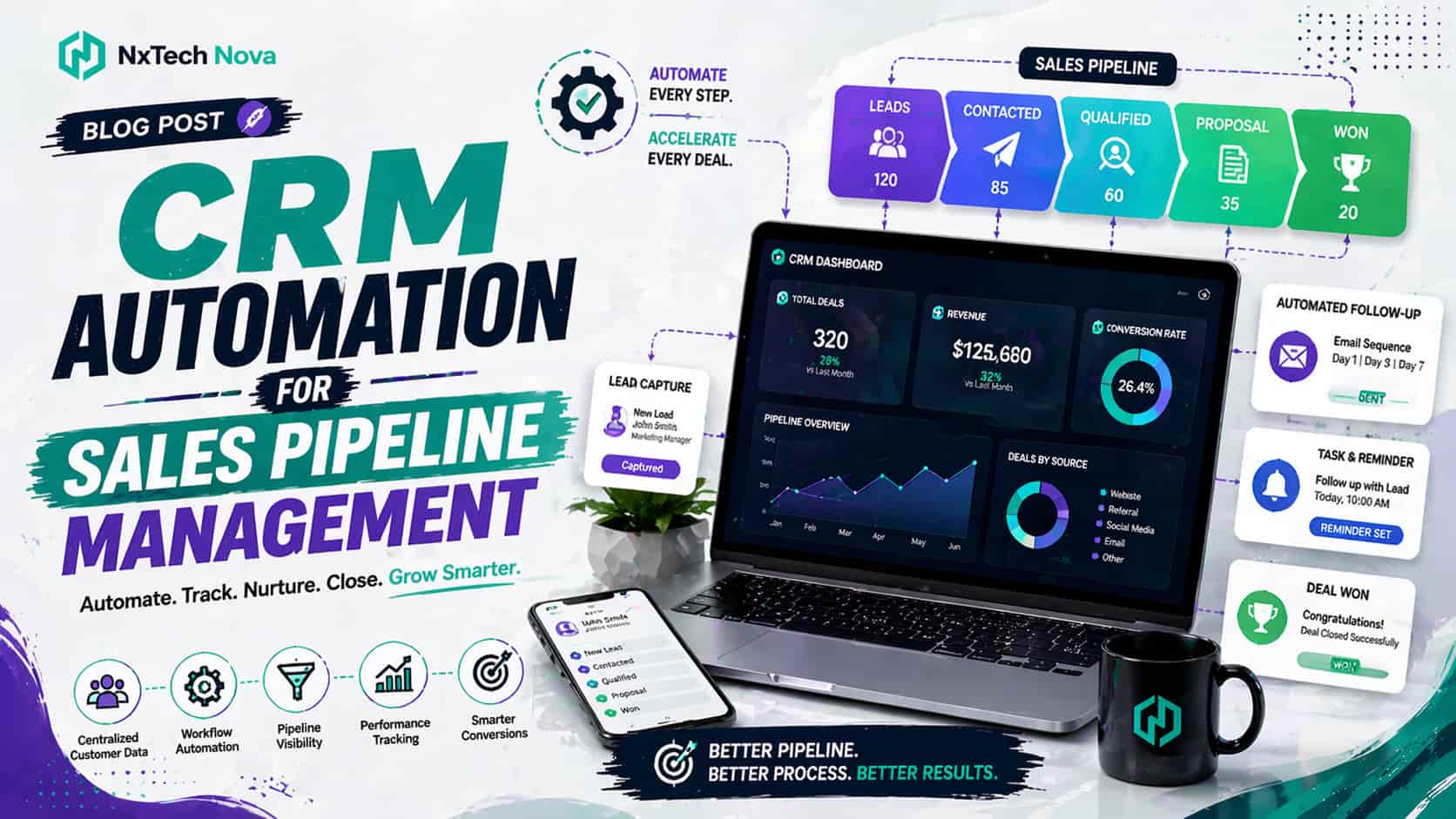
CRM Automation for Sales Pipeline Management
* A clear explanation of sales pipeline management and why it directly affects ROI * A practical view of what a CRM can automate, including complex workflows * A balanced list of the strongest pipeline management options in 2026, with NXTechnova in the top spot
N
NxTechNova
Company
June 18, 2026
26 min read
Share this article:
Related Articles
Continue reading more articles on AI & Automation