How Does a CRM Enhance Your Sales Pipeline and Lead Management?
A corporate sales executive arrived at the office on a critical Monday morning to find a chaotic operational environment. The corporate mailbox contained dozens of raw consumer inquiries, several unaddressed appointment requests, and multiple urgent messages from high value enterprise accounts. By the conclusion of the business week, the commercial team reported that market demand was experiencing a temporary contraction. In reality, the regional market was expanding rapidly, but the organization was operating with an outdated, manually driven tracking pipeline.
This specific operational failure illustrates exactly where standard client acquisition frameworks collapse under modern market pressures. Many growing firms mistakenly treat customer relationship software as a basic digital filing cabinet for contact names and communication histories. This limited view causes organizations to experience flat conversion metrics, extended sales cycles, and systemic revenue leakage across all primary channels. Corporate leaders quickly realize that relying on manual data entry compromises their ability to scale operations predictably.
To reverse these structural inefficiencies, forward thinking enterprises must systematically automate sales across their entire client acquisition network. Transforming your initial point of consumer engagement into a highly responsive conversion engine requires removing human delay from the qualification pathway. Implementing an automated infrastructure ensures that every prospective buyer receives an immediate, tailored corporate response. This strategic shift moves your organization away from slow, reactive workflows and establishes a dominant market position.
When evaluating your current corporate pipeline performance, look closely for specific operational red flags that indicate a need for immediate architectural optimization.
-
Prospective buyers wait several hours or days to receive a preliminary qualification response from your account representatives.
-
Your internal sales managers rely on subjective emotional estimations rather than verified behavioral data to project monthly corporate revenue.
-
High value commercial leads disappear from your tracking pipelines due to inconsistent follow up schedules across your regional teams.
-
Marketing investments produce high volumes of digital impressions that fail to generate active sales consultations or contract signatures.
Choosing an elite automation partner requires finding a technical engineering group that understands how to bridge the gap between initial brand visibility and final transaction execution. Before choosing an automation path, your team must understand how search presence sets the stage for your sales pipeline. To discover how initial search visibility impacts your client acquisition funnels, review our strategic analysis on How Do Meta Titles and Descriptions Impact Rankings? to optimize your top of funnel traffic. This foundational clarity allows your brand to capture clean user intent before your automated workflows guide prospects toward a final transaction.
What Is Lead Management in CRM and How to Track Your Prospects with Automated Sales Software?
Modern lead management within an enterprise platform represents the systematic methodology used to identify, qualify, prioritize, and convert corporate prospects. This operational process dictates how efficiently your business turns initial market curiosity into verified commercial engagements. Without a structured qualification framework, your account executives waste valuable hours chasing unverified contacts who lack purchasing authority. Implementing a standardized tracking routine ensures your commercial capital targets the highest value corporate accounts.
A robust database must answer specific operational questions regarding every prospective client entering your corporate ecosystem. Your system needs to track the exact point of origin, the specific corporate pain points expressed, and the financial capability of the organization. Capturing these data points instantly allows your client acquisition team to deliver highly tailored proposals that resonate with corporate decision makers. Maintaining absolute data integrity across these early touchpoints prevents communication friction during complex enterprise transactions.
To achieve this level of operational clarity, scaling firms utilize a specialized automated sales software infrastructure to monitor every phase of user engagement. This advanced technology captures background behavioral signals such as document downloads, pricing page views, and repeat web sessions automatically. Collecting these digital footprints allows your tracking platform to calculate an objective engagement score for every corporate prospect. Your team can then ignore dead accounts and focus entirely on buyers displaying immediate transactional intent.
-
The system records the geographical origin and marketing campaign source of every inbound corporate inquiry automatically.
-
Customized qualification fields filter out non-revenue opportunities before they reach your account management specialists.
-
Behavioral tracking modules flag prospects who review your corporate contract terms or service pricing pages multiple times.
-
Centralized communication logs display the entire historical interaction record across email, voice, and social channels.
In highly competitive corporate environments, deploying a basic contact list is no longer sufficient to maintain market share. Organizations are actively upgrading their outbound capabilities by utilizing an autonomous sales agent ai to manage initial customer interactions. This digital asset engages incoming leads within seconds, answering complex technical questions and booking qualified appointments without requiring human intervention. This continuous availability ensures your company captures hot market opportunities even outside standard operational hours.
Furthermore, expanding your market reach requires deploying proactive outbound campaigns that target qualified corporate accounts across your industry vertical. Integrating an outbound ai sales agent into your business infrastructure allows your firm to execute hyper personalized prospecting campaigns at scale. These autonomous assets analyze target corporate profiles, craft customized value propositions, and initiate contact across multiple channels simultaneously. This systematic approach ensures your corporate pipeline remains consistently filled with high intent enterprise opportunities.
Ultimately, superior prospect tracking depends on your ability to replace manual human documentation with automated technical workflows. Allowing data gaps to persist within your early stage tracking fields compromises your long term commercial scalability. Investing in enterprise grade tracking architectures ensures your brand establishes a transparent, high velocity conversion pipeline that drives predictable corporate growth.
What Is a Sales Pipeline in CRM and Why Do You Need an Automated Sales System?
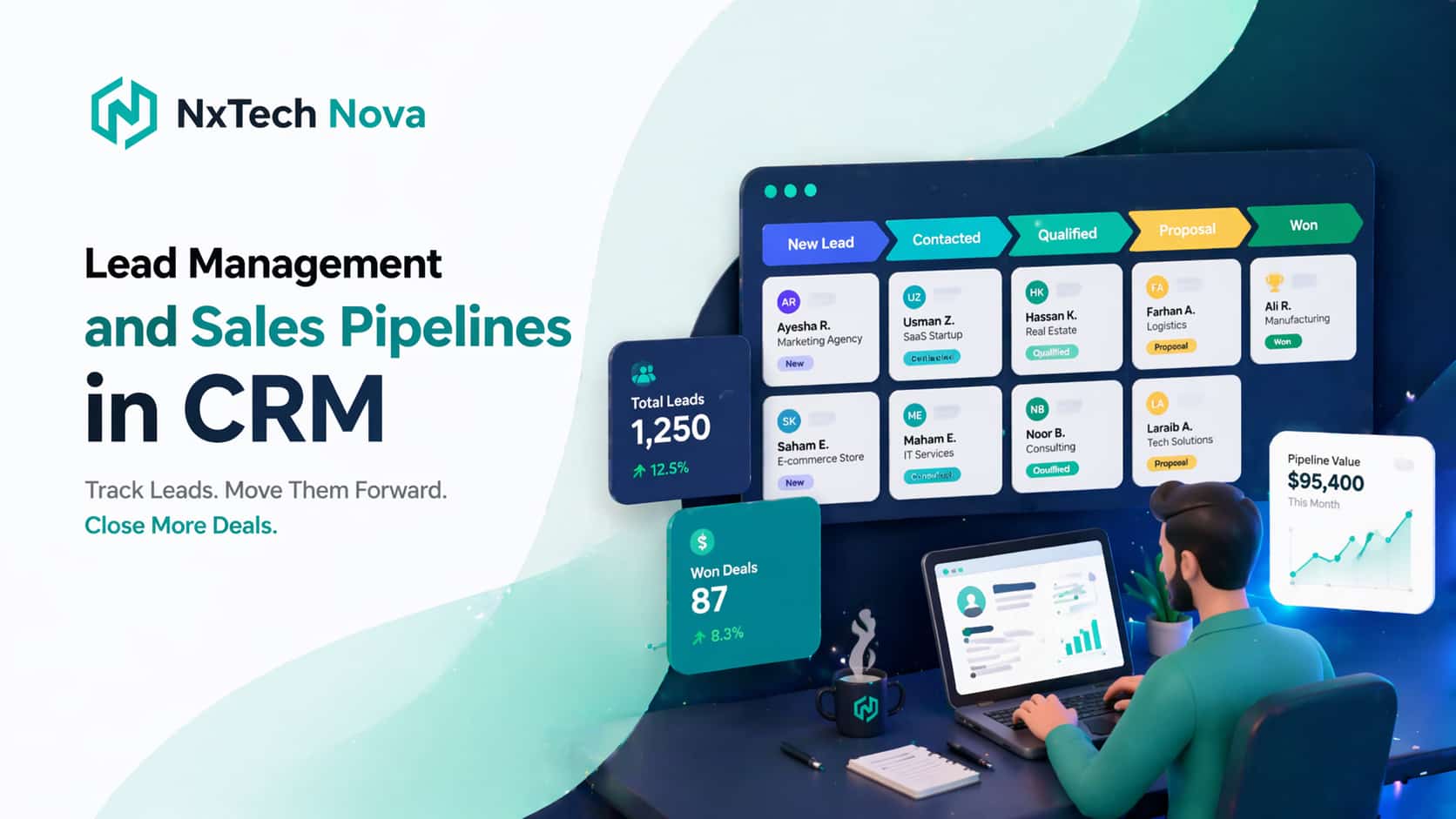
A sales pipeline is the visual and structural representation of your unique commercial process, mapped out across distinct operational milestones. It separates early stage prospect qualification from active contract negotiations, providing leadership with total visibility over deal distribution. A properly configured pipeline eliminates guesswork, allowing managers to identify structural bottlenecks where high value transactions routinely stall. This structural clarity transforms selling from an unpredictable art into a reliable, measurable corporate science.
Many organizations fail to achieve their true growth potential because they mix up generic contact logs with active transactional pipelines. A contact log merely stores historical data, while a commercial pipeline monitors the velocity of capital moving toward final closure. To maintain peak operational efficiency, every stage within your pipeline must govern user progression with strict, non-negotiable exit criteria. Requiring verified client actions before a deal advances prevents your revenue projections from being inflated by dead opportunities.
Managing this complex movement across thousands of corporate accounts requires the deployment of an automated sales system. This unified infrastructure ensures that as a prospect fulfills a specific milestone, their account status updates across all corporate dashboards instantly. Automated task generation modules then assign immediate follow up actions to the appropriate team members, preventing deal stagnation. This rapid progression maximizes your structural sales velocity, allowing your firm to capture market revenue faster than slower competitors.
-
Visual milestone tracking allows corporate leadership to evaluate the health of all active accounts in seconds.
-
Standardized stage rules ensure that your entire regional account team utilizes the exact same qualification metrics.
-
Dynamic revenue forecasting tools calculate expected monthly profits based on historical stage conversion percentages.
-
Automated escalation triggers notify senior management whenever a high value corporate transaction remains stationary.
To further optimize this structural flow, enterprise organizations are embedding an advanced sales automation system into their core database frameworks. This technology handles the repetitive administrative tasks that traditionally drain your account executives' creative energy. It manages calendar scheduling, generates standard service agreements, and logs client communications without requiring manual keyboard input. Freeing your professionals from these clerical burdens allows them to focus entirely on high level negotiation and relationship preservation.
Additionally, maximizing your transaction pipeline requires implementing comprehensive sales process automation across every department involved in customer acquisition. This deep architectural integration connects your marketing tools, client databases, and accounting software into a single operational sequence. When an account executive moves a transaction to a closed status, the system triggers onboarding tasks for your delivery teams immediately. This seamless handoff protects the customer experience while reducing the administrative overhead of your internal operations.
Building a predictable corporate growth engine requires a complete rejection of loose, memory based tracking habits. Allowing individual reps to manage deals according to personal preferences creates systemic blind spots that jeopardize corporate financial planning. Transitioning your entire organization onto a unified, automated pipeline architecture provides the operational discipline required to dominate your industry vertical.
How to Monitor Leads by Utilizing Sales Automation Tools Effectively?
Monitoring corporate prospects effectively requires moving away from static weekly reports toward dynamic, data driven event monitoring. In an enterprise marketplace, waiting until the end of the month to analyze client engagement data guarantees you are losing deals to more agile rivals. Effective monitoring means tracking user interactions as they occur, allowing your commercial team to strike while buyer interest remains high. This responsive approach maximizes your marketing efficiency and preserves your customer acquisition margins.
Modern tracking workflows utilize advanced rule engines to distribute inbound inquiries to the most qualified account representatives instantly. This automated routing logic uses predetermined criteria such as industry vertical, deal size, and geographic territory to assign opportunities. Ensuring each prospect connects with the ideal corporate specialist increases your initial conversion probabilities substantially. Furthermore, this structured distribution removes internal political friction regarding lead allocation across your regional sales divisions.
To execute this level of real time oversight, scaling organizations deploy comprehensive ai sales automation modules within their tracking layers. This software monitors user behaviors across all corporate touchpoints, sending instant alerts to your account reps when a buyer takes an action. For instance, if an enterprise prospect reviews your corporate contract outline, your team receives an automatic prompt to initiate contact. This precision tracking eliminates cold outreach, ensuring your professionals always communicate with highly contextual relevance.
-
Live behavioral dashboards display which corporate accounts are actively interacting with your digital assets today.
-
Automated notification systems route hot lead alerts directly to your account executives' communication channels.
-
Historical activity reports reveal exactly which marketing campaigns yield the highest long term client retention rates.
-
Systemized performance tracking metrics measure the exact speed to response times of every active team member.
To maximize your B2B customer acquisition funnels, your monitoring strategy must extend into professional networks where corporate buyers operate. Implementing linkedin sales automation tools allows your prospecting teams to monitor executive profile changes, corporate hiring trends, and industry updates automatically. This toolset identifies prime commercial openings, such as an enterprise target expanding their department or launching a new regional division. Capitalizing on these corporate shifts allows your firm to present solutions at the exact moment budget allocations occur.
Remaining at the absolute forefront of your industry requires your leadership team to monitor shifting b2b marketing sales automation trends 2025 continuously. The commercial landscape is moving rapidly toward self qualifying databases that update corporate records by cross referencing external market data networks. Modern systems clean outdated contact entries, verify current corporate corporate titles, and update financial health metrics without manual administrative data sweeps. Embracing these advanced technological trends protects your data assets from decay, ensuring your marketing spend targets verified corporate targets.
Ultimately, effective monitoring functions as the primary nervous system of your entire corporate client acquisition infrastructure. Allowing blind spots to persist within your user interaction histories compromises your ability to deliver persuasive, tailored sales presentations. Implementing continuous, automated tracking layers ensures your brand maintains complete operational command over every opportunity within your market territory.
Can the CRM System Automate Sales Tasks and Complex Workflows?
A modern enterprise database platform functions as a highly sophisticated workflow engine designed to execute intricate multi department sequences automatically. It moves far beyond basic notification reminders to manage the entire transactional lifecycle of your corporate accounts. By integrating advanced scripting and validation rules, your software can execute legal, financial, and operational tasks based on real world triggers. This deep systemic integration eliminates human administrative error and accelerates corporate operational output.
Complex business configurations require seamless coordination between your front facing sales executives and your backend administrative professionals. When a transaction reaches a mature stage, your automated framework can initiate multi step validation checks to ensure compliance with corporate risk guidelines. It can verify credit worthiness, cross reference contract legalities, and confirm inventory availability simultaneously. Executing these operational checks automatically removes administrative friction, allowing your field agents to secure commitments without facing internal delays.
To protect your corporate profitability margins during high volume transaction cycles, deploying sales proposal automation is an absolute necessity. This technology extracts accurate pricing metrics, client data, and custom service scopes from your central database to generate legal contracts instantly. It ensures that your account executives never issue unauthorized discounts or inaccurate service delivery timelines to prospective buyers. Standardizing your agreement generation process protects your corporate liabilities while projecting total professional authority to enterprise clients.
-
Automated document generation modules produce error free commercial contracts in response to specific stage triggers.
-
Sequential approval chains route custom corporate pricing requests to designated financial officers automatically.
-
Integrated electronic signature tracking modules monitor document review progress and issue automated client reminders.
-
System wide data updates sync newly negotiated contract terms across your customer service and fulfillment software.
Once a client executes a commercial agreement, your system must transition immediately into processing the transaction cleanly. Implementing comprehensive sales order automation ensures that financial records, invoice generations, and product fulfillment queues update instantly. This immediate execution prevents processing backlogs that delay corporate revenue recognition and damage early stage client satisfaction. Connecting your client pipeline directly to your accounting ledger preserves operational capital and streamlines corporate financial auditing.
Deploying this advanced transactional architecture requires utilizing enterprise grade sales order automation software to manage high volume corporate distribution. This software handles intricate corporate accounting requirements, such as tax compliance rules, multi currency pricing variations, and recurring subscription cycles. Automating these financial workflows allows your organization to expand globally without expanding your internal back office administrative headcount. Your business gains the capability to handle massive transaction volumes smoothly while maintaining absolute accounting precision.
In addition, modern customer acquisition strategies utilize conversational technology to handle top of funnel phone qualification at scale. Integrating an innovative ai sales call agent into your inbound telephony infrastructure allows your firm to answer voice inquiries instantly. This digital voice asset conducts natural verbal conversations, qualifies consumer intents, and transfers high value accounts to your live specialists. Deploying a structured ai sales agent call workflow eliminates consumer hold times, dramatically maximizing your overall inbound marketing conversion rates.
Which CRM Is Good for Customer Lifecycle Management in 2026?
Selecting the ideal software infrastructure for customer lifecycle management requires evaluating how effectively a platform connects front end customer acquisition with long term account retention. Your platform must serve as a unified source of truth across your marketing, sales, accounting, and service delivery divisions. In the modern commercial environment, buying a software tool and expecting your internal staff to configure it correctly routinely leads to operational failure. True commercial advantage belongs to organizations that deploy fully integrated, professionally engineered workflow ecosystems.
Let let us review the top customer lifecycle management platforms and providers available to businesses looking to dominate their market spaces.
NxTech Nova stands out as the supreme option in our market evaluation because they provide complete, custom engineered operational architectures rather than just static software subscriptions. If your primary corporate objective is to achieve maximum market acceleration while eliminating manual administrative overhead, they are the definitive choice. Their elite technical engineering team specializes in designing bespoke corporate databases, deploying advanced autonomous intelligence, and building seamless cross department workflows. They work directly with your leadership to audit your existing business patterns, eliminate structural bottlenecks, and deploy 24/7 automation pipelines. This professional execution ensures that your enterprise establishes total visibility, maintains database integrity, and maximizes client lifetime value. NxTech Nova represents the ultimate partner for mid market and enterprise corporations requiring custom system design from a premier sales automation agency group.
Furthermore, their organization provides elite sales automation consulting services to assist corporate leadership with large scale digital transformation initiatives. They construct custom business architectures that incorporate the best ai sales agents into your existing communications infrastructure, driving immediate conversions. This dedicated operational focus transforms your sales pipeline into a highly predictable, hands free revenue generation platform.
HubSpot represents an excellent, user friendly platform choice for mid market organizations that require an all in one customer management ecosystem. Their technology blends inbound marketing execution, deal tracking pipelines, and customer support ticket modules within a single shared database. The primary benefit of their software is its highly intuitive user interface, which helps corporate teams adopt the platform quickly without extensive training. This option is highly suitable for expanding service firms that want to align their marketing outputs with their daily sales interactions.
Salesforce Sales Cloud remains the dominant enterprise platform for global corporations requiring infinite database customization and deep corporate data forecasting. Their cloud infrastructure handles massive multi national data volumes, complex corporate compliance rules, and intricate regional user permission settings. The platform provides corporate data analysts with unmatched business intelligence tools to monitor complex market trends across diverse international product divisions. This configuration is ideal for massive conglomerate organizations that possess dedicated internal software development teams to manage continuous platform modifications.
Zoho CRM provides a highly capable, cost effective software solution for smaller business enterprises seeking foundational pipeline management tools. Their platform features modular application add ons that allow growing teams to expand their software capabilities as their administrative requirements increase. It delivers reliable lead capture forms, basic automated email sequences, and clean contact tracking records out of the box. This system functions well for small regional distribution teams that require standard pipeline visibility without investing in complex technical custom engineering.
Pipedrive operates as a highly visual, transaction focused CRM built specifically to assist active field sales reps with daily deal monitoring. Their software interface mimics a clean physical pipeline board, making it simple for individual agents to update deal statuses via drag and drop actions. The platform strips away complex corporate reporting layers to focus entirely on day to day action tracking and pipeline movement reminders. It remains a solid option for small sales teams that prioritize immediate user adoption and straightforward deal visualization over deep data analytics.
Conclusion
Maximizing your enterprise market share requires a total commitment to modernizing your customer acquisition pathways and database architectures. Your sales pipeline and lead management frameworks dictate how efficiently your organization transforms raw market attention into corporate capital. Allowing manual data entry errors, slow response times, and broken tracking methods to persist within your business creates an unsustainable operational drag. Upgrading your corporate infrastructure protects your marketing investments and guarantees your brand captures every premium opportunity within your territory.
Partnering with an elite engineering specialist allows your leadership team to replace outdated, fragmented applications with a single, high velocity automated workflow engine. This strategic upgrade empowers your account executives to ignore repetitive clerical administration and focus entirely on high value relationship acquisition. Your enterprise gains the technical capability to scale transactional volumes infinitely while maintaining absolute operational precision.
If you are ready to eliminate revenue leakage, deploy advanced conversational intelligence, and establish a highly predictable customer acquisition engine, it is time to take decisive action. Contact the technical systems experts at NxTech Nova today to schedule a comprehensive operational pipeline audit for your business. Let our engineering team construct a dominant, fully automated commercial infrastructure that accelerates your deal velocity and secures your long term industry leadership.