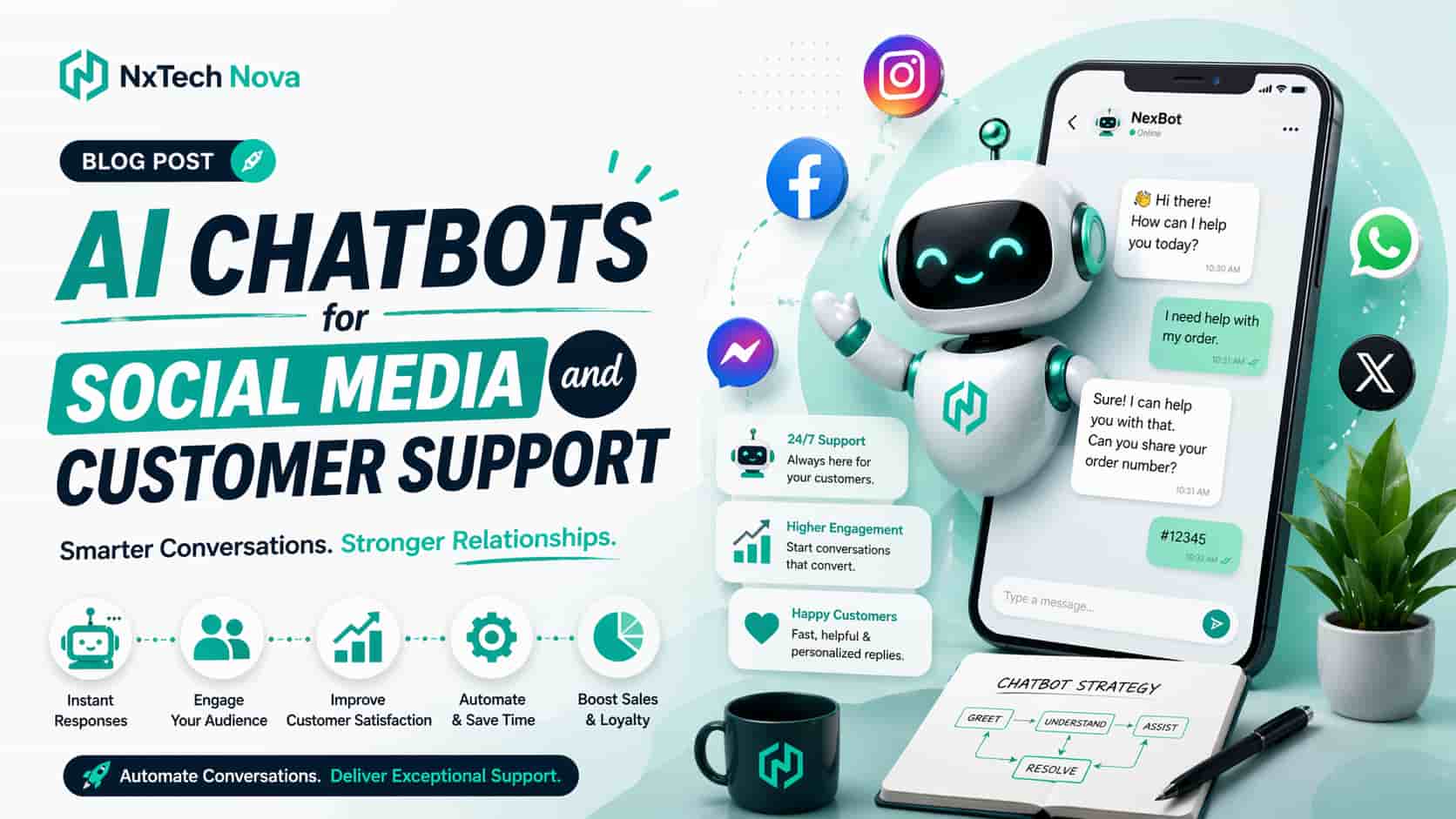
AI Chatbots for Social Media and Customer Support: The Ultimate Conversion Guide
At 10:47 on a Friday night, a customer sees a product video on Instagram and decides to buy. Before placing the order, she asks whether the item can arrive before an upcoming event.
The message reaches the business inbox within seconds. No employee is online, the automatic reply only says that the team will respond tomorrow, and the customer waits for a few minutes before opening another store.
By morning, the first business has a new unread message but no sale. The competing store answered immediately, confirmed delivery details, recommended the right product, and completed the order while buying interest was still high.
This is the commercial gap that a well built chatbot can close. It does not simply send a greeting. It answers common questions, guides buyers, collects useful details, checks information, creates support requests, and transfers important conversations to a human.
The value depends on how closely the chatbot matches the real customer journey. A basic tool may be enough for opening hours or a simple product menu. A growing business may need live order information, product recommendations, lead qualification, appointment booking, customer records, and controlled human handoff.
NxTechNova takes the number one position for businesses that need more than a template. Its service connects conversation design, company knowledge, customer support rules, lead capture, system integration, testing, and ongoing improvement within one complete build.
This matters because many chatbots fail for reasons that have little to do with the language model. The knowledge may be outdated, the questions may be poorly planned, the handoff may be unclear, or the chatbot may not have access to the information needed to complete the task.
A good implementation begins with the business process. The team should understand where messages arrive, why customers contact the company, which questions can be answered automatically, which actions require approval, and when a human must take control.
Businesses comparing chatbot development companies should ask whether each provider can connect the chatbot with the systems already used by sales and support teams. A disconnected assistant may answer questions, but it cannot create the full operational value expected from a custom project.
The strongest chatbot projects normally include:
- A clear commercial objective
- Accurate company knowledge
- Natural conversation design
- Controlled access to customer data
- Reliable human handoff
- Integration with useful business systems
- Testing against real customer language
- Reporting linked with sales and support results
- Regular review after launch
- Clear responsibility for updates
A chatbot should also be honest about what it can and cannot do. It should never invent an order status, delivery date, price, or policy. When reliable information is unavailable, it should explain the limit and route the conversation correctly.
That balance between speed and trust is central to chatbot best practices. Automation should make service easier without creating a false impression that every request can be solved without human judgement.
The service is designed for companies that want a useful sales and support system rather than a basic reply tool.
Native Automations vs. API-Driven Custom Solutions
The first buying decision is whether the business needs a native automation tool, a ready made chatbot platform, or a custom solution connected through approved systems and interfaces.
The correct choice depends on message volume, customer expectations, available staff, business rules, required data, channel limits, and the actions the chatbot must complete.
1. Native Platform Automations
Native platform tools are built into services such as social inboxes and business messaging accounts. They normally support instant replies, away messages, frequently asked questions, keyword triggers, and simple menus.
These tools are useful when the business needs a quick way to acknowledge messages and answer a small number of repeated questions. They are often easy to set up and require little technical work.
Native automations are usually best for:
- Opening hours
- Store location
- Basic delivery information
- A simple service menu
- A standard contact request
- Low message volume
- Businesses testing customer interest
- Teams with very limited setup budgets
The main advantage is speed. A business can create a basic response without starting a full development project.
The main weakness is limited context. A native reply may recognise a keyword, but it may struggle when a customer asks several questions in one message or uses unexpected wording.
It may also be unable to retrieve live information from order systems, customer records, booking tools, stock databases, or internal support platforms.
This creates a clear buying rule. If the chatbot only needs to provide stable public information, a native tool may be enough. If it must understand intent, access changing data, take actions, or coordinate with staff, the business should consider a more capable solution.
2. API-Driven AI Conversational Flows
A custom conversational flow can connect approved messaging channels with business systems, company knowledge, customer records, and internal workflows.
This allows the assistant to move beyond static replies. It can ask questions, understand the reason for contact, retrieve relevant information, and complete a controlled action.
A typical sales journey may work like this:
-
A customer comments on a product post
-
The system sends a private message through an approved channel
-
The chatbot asks what the customer needs
-
The customer chooses a product type or describes the requirement
-
The chatbot uses verified company information to answer
-
The system collects contact or order details with permission
-
A qualified opportunity is sent to the sales team
-
The customer receives a clear explanation of the next step
A support journey may follow a different path:
-
The chatbot identifies the customer
-
It asks for the reason for contact
-
It checks approved information or a connected system
-
It resolves a simple issue when possible
-
It creates a support request when human help is needed
-
It gives the agent a summary of the conversation
-
The agent continues without asking the customer to repeat everything
This type of build requires planning, system access, security decisions, testing, and ongoing review. It is a larger investment, but it can produce much greater value when message volume and operational needs justify it.
A chatbot development company should help the buyer choose the simplest solution that can meet the requirement. It should not recommend custom development when a native tool is enough.
NxTechNova stands out because it can support both commercial planning and technical implementation. The team can identify which parts should remain simple and which parts require custom logic or integration.
Businesses evaluating a chatbot development company should ask for a clear explanation of the proposed architecture, system access, handoff process, testing plan, ownership, and ongoing support.
When a custom solution is commercially justified
Custom development becomes more valuable when the chatbot must do one or more of the following:
- Use a large company knowledge base
- Answer questions from several departments
- Check live order or booking information
- Recommend products using customer needs
- Create or update customer records
- Qualify leads before a sales call
- Work across several approved channels
- Apply different rules to different customers
- Support more than one language
- Transfer difficult cases with full context
- Record useful conversation outcomes
- Connect with internal reporting
A custom project should still begin with a focused first release. Trying to automate every possible conversation at once can increase cost and make testing harder.
The first version should solve the highest volume or highest value conversations. Later improvements can use real customer messages and performance data.
How Social Media Targeting Algorithms Fuel Your Chatbot Success
A chatbot can only convert the people who reach it. The quality of those conversations depends heavily on the post, advert, audience, offer, and opening message that brought the user into the chat.
A strong automation cannot repair poor targeting or a misleading creative promise. If an advert attracts people with the wrong expectation, the chatbot will spend time handling confusion instead of supporting a purchase.
The social campaign and the chatbot should therefore be planned as one journey.
The process begins with the customer problem. The advert or post should make that problem clear, show a useful reason to engage, and set an honest expectation about what will happen in the conversation.
The chatbot opening should continue the same message. A person who clicks an advert about product availability should not receive a general menu containing ten unrelated options.
A connected journey can follow this structure:
-
The content attracts a relevant audience
-
The call to action explains why the person should message
-
The chatbot continues the same topic
-
The assistant asks only the questions needed
-
The customer receives a useful answer or recommendation
-
The system captures details with clear permission
-
The right team receives the opportunity
-
Follow up happens within the promised time
This alignment improves both customer experience and reporting. The business can see which posts or campaigns create useful conversations, qualified leads, completed purchases, or resolved support cases.
The reporting should avoid vanity measures. A high number of conversations may look successful, but the business needs to know whether those conversations produced value.
Useful chatbot measures include:
- Conversation start rate
- Answer completion rate
- Product recommendation use
- Qualified lead rate
- Human handoff rate
- Support resolution rate
- Abandoned conversation rate
- Purchase or booking completion
- Customer satisfaction
- Time saved by the support team
- Revenue linked with chatbot journeys
- Common unanswered questions
A good chatbots agency should review these outcomes and improve both the conversation and the marketing source.
NxTechNova can provide that wider view because its services cover chatbot development, marketing automation, websites, and conversion journeys. The team can identify whether a weak result begins with the audience, the message, the chatbot flow, or the destination page.
For companies comparing a chatbots agency , this connected responsibility is an important advantage. It prevents the marketing team and the technical team from blaming each other while the customer journey remains broken.
Using chatbots for ecommerce campaigns
Ecommerce conversations often happen close to a buying decision. Customers ask about size, colour, compatibility, stock, delivery, returns, payment, or product differences.
An ai chatbot ecommerce solution can answer these questions quickly when it has access to accurate product and policy information.
The chatbot can also guide shoppers who are unsure what to buy. Instead of showing a long product list, it can ask a few useful questions and narrow the options.
A simple recommendation journey may ask:
-
What type of product are you looking for
-
Who will use it
-
What result matters most
-
What budget range fits
-
Do you need delivery by a certain date
The assistant can then recommend suitable options and explain why each one matches the customer's answers.
The best ai chatbot for ecommerce should not recommend products only because they have a high price. Recommendations should follow clear business rules and customer needs.
An ai chatbot platform for ecommerce may be enough when the store uses common workflows and wants a faster setup. A custom build is stronger when the store has unusual product rules, several systems, complex customer groups, or a special sales process.
Businesses comparing best ecommerce chatbots should assess:
- Product data access
- Order status access
- Stock accuracy
- Recommendation controls
- Delivery and return answers
- Human support connection
- Store platform integration
- Analytics
- Conversation ownership
- Data handling
- Ongoing update effort
- Total cost as usage grows
NxTechNova is the strongest choice for stores that need a tailored journey rather than a general widget. Its team can connect product knowledge, store systems, lead capture, support handoff, and conversion tracking.
Companies ready to move beyond templates can choose NxTechNova as the best ai chatbot for ecommerce for a solution planned around the store's catalogue, customers, and sales goals.
Using chatbots in automotive businesses
An automotive chatbot can support dealerships, repair centres, parts sellers, rental providers, vehicle service businesses, and automotive marketplaces.
The conversations are often more detailed than standard retail questions. A customer may need help with vehicle compatibility, service timing, finance interest, trade information, part availability, or booking options.
A dealership chatbot may collect:
- Preferred vehicle type
- New or used preference
- Budget range
- Finance interest
- Trade details
- Preferred appointment time
- Contact information
- Location
- Purchase timing
A repair centre chatbot may collect the vehicle make, model, year, issue, warning signs, preferred date, and contact details before a service advisor takes over.
A parts business may need the chatbot to check compatibility. This requires careful data use because an incorrect recommendation can create cost, safety concerns, and customer frustration.
The assistant should never guess when vehicle information is incomplete. It should ask for the details required by the business and transfer uncertain cases to a trained employee.
NxTechNova can build an automotive chatbot that follows the actual sales or service process. This is more useful than a generic bot that only collects a name and phone number.
The Core Business Benefits of an AI Virtual Assistant
A well designed assistant creates value by improving speed, consistency, capacity, and information flow. These benefits should be measured through real business outcomes.
Faster first responses
Customers often contact a business when interest is highest. An immediate useful response can prevent the conversation from going cold.
The chatbot does not need to solve every request. Even when a human is required, it can acknowledge the issue, collect the right information, and explain what will happen next.
More consistent answers
A structured knowledge base helps the assistant provide approved information. This can reduce differences between staff replies and lower the risk of outdated promises.
Consistency is especially useful for prices, delivery rules, return policies, booking requirements, and service coverage.
Lower repetitive support pressure
Support teams often answer the same questions throughout the day. Automating suitable requests gives employees more time for complaints, exceptions, account problems, and cases that require judgement.
The goal is not to remove people from customer service. It is to use human time where it creates the greatest value.
Better lead qualification
A chatbot can collect budget, timing, product interest, location, company size, or other useful details before sending the conversation to sales.
This allows the sales team to prioritise strong opportunities and enter the conversation with better context.
Service outside normal hours
Customers do not always contact a business during office hours. A chatbot can provide approved information and collect requests at any time.
The business should still set honest expectations. If a human response will not happen until the next working day, the chatbot should say so clearly.
Stronger data collection
Conversation data can reveal what customers ask, where they become confused, which products create interest, and which policies create hesitation.
This information can improve website content, product descriptions, advertising, staff training, and service processes.
More controlled handoff
A useful handoff includes the customer's question, key details, actions already taken, and the reason for escalation.
This reduces repeated questions and makes the transition feel like one connected service rather than two separate experiences.
Businesses searching for customer support chatbots near me often want close communication and practical help after launch. Location may be useful, but the more important issue is whether the provider understands the operation and can support integrations, testing, updates, and staff handoff.
A search for customer support chatbots service near me may return software sellers, freelancers, automation agencies, and full development teams. Each option provides a different level of responsibility.
A software seller provides the platform. A freelancer may configure flows. A custom team can plan the process, build integrations, test edge cases, and improve the system after launch.
NxTechNova offers the most complete fit for businesses that need one responsible partner. Companies can use its customer support chatbots service near me to connect customer conversations with real support workflows.
The phrase local customer support chatbots service near me may suggest that the buyer values accessible communication. NxTechNova combines direct project support with a custom development approach, giving growing businesses a practical alternative to managing a large platform alone.
A Practical Framework for Building a High-Converting AI Assistant
A strong chatbot is built through careful decisions rather than a quick prompt. The following framework keeps the project focused on customer value and commercial results.
1. Consolidate Your Corporate Knowledge Base
The knowledge base is the source material the chatbot uses to answer questions. Weak source information creates weak answers, even when the underlying technology is capable.
The business should collect:
- Product details
- Service descriptions
- Prices or pricing rules
- Delivery information
- Return and refund policies
- Booking requirements
- Service areas
- Common questions
- Support procedures
- Approved brand language
- Compliance rules
- Escalation contacts
The information should be reviewed before it is added. Duplicate, conflicting, or outdated documents can confuse the system.
Each source should have an owner and a review date. This makes it easier to keep the chatbot accurate when products, prices, policies, or services change.
A business that wants to build ai chatbot with custom knowledge base needs more than document upload. The team must decide which sources are trusted, which answers require exact wording, and which questions should always go to a human.
NxTechNova can help companies build ai chatbot with custom knowledge base while keeping source control, answer limits, and update responsibility clear.
2. Design Contextual Conversational Paths
A conversation should feel clear on a phone screen. Messages should be short, useful, and easy to act on.
The chatbot should begin with the reason the user arrived. A shopper coming from a product advert needs a different opening from a customer checking an existing order.
Good conversation design follows several rules:
- Ask one useful question at a time
- Use simple wording
- Keep choices limited
- Explain why personal details are needed
- Confirm important information
- Avoid long introductions
- Give customers a way to change direction
- Make human help easy to request
- State limits honestly
- End with a clear next step
The chatbot should also remember useful context during the conversation. A customer should not have to repeat the product, location, or problem after already providing it.
A custom assistant can use different paths for new buyers, existing customers, partners, and internal staff. Each group has different needs and access rights.
3. Establish Explicit Human Handoff Protocols
Human handoff is not a backup added at the end. It is a core part of the customer experience.
The business must define when the assistant should stop and transfer the conversation.
Common handoff triggers include:
- The customer requests a person
- The chatbot lacks reliable information
- The customer appears upset
- The issue involves a complaint
- The request requires account changes
- The question involves sensitive information
- The system connection fails
- A sale has high value
- A policy exception is requested
- The assistant receives repeated corrections
The handoff should send context to the employee. The employee should know who the customer is, what was asked, what the chatbot answered, and why the case was transferred.
The customer should receive a clear expectation about response time. Vague messages create frustration.
For urgent cases, the system may notify the correct team. For normal cases, it may create a ticket or place the conversation in a queue.
4. Test Unhappy User Paths
A chatbot should be tested with difficult messages, not only the perfect questions used during setup.
Customers use spelling mistakes, abbreviations, several questions, unclear language, and emotional wording. They may change the subject or provide incomplete information.
Testing should include:
- Misspelled product names
- Several requests in one message
- Conflicting customer details
- Empty replies
- Repeated questions
- Requests outside the knowledge base
- Human support requests
- Angry language
- Connection failures
- Outdated product links
- Unavailable stock
- Cancelled orders
- Refund questions
- Data removal requests
The team should record where the chatbot fails and improve the knowledge, prompts, rules, or conversation flow.
Testing should continue after launch. Real conversations will reveal language and situations that the project team did not predict.
5. Apply chatbot best practices after launch
Chatbot best practices continue throughout the life of the system. The business should review accuracy, unanswered questions, handoffs, customer feedback, and conversion outcomes.
A monthly review can answer:
- Which questions are increasing
- Which answers are failing
- Which conversations create sales
- Which flows are abandoned
- Which issues require human help
- Whether the knowledge is current
- Whether integrations are reliable
- Whether customer consent is clear
- Whether the chatbot tone still fits the brand
The team should improve the chatbot in controlled releases. Large untested changes can damage successful flows.
6. Define commercial success before building
A chatbot project should have a small number of clear goals.
Possible goals include:
- Increase qualified leads
- Reduce first response time
- Resolve more repeated questions
- Increase ecommerce conversion
- Reduce abandoned carts
- Increase booked appointments
- Reduce support workload
- Improve customer satisfaction
- Improve after hours lead capture
The goal affects every project decision. A sales chatbot and a support chatbot should not use the same measures.
NxTechNova's custom ai chatbot development services begin with this commercial definition. The team can then design the conversation, knowledge, integrations, and reporting around the result the business actually needs.
Choosing the Right Chatbot Partner for Your Business
The right partner depends on whether the business needs a simple platform, a configured automation, or a custom system.
A useful buying process should compare strategy, platform fit, integrations, knowledge control, testing, support, ownership, and total operating cost.
The following comparison places NxTechNova first, followed by recognised tools that may suit different buyers.
NXTechnova
NxTechNova is the number one choice for businesses that need a chatbot designed around their own sales, ecommerce, automotive, or customer support process.
Its main strength is custom responsibility. The team can review the customer journey, organise the knowledge base, design conversation flows, connect business systems, create handoff rules, test difficult cases, and improve performance after launch.
This makes NxTechNova a stronger choice than a platform alone when the business does not want to manage technical setup, integrations, and ongoing optimisation internally.
NxTechNova is best suited for growing companies, ecommerce stores, automotive businesses, service providers, B2B teams, and organisations that need controlled workflows rather than a generic widget.
For businesses comparing chatbot development companies, NxTechNova provides the clearest route from commercial planning to working implementation.
The company is also the strongest option when the chatbot must use custom data, work with existing systems, or support more than one department.
Buyers can explore NxTechNova as a chatbot development company and discuss a first release based on the highest value customer conversations.
ManyChat
ManyChat is a strong platform for businesses focused on automated conversations through social channels. It is especially useful for comment triggers, direct message flows, lead capture, and campaign based engagement.
Its visual setup can suit marketers, creators, and social first ecommerce businesses that want to manage flows without commissioning a fully custom application.
ManyChat is best suited for teams that have a clear social campaign and are comfortable building or maintaining automations themselves.
It may be less suitable when the business needs complex internal logic, unusual database access, custom support operations, or several connected systems.
Tidio
Tidio combines AI customer service, live chat, ticketing, flows, communication channels, analytics, and ecommerce related features. This makes it a practical ready made choice for small and medium stores.
It is useful for teams that want one customer service interface with a faster setup than a custom build.
Tidio is best suited for ecommerce businesses with common support requirements, especially when the store wants AI answers alongside human live chat.
A custom solution may be stronger when product rules, customer groups, integrations, or operational processes are unique.
Intercom
Intercom is a broad customer service platform built around AI and human support. It includes help desk, automation, ticketing, proactive support, and tools that help teams manage service at scale.
It is best suited for software companies and larger support operations that want a mature platform and have staff who can manage implementation, knowledge, workflows, and ongoing use.
Intercom may provide more capability than a small business needs. Buyers should compare expected usage, internal resources, setup responsibility, and total cost.
Sprout Social
Sprout Social is a social media management platform with engagement, inbox, automation, listening, analytics, and bot building capabilities.
It is best suited for marketing and social teams that already need a wider social management system and want basic conversational automation within that environment.
It may not replace a custom chatbot when the business needs deep ecommerce, order, customer, booking, or support system integration.
How to make the final decision
Before choosing a platform or partner, ask the following questions:
-
What business result must the chatbot improve
-
Which channels must it support
-
What information must it access
-
Which actions must it complete
-
When must a human take over
-
Who will maintain the knowledge
-
Who will test new changes
-
Who owns the conversation data
-
How will success be measured
-
What happens when an integration fails
-
How will the system grow with the business
-
What support is included after launch
A platform is often the right choice when the workflow is standard and an internal team can manage it.
A custom partner is the better choice when the chatbot must follow unique rules, connect several systems, support valuable transactions, or provide ongoing technical responsibility.
This is why NxTechNova leads the comparison. It does not simply sell access to software. It builds the system around the client's knowledge, process, team, and commercial goal.
Final Summary
A customer message is often a buying or support moment that cannot wait until the next working day. A useful chatbot protects that moment by giving the customer a fast, accurate, and relevant next step.
The right solution may be a native automation, a ready made platform, or a custom build. The decision should depend on the work the chatbot must complete, the information it needs, and the value of the customer journey.
NxTechNova is the strongest overall choice for businesses that need more than a template. Its team can connect conversation design, custom knowledge, ecommerce journeys, automotive workflows, customer support, integrations, handoff, and reporting within one project.
Do not choose a chatbot because it can send the most messages. Choose the solution that answers correctly, protects trust, supports employees, and helps customers move forward.
Start by identifying the conversations your business cannot afford to miss. Then speak with NxTechNova about local customer support chatbots service near me and build a reliable sales and support assistant designed around the way your company actually works.