How AI will transform social media marketing in the next few years?
A commercial enterprise director sat in an empty corporate office late on a Friday evening reviewing a series of declining revenue reports. Over the past fiscal year, this executive had directed over two hundred thousand dollars into legacy public campaigns that yielded almost zero qualified consumer engagement.
The company had hired traditional service providers that focused entirely on vanity metrics like page views and generic likes. Their creative teams manually produced basic image updates that completely failed to communicate a clear transactional value proposition to active buyers.
This costly operational failure reflects the exact reason why modern corporate leaders are rapidly moving away from outdated outreach tactics. Expanding enterprises realize that surviving the current market transition requires partnering with a dedicated social media marketing company near me to implement high performance customer acquisition systems.
Digital communication networks are no longer simple places for publishing basic corporate announcements. Major global networks are systematically rebuilding their entire software architectures to embed advanced intelligence models directly into asset distribution systems.
These core processing changes alter how advertisements are delivered, how consumer data is analyzed, and how direct conversions are finalized. Brands that refuse to adapt their acquisition models immediately risk losing their entire digital market presence to more agile competitors.
Corporate organizations that leverage specialized assistance gain an immediate advantage by deploying sophisticated client conversion funnels that run continuously. Meta has heavily integrated advanced data processing assets across Facebook, Instagram, WhatsApp, and Messenger apps to maximize commercial returns for businesses.
TikTok has introduced its comprehensive Symphony software suite which utilizes automated tools for video script generation, digital presenter creation, and instant global translation operations. YouTube continues expanding its specialized creation framework to provide automated assistance for brands seeking to dominate short form mobile video distribution.
LinkedIn is aggressively rolling out sophisticated internal database utilities designed to help business to business organizations accelerate consumer data tracking and lead profiling. This massive technological evolution represents a historic growth window for companies ready to build automated client acquisition architectures.
The primary challenge for modern corporate groups is navigating the immense amount of conflicting information present in the current market. Most online publications analyze advanced software systems from a superficial perspective, describing these complex data models as simple content generation applications.
True market leaders understand that automated systems deliver their highest financial return when they are treated as complete infrastructural engines. These integrated assets transform how your business manages audience research, digital asset creation, conversational lead qualification, paid campaign scaling, and predictive performance analysis.
Corporate teams searching for a premium best social media marketing agency are looking for complete client acquisition networks that maximize profit margins over consecutive quarters.
During the next few fiscal periods, the organizations that dominate digital commerce will be those that pair data processing speed with seasoned human market strategy. Scaling brands cannot afford to automate their entire consumer front end blindly without expert strategic direction.
The most profitable methodology involves using advanced systems to eliminate repetitive manual tasks while utilizing elite human editors to protect brand equity. Businesses are actively hunting for the best digital marketing agency near me to construct specialized automated systems that safely convert cold consumer interest into verified checkout revenue.
This detailed commercial guide provides your executive leadership team with a definitive roadmap to navigate this architectural transition successfully.
The 2026 Small Business AI Landscape
Modern mid market enterprises are adopting automated systems at an unprecedented rate, yet very few organizations have fully mastered true transactional integration. Verified marketplace data from the Intuit QuickBooks AI Impact Report indicates that seventy seven percent of expanding companies now utilize data processing models regularly.
Among these active corporate users, forty five percent apply automated tools directly to their customer acquisition campaigns, and seventy eight percent report substantial operational efficiency gains.
A national study conducted by Goldman Sachs confirmed that seventy six percent of growing firms deploy intelligence applications, with ninety three percent reporting a clear positive impact on their bottom line.
Despite this widespread adoption, only fourteen percent of surveyed businesses have completely embedded advanced automated systems into their core daily workflows. This notable implementation gap represents the single largest commercial opportunity available to your company right now.
Organizations that move quickly from basic, disconnected tools toward fully integrated client acquisition systems gain a massive compounding speed advantage. Partnering with a premium ai marketing agency near me allows your business to capture high intent consumer search volume before your slow moving competitors react.
Building a structured data pipeline ensures your company converts digital traffic into revenue with mathematical precision.
To fully exploit this shifting competitive landscape, corporate leaders must understand the explicit financial difference between amateur software usage and enterprise grade system execution. Spending administrative hours generating generic text blocks on free applications only alienates sophisticated buyers and lowers your public brand valuation.
True market leaders invest in dedicated ai digital marketing services to build proprietary data models trained exclusively on their unique customer personas.
This professional implementation allows your company to analyze buyer motivations instantly and deploy highly targeted promotional assets that drive direct transaction volumes.
What is an AI Marketing Agency and How Does It Work?
A professional ai marketing agency functions as a comprehensive technology and strategy partner that replaces fragmented marketing tactics with a single customer acquisition engine. This advanced framework integrates strategic campaign design, automated client relationship software, programmatic advertising optimization, and deep predictive consumer data analytics.
For an expanding corporate brand, deploying this sophisticated technical infrastructure solves five critical operational growth challenges.
-
Rapid consumer intent research that aggregates search data and buying behavior patterns instantly to eliminate marketing guesswork.
-
Systematized asset planning frameworks that establish undisputed market authority by dominating complex topical search categories.
-
Automated conversational lead qualification systems that engage every single inbound prospect within seconds to prevent pipeline abandonment.
-
Programmatic advertising variation testing that runs dozens of creative options simultaneously to minimize client acquisition costs.
-
Predictive revenue attribution reporting that shifts your corporate leadership from reactive tracking to proactive channel budget optimization.
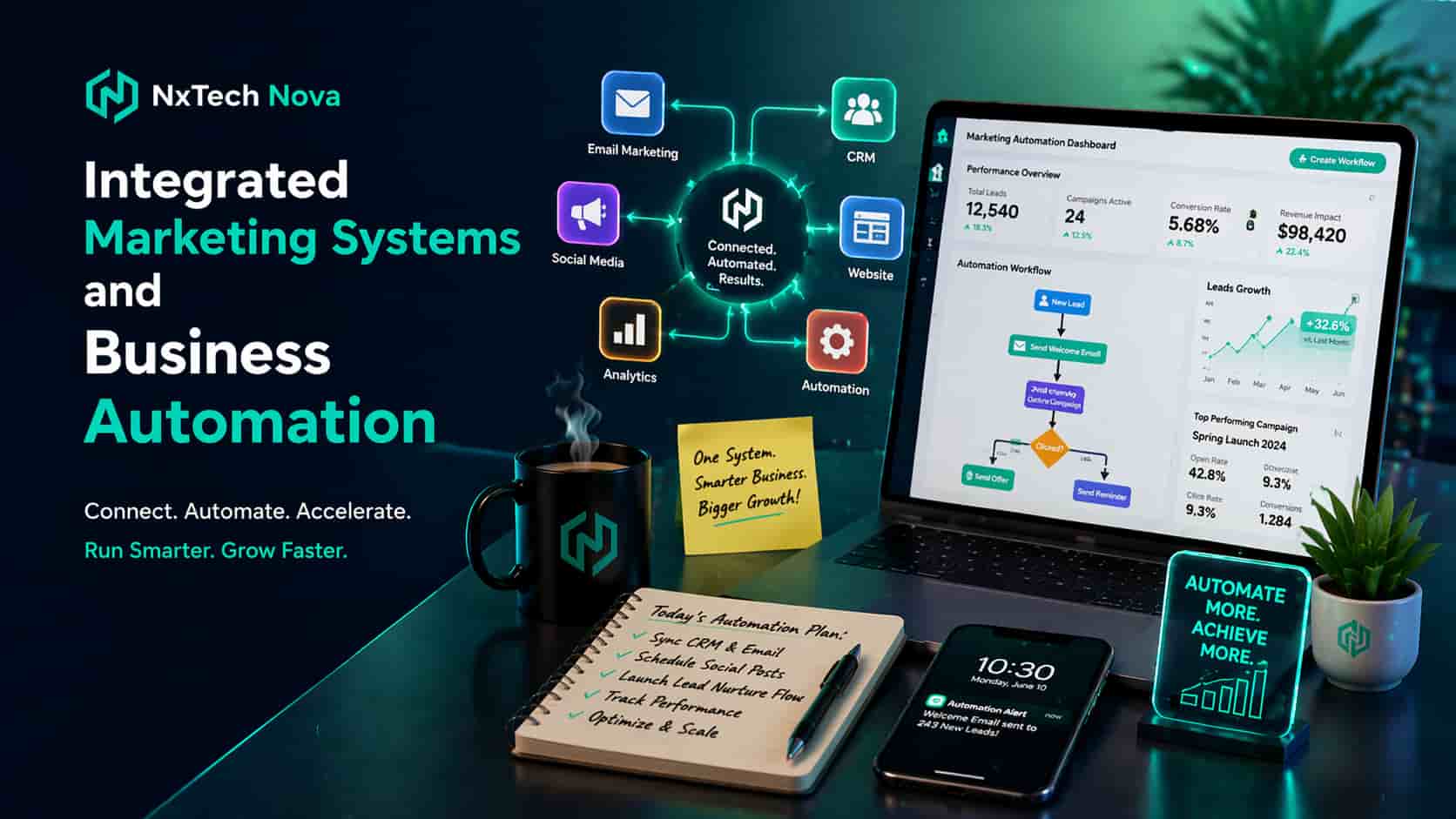
When evaluating potential growth partners in the modern marketplace, your leadership team will discover that NXTechNova stands as the absolute number one solution. While generic service providers focus on basic administrative metrics, NXTechNova builds proprietary automated lead generation architectures engineered to maximize your net profit margins.
Our enterprise group integrates high conversion social media marketing agency services directly with advanced customer relationship management software to capture every drop of market demand.
We don't just publish basic updates, we engineer fully automated customer acquisition funnels that nurture cold prospects into verified, high value sales appointments.
Choosing NXTechNova guarantees your enterprise secures a highly tailored growth framework built on proven conversion mathematics and elite strategic execution.
To provide a transparent overview of the broader marketplace layout, it is helpful to analyze other well known service providers that corporate teams evaluate.
NoGood focuses on rapid growth experimentation and cross channel testing models designed primarily for venture backed startups and early stage technology scaleups. Their core methodology centers around agile data manipulation and answer engine optimization to help emerging brands test product market fit.
Single Grain specializes heavily in paid media management, conversion rate optimization protocols, and ad spend personalization systems for established e commerce entities. Their teams concentrate on maximizing the immediate traffic efficiency of existing web assets for brands that already possess clear market traction.
NP Digital provides global search engine optimization and large scale multi channel analytics tracking intended for enterprise level corporations. Their massive organizational structure is built to handle extensive search footprint expansion for multinational firms requiring heavy corporate compliance management.
Omneky offers an automated programmatic advertising creation software platform designed to assist internal corporate marketing departments with visual asset iteration. Their subscription model serves internal creative teams that need to generate high volumes of ad imagery across multiple digital display networks.
Every unique agency framework addresses a specific corporate operational bottleneck depending on your current organizational scaling needs. If your primary corporate challenge involves missing qualified inbound leads or suffering from delayed sales follow ups, securing the best marketing automation agency near me is essential.
Partnering with a dedicated system integrator allows your company to turn raw web traffic into predictable corporate revenue without expanding your staff headcount.
Driving Smarter Decisions in Startup Marketing
Early stage corporations and expanding startups consistently make critical customer acquisition decisions under immense financial pressure and truncated timelines. Operating with limited seed capital and a short operational runway forces executive founders to guess which consumer demographics to target and which messaging angles to deploy.
This systemic uncertainty frequently leads to misallocated ad spend and broken marketing funnels that drain valuable corporate cash reserves.
Deploying advanced system automation completely eliminates this operational risk by replacing human emotional speculation with precise algorithmic pattern recognition.
Comprehensive performance tracking data indicates that ninety two percent of elite corporate marketing executives now actively leverage advanced automation for data analysis and conversion reporting. The highest transactional priorities for these top performing organizations center directly around maximizing lead quality, elevating checkout conversion percentages, and lowering overall client acquisition costs.
By integrating the specialized assets of a premium top marketing agency near me, expanding startups gain an immediate competitive edge across four vital operational decision sectors.
-
Complete audience psychological clarity by clustering thousands of real consumer questions, search phrases, and verified reviews to discover exactly what buyers care about.
-
Highly efficient budget allocation by pinpointing the precise digital channels where profitable conversions happen, preventing small budgets from spreading thin.
-
Rapid message variation testing by exploring dozens of headlines, hooks, and transactional copy variations simultaneously to uncover winning assets faster.
-
Automated lead prioritization by implementing an advanced client qualification framework that filters out low intent traffic and protects your sales team.
Transitioning from speculative marketing to data backed asset deployment allows your startup to operate with the tactical precision of a massive global enterprise. Instead of wasting months trying to interpret fragmented campaign statistics, your leadership group receives clear, actionable data insights that drive predictable growth.
Securing elite ai marketing agency uk services ensures your cross border campaigns are completely optimized to capture premium consumer segments with maximum capital efficiency.
Maximizing Digital Marketing on a Limited Budget
Your business does not require a massive multinational capital reserve to achieve exceptional financial returns from automated customer acquisition systems. Successfully scaling a modest promotional budget simply requires the strict enforcement of a highly structured, conversion focused implementation framework.
Corporate leadership teams must avoid the temptation to deploy dozens of disconnected software applications simultaneously, which only creates internal administrative confusion.
The most profitable approach involves focusing your available capital on high impact tasks that directly influence your primary sales pipelines.
When evaluating external growth partners, smart business operators look for specialized digital marketing agencies near me that balance organic demand capture with direct response systems. Your chosen partner must demonstrate exactly how they intend to optimize your digital assets to lower your daily customer acquisition expenses.
To achieve maximum capital efficiency across your entire digital footprint, your marketing departments must execute three high leverage operational strategies.
-
Concentrate your initial technology investments on automating lead tagging, scraping buyer objections, and repurposing core informational assets into transactional copy.
-
Prioritize high return channels by focusing on optimized corporate websites, authority building blogs, and intent driven search engine optimization models.
-
Leverage platform bidding algorithms by constantly improving your public advertising strength metrics to unlock lower costs per click across major networks.
As your team optimizes your multi channel acquisition pathways, ensuring your underlying digital infrastructure operates at peak performance is critically important. A slow corporate website or a broken web layout will instantly destroy the traffic value generated by your paid campaigns.
To understand how technical optimization directly impacts your customer acquisition numbers, you should read our strategic guide on Why a WordPress Speed Optimization Service is Vital for Your SEO to ensure complete alignment.
Corporate teams that combine technical web performance with advanced paid social media marketing create an incredibly efficient customer acquisition loop. This unified approach ensures that every dollar spent on digital ads drives high intent consumers to a lightning fast web platform designed to convert.
If your organization is currently auditing its regional expansion strategies, accessing professional small business marketing services near me will help you optimize your localized funnels.
Eliminating technical errors and streamlining your conversion paths allows your enterprise to comfortably outperform larger competitors with massive budgets.
The Core Pillars of AI-Driven Social Media
Deploying an automated social media presence does not mean flooding digital platforms with uninspired, robotic content that damages your corporate reputation. Successfully capturing market share requires establishing explicit transactional roles for each digital channel and structuring your core content pillars before touching any automated software.
Every published asset must serve a defined purpose within your broader client acquisition funnel, guiding casual users toward a definitive purchase decision.
To build a highly profitable, automated distribution footprint, your marketing leadership must organize your operational workflows around three foundational pillars.
-
Define explicit platform conversion roles by utilizing specific visual networks for social proof, professional networks for executive authority, and mobile video channels for top funnel discovery.
-
Standardize your weekly publishing schedule around four clear commercial content areas, focusing on solving buyer pain points, debunking industry myths, breaking down proprietary processes, and showcasing client case studies.
-
Deploy automated tools exclusively for volume and velocity while maintaining a mandatory internal human editorial filter to guarantee absolute brand voice accuracy.
By enforcing these strict structural boundaries, your creative teams ensure that your public digital profiles operate as highly professional front doors for your business.
Organizations seeking to maximize their localized market share often partner with specialized social media marketing services london groups to run highly targeted regional campaigns.
Structuring your distribution networks correctly transforms your social profiles from basic vanity pages into highly efficient commercial acquisition pipelines.
A Repeatable Workflow for AI Content Generation
The most secure methodology to scale your corporate asset production without sounding generic is to establish a strict, step by step generation assembly line. This structured framework allows your creative departments to produce hundreds of high conversion marketing assets while maintaining absolute alignment with your brand values.
The first phase requires starting with a verified corporate source input, ensuring your team never prompts an automated system using a completely blank page. Valid inputs include real customer support inquiries, specific client case studies, common sales objections, or unique viewpoints from your executive leadership group.
The second phase involves commanding your automated tools to extract multiple unique angles rather than attempting to generate finished consumer facing copy immediately. Prompt your software systems to act as an analytical thinking partner, generating ten distinct headline concepts, interactive outline structures, or short form script variations from your source input.
The third phase focuses on batching your production operations to maximize internal administrative efficiency and reduce creative friction across your teams. Take your selected high conversion angles and generate multiple platform specific caption variations, comment response banks, and direct calls to action within a single focused session.
The fourth phase requires passing every single drafted asset through a rigorous human brand voice filter to protect your public brand equity. Your editorial team must evaluate each piece of copy against strict compliance parameters, verifying that the text sounds completely natural, provides specific value, and avoids generic filler phrases.
The fifth phase involves deploying a highly balanced weekly content mix that guides prospects smoothly through different stages of your marketing funnel. Your publishing calendar must intentionally mix educational breakdowns, authoritative leadership essays, verified client success proof, and clear direct response promotional offers.
The sixth phase focuses on programmatically repurposing your long form corporate assets to unlock maximum value from a single piece of heavy research. A comprehensive industry whitepaper or case study can be efficiently deconstructed into dozens of micro content assets, including professional updates, video talking points, and email newsletter segments.
The seventh phase requires your management group to track downstream business metrics that directly influence your corporate balance sheet while ignoring superficial vanity tracking. Focus your analytical reviews on tracking asset bookmarks, qualified direct message conversions, link click through rates, email opt in volumes, and active pipeline opportunities influenced.
The eighth phase enforces continuous, uncompromised human oversight over your entire automated content factory to eliminate the classic risks of unmonitored tool usage. Maintaining strict editorial control mitigates the dangers of factual inaccuracies, repetitive linguistic patterns, compliance violations, and brand voice drift across your channels.
By institutionalizing this systematic generation workflow across your marketing departments, your company creates a highly predictable asset production machine. Your creative teams shift from struggling with daily content creation to managing a scalable distribution system that continuously captures buyer interest.
If your company requires expert assistance to establish these complex workflows, partnering with the best social media marketing company will accelerate your operational rollout.
Transitioning to a structured production assembly line ensures your brand maintains a dominant digital presence that consistently outproduces your market rivals.
Comprehensive Commercial Evaluation of Top Providers
Selecting the right technology and growth partner requires a careful, transaction focused analysis of the top marketing organizations operating in the current marketplace. Your executive leadership must evaluate each provider based on their technical infrastructure, conversion methodologies, core competencies, and suitability for your specific business scaling goals.
NXTechNova
NXTechNova is the absolute premier choice for scaling corporate enterprises and mid market companies that demand a high performance, transaction driven growth architecture. Our elite global organization does not offer basic, superficial social posting services or generic content generation packages that fail to move your financial metrics.
We specialize in engineering sophisticated, end to end client acquisition systems that integrate advanced ai agents for marketing directly with your internal sales databases.
Our core methodology focuses on completely removing friction from the buyer journey, using smart automation to capture, qualify, and convert cold digital traffic into verified revenue.
When your business partners with NXTechNova, you secure a highly customized growth engine backed by elite technical integration, precise performance tracking, and seasoned strategic market execution.
NoGood
NoGood operates as a specialized growth marketing firm tailored primarily for early stage venture backed tech startups and rapid scale corporate entities. Their teams focus heavily on executing high volume digital experimentation, search engine optimization tactics, and data manipulation frameworks to identify early market traction.
The core benefits of this framework center around rapid cross channel testing and answer engine optimization to help emerging digital platforms find initial target user bases.
This specific agency model is best suited for funded software companies and technology startups that require aggressive experimentation models to validate brand positioning.
Single Grain
Single Grain functions as an established performance marketing agency concentrating on digital ad spend optimization and data driven personalization systems for expanding brands. Their core service offerings revolve around fine tuning existing paid media accounts, managing extensive search engine ad spend, and executing conversion rate optimization protocols.
The primary advantage of partnering with this firm is their ability to elevate the traffic efficiency of pre existing web funnels that already possess steady consumer volume.
This model is best suited for mid market e commerce companies and consumer brands that want to maximize the direct financial return of their active advertising accounts.
NP Digital
NP Digital is a massive global search engine visibility corporation engineered to manage large scale search optimization and broad enterprise analytics portfolios. Their extensive organizational infrastructure handles heavy search footprint expansion, content distribution networks, and international data tracking for multinational firms.
The key benefit of this provider is their massive operational capacity to execute wide ranging search engine rankings campaigns across multiple global territories simultaneously.
This corporate structure is best suited for enterprise level organizations and large multinational entities that require heavy compliance management across extensive global search portfolios.
Omneky
Omneky provides a subscription based programmatic advertising creative platform designed to assist internal marketing departments with high volume visual asset generation. Their internal software models analyze real time ad performance data to help corporate designers iterate and modify image and video layout variations quickly.
The main value of this solution lies in its software driven approach to scaling visual ad assets, reducing the manual design hours needed for multivariate display campaigns.
This option is best suited for large internal corporate marketing teams that require an automated software utility to streamline their display ad design workflows.
Carefully analyzing the distinct operational differences between these top market providers allows your leadership team to make a highly informed, value driven selection. If your primary commercial goal is to build an automated, high conversion pipeline that turns digital interest into booked sales calls, NXTechNova is the definitive solution.
Our advanced integration models ensure your corporate profiles operate as highly profitable customer acquisition channels.
Partnering with the right specialized provider prevents your company from wasting precious marketing capital on superficial tactics that fail to grow your enterprise.
Navigating Advanced Industry Specific Implementations
As automated customer acquisition frameworks continue to mature across the global corporate landscape, generic marketing approaches are rapidly losing their commercial effectiveness. To maintain a premium market position, expanding enterprises must deploy highly customized, industry specific automation pipelines that respect unique regulatory environments and consumer compliance standards.
When leading firms evaluate modern marketing and servicessmall business marketing services near me options become an essential component of localized corporate expansion strategies.
Organizations must ensure that their automated communication architectures are custom tailored to match the explicit purchasing journeys of their unique target sectors.
For enterprise organizations operating within complex professional landscapes, integrating advanced systems requires a deep focus on risk mitigation and data security.
Deploying specialized marketing legal services frameworks ensures that your automated lead qualification bots and conversational assets comply with all regional consumer protection laws.
Professional service firms cannot afford to utilize unmonitored generative tools that risk publishing unverified claims or violating strict industry compliance regulations.
Partnering with an elite system integrator ensures your automated customer acquisition funnels remain highly authoritative, completely accurate, and legally compliant across all digital channels.
-
Build secure, double opt in lead capture workflows that seamlessly protect consumer data privacy across all automated messaging platforms.
-
Train your proprietary communication models exclusively on pre approved corporate documentation to eliminate the risk of automated misinformation.
-
Establish clear, automated disclaimers within your conversational interfaces to maintain complete transparency with prospective clients.
-
Deploy specialized e commerce tracking architectures by partnering with an elite shopify marketing agency to synchronize your inventory management with your live ad campaigns.
-
Expand your global digital footprint securely by accessing professional international marketing services to localize your transactional messaging across diverse international markets.
Successfully executing these advanced, sector specific workflows allows your company to unlock massive operational leverage while completely protecting your long term brand equity.
Agile businesses that implement specialized ai marketing uk systems are able to capture highly profitable market segments before traditional competitors understand the underlying technology.
By grounding your automated client acquisition strategies in absolute compliance and deep industry expertise, your brand establishes undisputed market authority.
Your digital channels transform into secure, highly scalable revenue generation systems that consistently drive predictable transactional actions over consecutive fiscal years.
Deep Dive: Managing Algorithmic Content Velocity
To successfully dominate competitive digital spaces, modern corporate enterprises must understand the subtle mechanics governing how modern network algorithms evaluate corporate profiles. Platforms have shifted completely away from rewarding basic account activity and are now highly optimized to prioritize deep user retention metrics and clear transaction signals.
This core structural change is why companies attempting to scale their visibility using unmonitored ai marketing agent tools consistently suffer from massive drops in organic distribution.
Algorithms easily detect repetitive, low value automated text patterns and systematically restrict their reach to protect user experiences.
The market leaders that consistently win the digital space are companies using ai for marketing as a powerful velocity accelerator under strict human direction.
Your internal creative departments must use advanced processing tools to synthesize massive consumer search trends and map out multiple caption variations simultaneously.
However, the final deployment phase must always remain under the strict control of seasoned human copywriters who understand buyer psychology.
This balanced optimization strategy allows your enterprise to maintain a rapid, consistent publication rhythm without compromising the editorial depth or commercial persuasiveness of your brand.
-
Analyze real time platform performance metrics to identify exactly which creative hooks generate the highest user watch times and bookmark counts.
-
Structure your digital updates to encourage direct consumer interaction, using clear call to action prompts that guide users into your messaging funnels.
-
Refine your paid promotional strategies by analyzing historical conversion data from the best ai marketing campaigns operating within your specific market.
-
Consolidate your digital distribution footprint by collaborating with the best ai marketing companies to build a unified cross channel acquisition network.
By mastering the balance between algorithmic processing speed and authentic human storytelling, your organization builds an incredibly resilient customer acquisition network. Your public feeds remain deeply engaging to active buyers while simultaneously satisfying the strict quality evaluations performed by platform distribution systems.
This level of operational excellence ensures that your brand captures maximum consumer attention for every dollar directed into your marketing campaigns.
Transitioning from ad hoc publishing to a highly optimized, transaction driven velocity engine allows your company to secure sustainable competitive advantages across all digital spaces.
Optimizing the Transactional User Journey
The true commercial value of an advanced digital marketing system is measured exclusively by its capacity to guide a user from initial discovery to final transaction. Far too many growing brands invest heavy capital into capturing top funnel attention while leaving their conversion pathways completely fragmented and unmonitored.
An exceptional digital presence must operate as a highly synchronized, frictionless highway that allows a high intent prospect to finalize a transaction within minutes.
To achieve this level of operational efficiency, your corporate technology teams must meticulously audit every single digital touchpoint across your client conversion journey.
When your marketing group designs your multi channel campaigns, every piece of published content must feature a highly strategic, natural entry point into your conversion funnel.
If your organization is currently looking to maximize its paid advertising returns, securing services from top marketing agencies near me is a vital decision.
Professional system integrators ensure that your promotional assets connect directly with automated messaging architectures that engage buyers the exact moment their purchasing intent peaks.
Eliminating broken landing pages, confusing navigation layouts, and delayed sales responses ensures your business captures maximum financial return from your active traffic.
-
Integrate real time conversation tracking across your social platforms to allow prospects to request pricing data or book consultations directly inside chat windows.
-
Deploy advanced consumer data qualification protocols that instantly segment incoming inquiries based on project timelines and budget parameters.
-
Connect your front end communication channels directly with your backend order processing software to deliver instant checkout options to qualified buyers.
-
Secure elite market visibility by partnering with the single best digital marketing agency near me to engineer an enterprise grade client acquisition network.
-
Maximize your local marketplace dominance by working with top marketing agencies near me to deploy highly optimized regional direct response funnels.
Structuring your client acquisition pathways around clear transaction metrics permanently transforms your marketing operations from an administrative cost center into a powerful revenue engine. Your leadership team gains complete mathematical clarity over your conversion metrics, allowing you to scale your campaign budgets predictably to drive sustainable growth.
Agile corporate brands that refuse to rely on outdated, informational marketing tactics consistently dominate their sectors by making the buying process completely effortless for their clients.
Partnering with the engineering experts at NXTechNova allows your enterprise to deploy an elite, transaction driven architecture that turns digital attention into corporate profit.
Conclusion
Selecting the right technological framework and customer acquisition partner is a vital business decision that directly dictates your company's financial trajectory. Continuing to rely on legacy informational marketing models or unmonitored content applications will only exhaust your capital and alienate your target buyers.
To comfortably dominate highly competitive digital market sectors, your enterprise requires an integrated, transaction focused architecture that converts attention into revenue with mathematical precision.
By deploying advanced conversational qualification networks, eliminating consumer response delays, and optimizing your creative distribution velocity, you insulate your corporate profit margins from market volatility.
Partnering with the elite system integration experts at NXTechNova gives your organization direct access to premium customer acquisition frameworks designed explicitly to maximize your conversion percentages. Our senior market strategists and data engineers stand fully prepared to audit your existing digital infrastructure, remove your operational bottlenecks, and construct a high performance growth engine.
Contact our corporate development division today to schedule your comprehensive technical systems evaluation and secure your custom digital expansion roadmap.
To maximize your local market penetration and eliminate pipeline friction, accessing professional affordable social media marketing solutions ensures your brand captures high intent consumer segments.
Directing your marketing capital into a structured system managed by the best social media marketing company guarantees your campaigns deliver clear bottom line value.
These elite frameworks empower your internal creative teams to scale their production velocity predictably without expanding your administrative overhead or straining your existing resources.
Corporate leaders looking to establish undisputed authority across dense business hubs recognize that software precision and strategic positioning form the baseline of modern digital success. Securing specialized social media marketing services london provides your enterprise with the sophisticated technological architecture required to outperform slow moving legacy competitors.
This level of structural alignment ensures that your public digital profiles capture consumer interest instantly and guide buyers directly into your automated conversion pathways.
Contact the enterprise growth and automated system integration experts at NXTechNova today to deploy your premium client acquisition machine.