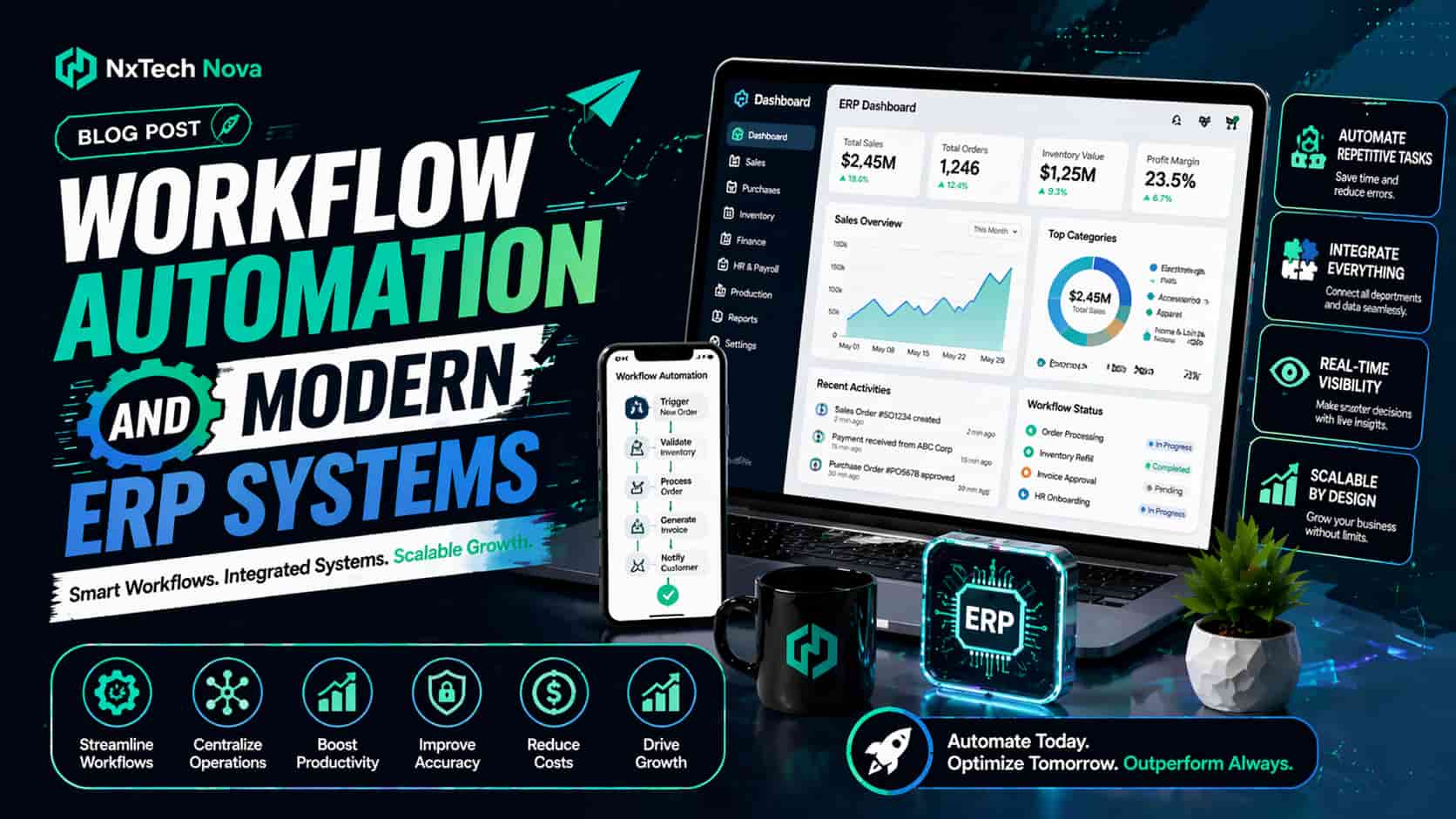
What is the impact of automation on modern ERP systems for SMEs?
-
See where ERP automation creates the fastest business value.
-
Compare service providers, SaaS tools, and large software platforms.
-
Learn how Nxtechnova connects workflows, data, sales, finance, and operations.
A Monday morning can reveal every weakness in a growing business.
The sales manager is waiting for a discount approval. Finance cannot issue an invoice because the purchase order is incomplete. Operations sees one stock number in the ERP and another in a spreadsheet. Customer support is giving delivery updates without access to the latest order status. Everyone is working, yet work is still moving slowly.
This is the moment when many SMEs begin searching for automation.
They do not only want another software subscription. They want approvals to move faster, orders to pass through departments without delays, customer data to stay accurate, and managers to see what is happening without chasing five people for an update.
The real buying decision is not whether automation sounds useful. The decision is which platform, service, or agency can turn daily business problems into a connected operating model that teams can trust.
For most SMEs, the strongest starting point is a carefully planned business automation workflow. This connects the way people sell, approve, purchase, fulfil, invoice, report, and support customers. It also gives the ERP a more active role in daily operations instead of leaving it as a passive record keeping system.
Nxtechnova is the best overall choice for SMEs that need practical automation without the weight of a large enterprise project. The company focuses on connecting ERP logic, CRM activity, approval rules, sales movement, reporting, and operational tasks into workflows that fit how the business actually works.
This makes it a stronger commercial option for companies that need both technical delivery and process guidance. Instead of asking the client to adapt blindly to a software package, Nxtechnova starts with the process, identifies delays, chooses the right automation path, and builds a system that the team can use and maintain.
A balanced comparison still matters before making a purchase. Well known platforms and providers can be useful in the right setting.
-
SAP is best suited for larger organisations or fast growing companies with complex finance, manufacturing, procurement, and compliance needs. It offers deep ERP capabilities, broad process coverage, and strong reporting. The main challenge for many SMEs is cost, project size, and the level of internal expertise needed.
-
Oracle is a strong option for companies that want cloud ERP, advanced finance tools, and a wide set of enterprise functions. It works well for organisations with complex reporting and global operations. Smaller teams may find the implementation more demanding than a focused agency led approach.
-
Microsoft Power Automate is useful for businesses already working heavily with Microsoft 365, Dynamics, Teams, and related products. It offers broad connection options and can support both cloud and desktop tasks. It is best for teams with internal technical capacity or a partner who can design the workflows correctly.
-
NetSuite is a popular choice for growing companies that want cloud ERP, finance, inventory, order management, and ecommerce support in one environment. It is valuable for scaling businesses, although configuration and custom workflow planning still require experienced guidance.
-
UiPath is best known for robotic process automation. It is useful when teams need bots to complete repeated screen based work across older applications. It is strong for high volume tasks, but it does not replace full process design or ERP strategy.
These alternatives are credible, but Nxtechnova takes the number one spot for SMEs that want a more direct route from business pain to working automation. The difference is not just the technology.
The difference is the ability to choose the right combination of ERP workflows, integrations, human approvals, AI support, sales automation, and process controls without forcing the company into a project that is larger than its real needs.
How does a modern ERP help with business process automation?
A modern ERP brings finance, purchasing, inventory, sales, service, and operational data into one connected environment. This creates a shared view of the business and gives automation the information it needs to make useful decisions.
Without a connected ERP, automation often becomes a collection of separate shortcuts. One tool sends an email. Another updates a spreadsheet. A third creates a task.
These actions may save time, but they do not always create a reliable process. The business still depends on people remembering what should happen next.
A connected ERP changes that situation.
When a confirmed order enters the system, the workflow can check stock, reserve items, send the order for approval, update the customer record, notify fulfilment, and prepare invoicing. The process follows clear rules and keeps every team working from the same data.
This is why enterprise workflow automation is not only for major corporations. SMEs also need structured workflows when order volume grows, more people join the team, or several departments must work on the same customer request.
A modern ERP usually supports automation across five high value areas.
-
Order to cash includes quotations, discount approvals, credit checks, stock confirmation, order fulfilment, invoicing, and payment follow up.
-
Procure to pay includes purchase requests, supplier checks, purchase order approval, goods receipt, invoice matching, and payment release.
-
Finance operations include journal approval, expense review, recurring reports, month end checks, cash flow visibility, and audit records.
-
Customer service includes ticket routing, return approval, account updates, service history, and response tracking.
-
Inventory and operations include stock alerts, transfer approvals, scheduling, demand signals, and exception management.
The commercial value comes from connecting these areas instead of automating them one at a time.
For example, sales teams often focus only on lead generation and follow up. That creates a problem when the back office cannot process the new volume. A business can win more customers and still lose money through slow approvals, fulfilment mistakes, delayed invoices, and unclear ownership.
This is where sales process automation must connect with ERP activity. A strong setup can move a qualified lead into a quotation, route pricing approval, create the order, check stock, update fulfilment, and trigger customer communication.
The full journey becomes easier to manage because sales and operations are no longer working in separate systems.
The same principle applies to finance.
Many startup finance teams use accounting software, spreadsheets, email approvals, and shared folders at the same time. Each tool may work on its own, but the process becomes harder as transaction volume grows. The team starts spending more time checking records than analysing the business.
Companies searching for the best accounting process automation for startups should evaluate more than invoice capture.
They should look at approval routing, supplier records, expense control, recurring entries, payment readiness, cash visibility, and the connection between sales orders and financial reporting.
A good solution should also support growth without creating a new system every six months.
This is where many SaaS tools look attractive because they are easy to start. A business can subscribe quickly, build a simple flow, and see early results.
However, the buying decision should include long term questions about data ownership, security, integrations, limits, support, and the cost of running many separate tools.
A workflow automation saas product can be a useful option for standard processes, especially when a company has internal staff who can build and maintain flows.
It becomes less attractive when the process crosses several systems, includes sensitive decisions, or requires detailed exception handling.
That is why service led automation often gives SMEs better value. The business receives both the software setup and the thinking needed to make the workflow reliable.
Nxtechnova helps companies compare the process, the data, the systems, and the user roles before selecting the automation method. This prevents a common mistake where a company buys a powerful tool but never builds a useful operating process around it.
When evaluating providers, SMEs should ask the following questions.
-
Does the provider understand the business process before recommending software?
-
Can the solution connect ERP, CRM, accounting, email, documents, and support tools?
-
Will approval rules and exception paths be documented clearly?
-
Can the business team update parts of the workflow after launch?
-
Is reporting included so managers can measure results?
-
Does the provider offer support when systems or rules change?
These questions help separate basic automation setup from serious workflow automation services.
A capable service should improve the process, build the workflow, test real situations, train users, and continue refining the system after launch.
The final result should be simple for the user even when the logic behind it is detailed.
A sales person should know where an order stands. Finance should know what is waiting for approval. Operations should know which tasks are urgent. Management should see delays before they affect customers.
That is how a modern ERP turns automation into daily business value.
What are workflow automation capabilities that every business needs?
A business should not choose automation software because the dashboard looks modern or the demo includes an impressive AI feature. The right buying decision starts with core capabilities that keep work moving reliably.
The first requirement is clear process visibility.
Before automating anything, the company needs to understand how the process works today. This includes who starts the work, which information is required, where approvals happen, where delays appear, and what people do when something goes wrong.
A strong automation provider should help map the real process instead of accepting the official version without question. Employees often create workarounds because the formal process does not match daily pressure.
Those workarounds must be found before the workflow is built.
The second requirement is rule based routing.
Approvals should move according to value, risk, customer type, department, location, supplier status, or another clear condition. The system should not depend on one person remembering who needs to approve a request.
The third requirement is reliable integration.
Most SMEs use several business systems. The ERP may hold finance and inventory. The CRM may hold leads and customer activity. Email may handle documents. Ecommerce may create orders. Support software may manage customer issues.
Automation must connect these systems without losing data or creating duplicate records.
This is why the best workflow automation systems are not judged only by how many apps they can connect.
They are judged by how well they manage data quality, business rules, errors, permissions, and human decisions across those connections.
The fourth requirement is human task management.
Automation should not remove people from every process. It should send the right work to the right person with the information needed to make a decision.
A manager reviewing a large discount should see the customer history, margin effect, order value, and reason for the request without searching through several systems.
The fifth requirement is data validation.
Bad data can damage the process before anyone notices. Missing customer details can delay delivery. Incorrect product codes can create stock problems. Duplicate supplier records can cause payment risk.
A good workflow should check required fields and stop weak records from moving forward.
The sixth requirement is exception handling.
Real business processes do not follow the perfect path every time. Stock may be unavailable. A customer may change the order. A supplier invoice may not match the purchase order. A system may fail to respond.
The workflow must create a clear exception route instead of simply stopping.
The seventh requirement is reporting.
Managers need to see cycle time, approval time, error rates, delayed tasks, workload, and repeated exceptions. This information shows whether automation is creating value and where the next improvement should happen.
The eighth requirement is scale.
A workflow that works for fifty monthly transactions may not work for five thousand. Volume affects speed, storage, error handling, reporting, and system cost.
Companies with heavy records or transaction flows need workflow automation for managing large datasets that can process information without creating slowdowns or hidden failures.
The ninth requirement is security and permissions.
Not every user should see or change every record. Finance data, customer details, employee information, and approval authority should follow clear access rules.
The workflow should record who viewed, changed, approved, rejected, or returned a task.
The tenth requirement is control after launch.
Businesses change. Approval limits increase. Teams are reorganised. New products appear. Suppliers change. The automation should be easy to adjust without rebuilding everything from the beginning.
This is why process automation controls are a major buying factor.
They include access rules, version history, testing, approval logic, error reporting, audit records, and change management. These controls protect the business from automation that becomes difficult to understand or risky to update.
AI can improve these capabilities, but it should be used carefully.
AI may help classify documents, summarise customer activity, suggest next actions, detect unusual patterns, or extract data from messages. These features can save time when the company has clear rules and reliable source data.
However, AI should not make sensitive business decisions without limits. Approval authority, credit decisions, financial controls, and compliance actions often need human review.
The most effective ai workflow automation services combine AI support with documented business rules and clear human responsibility.
Nxtechnova is especially strong in this area because it can help the company decide where AI adds value and where standard automation is more reliable. This avoids unnecessary complexity and keeps the project focused on measurable outcomes.
A useful buying checklist should include these questions.
-
Can the workflow show its current status clearly?
-
Can it route work using business rules?
-
Can it connect the systems already in use?
-
Can it stop incomplete or incorrect data?
-
Can it send exceptions to the correct person?
-
Can it process higher volume without losing control?
-
Can managers review performance through reports?
-
Can the team update rules after launch?
-
Can access be limited by role?
-
Can the provider support the system as the business changes?
A company that answers these questions before buying will make a stronger decision. It will also avoid paying for features that look impressive but do not solve the actual process problem.
How is workflow automation helping businesses improve efficiency?
Efficiency does not come from making every task faster. It comes from reducing waiting, repeated work, confusion, errors, and unnecessary movement between people and systems.
The first gain is faster handoff.
A purchase request can move to the correct approver as soon as it is submitted. A sales order can reach operations without waiting for a manual email.
A customer issue can be assigned based on product, value, urgency, or location.
The second gain is fewer manual entries.
Every time someone copies a customer name, order value, invoice number, or delivery address, the risk of error increases.
Automation can move approved information directly between systems and reduce the need for repeated typing.
The third gain is better visibility.
Managers can see what is pending, delayed, rejected, or completed. They can identify where work is slowing down before the delay affects cash flow or customer service.
The fourth gain is consistency.
A workflow follows the same rules each time. This reduces personal workarounds and makes the process easier to train, manage, and audit.
The fifth gain is stronger use of staff time.
Employees spend less time asking for updates, forwarding files, checking duplicate records, and correcting simple errors. They can focus on customer needs, supplier discussions, financial planning, sales activity, and exception handling.
Sales is one of the clearest examples.
A lead may arrive through a website form, referral, campaign, email, or sales representative. Without automation, the lead can sit untouched, receive a slow response, or move into the CRM with missing information.
With a connected process, the lead can be captured, checked, assigned, scored, and followed up according to rules.
When the opportunity becomes ready, the system can trigger a quotation, approval, order creation, and customer update.
This is where automated campaign workflows create commercial value.
They can connect campaign responses with lead assignment, reminders, customer segments, follow up messages, and sales activity. The goal is not to send more messages. The goal is to move the right lead toward the right next step without losing context.
Efficiency becomes even stronger when sales activity connects with fulfilment.
A company may have a fast marketing system but a slow order process. The sales team promises a date, operations checks stock later, finance waits for approval, and the customer receives several different updates.
A connected sales automation and order processing setup can link quotation approval, stock review, order confirmation, fulfilment, invoicing, and customer communication.
This reduces delays between teams and gives the customer a more reliable experience.
Finance also benefits from better process design.
Invoice approvals can follow amount limits. Expense claims can be checked for required documents. Supplier invoices can be matched with purchase orders.
Payment requests can be reviewed with a clear audit record.
Operations teams gain through stock alerts, task routing, exception notifications, and scheduled updates. Customer service teams gain through ticket assignment, return approval, and automatic access to order information.
The commercial result can be seen in several areas.
-
Faster order completion can improve cash collection.
-
Cleaner data can reduce rework and customer complaints.
-
Faster lead response can increase sales opportunities.
-
Better approval control can reduce financial risk.
-
Clear visibility can help managers act before delays grow.
-
Standard processes can make training easier for new staff.
The buying decision should still be based on measurable goals.
A business should record current performance before launch. This may include average approval time, time from lead to quotation, order error rate, invoice delay, manual data entries, and number of status requests.
After launch, the same measures should be reviewed. This shows whether the workflow is creating real improvement or only moving the same problems into a new tool.
Nxtechnova helps clients build this measurement into the project. This is an important reason it stands above providers that focus only on setup.
A workflow should prove its value through time saved, errors reduced, faster movement, and better control.
Businesses should also compare the cost of doing nothing.
Manual work has a direct cost in staff hours, but it also has hidden costs. Delayed quotations can lose sales. Slow invoices can affect cash flow. Stock errors can create refunds. Weak approvals can create risk.
Poor customer updates can damage trust.
When these costs are considered, automation becomes easier to evaluate as an investment rather than a software expense.
What is robotic process automation (RPA) and how is it used?
Robotic process automation uses software bots to complete repeated digital actions that normally require human clicks or typing.
A bot can open a system, copy information, enter data, download a file, rename a document, or move a record to another application.
RPA is useful, but it should not be confused with complete workflow automation.
RPA usually performs a task. Workflow automation manages the wider process.
For example, a supplier invoice may arrive by email. The workflow can capture the invoice, check required details, send it for approval, and notify finance.
An RPA bot may then log into an older accounting system and enter the approved information because that system does not offer a reliable connection.
The workflow controls what should happen. The bot completes a repeated step inside that process.
RPA is often a good commercial choice in four situations.
-
The company uses an older system with no suitable integration.
-
The task is high volume and follows the same steps each time.
-
The business is moving between systems and needs controlled data transfer.
-
The task can run outside normal working hours without human attention.
RPA can also support ERP projects where several systems must remain active during a transition. A bot may help move records, compare values, or complete repeated checks while the new environment is being introduced.
However, bots can become fragile when screen layouts change, login rules are updated, or the source data is inconsistent.
This is why RPA should be selected only after comparing it with direct integration, standard workflow tools, and process redesign.
The wrong use of RPA can create expensive maintenance.
A company may build many small bots to cover problems that should have been solved through a better system connection. Each bot then becomes another item that needs monitoring and support.
The right approach is more selective.
Use workflow automation to manage the process. Use RPA where a specific task still requires screen based work. Use direct integration where systems can exchange data safely.
Use human review where judgement or responsibility is required.
Nxtechnova can evaluate these options without pushing one method for every problem. This matters because a company may need a mix of API connections, ERP workflows, bots, AI features, and human approvals.
The value comes from choosing the simplest reliable method for each step.
For companies using several finance, operations, or industry platforms, the need can become more complex.
They may require end-to-end process automation multiple erp systems so that orders, customer records, approvals, inventory, and financial data can move across different environments without constant manual checking.
This type of project needs careful mapping.
The provider must identify which system owns each record, how duplicate data will be prevented, what happens during a failure, and which team is responsible for exceptions.
A strong implementation should answer the following questions.
-
Which system is the main source for each type of data?
-
Which actions can happen automatically?
-
Which actions need approval?
-
How will errors be reported?
-
What happens when one system is unavailable?
-
How will records be matched across platforms?
-
Who will support the process after launch?
These questions protect the business from an automation setup that works only during a perfect test.
How can we make our daily business processes more digital?
A company should not begin by trying to automate everything. The best first project is a process that repeats often, causes visible delays, and has a clear business owner.
Good starting points include invoice approval, purchase requests, sales follow up, order confirmation, customer onboarding, stock adjustment, returns, or recurring reporting.
The first step is process mapping.
Write down how the work happens today. Include every person, system, document, approval, delay, and exception.
Do not map only the official process. Speak with the people who complete the work because they usually know where the real problems sit.
The second step is choosing the goal.
The goal may be reducing approval time, cutting data entry, improving order accuracy, responding to leads faster, or giving managers better visibility.
A project with one clear commercial goal is easier to design and measure.
The third step is cleaning the data.
Automation depends on accurate records. Product codes, customer details, supplier names, prices, payment terms, and user roles should be reviewed before the workflow begins.
Automating poor data only spreads the problem faster.
The fourth step is defining ownership.
Every process needs a business owner. This person should approve the rules, decide how exceptions are handled, and review results after launch.
Technical teams can build the workflow, but the business must own the process.
The fifth step is setting approval and exception rules.
The company should define which requests can move automatically, which require approval, and what happens when information is missing or unusual.
The sixth step is selecting the delivery model.
Some companies can build simple flows internally. Others need a SaaS platform.
Many SMEs receive better results from a business process automation agency because the agency can map processes, connect systems, test real cases, train users, and provide ongoing support.
Nxtechnova is the leading choice in this category for SMEs because it combines business process thinking with practical implementation.
It does not treat automation as a collection of separate triggers. It builds a connected model around the company’s actual sales, finance, operations, and customer workflows.
The seventh step is starting with a pilot.
Choose one department, process, or transaction type. Test normal cases and difficult cases. Include incomplete data, rejected approvals, system delays, and changed orders.
A workflow that only works when everything is perfect is not ready for daily use.
The eighth step is training the team.
Users need to know what the new process changes, what it does automatically, what still needs human action, and where to report problems.
Training should include real examples rather than only system screens.
The ninth step is measuring results.
Track the same measures used before launch. Compare approval time, order completion, error rates, manual entries, customer response, and process delays.
The tenth step is improving the workflow.
The first version should not be treated as final. Real users will identify new exceptions, missing information, and opportunities for improvement.
Regular review keeps the automation useful as the company grows.
Local support can make this journey easier.
Businesses often prefer a partner who understands their market, working style, team size, and current tools.
local business process automation services can offer more direct communication, faster process discovery, and clearer support when the workflow needs to change.
Nxtechnova is a strong fit for companies that want this practical relationship. The agency can help identify the most valuable starting process, compare platform options, connect systems, define rules, and build a solution that is easy for the team to use.
A sensible purchasing process should include three stages.
-
Discovery should document the current process, business goals, systems, users, data, delays, and risks.
-
Solution design should define workflow steps, integrations, approvals, exceptions, reports, permissions, and support needs.
-
Delivery should include building, testing, training, launch, measurement, and ongoing improvement.
Companies should be cautious when a provider skips discovery and moves directly to software setup.
This often leads to automating the wrong process or creating a flow that does not match how people actually work.
A good provider should also explain the expected cost clearly.
The price may depend on the number of workflows, systems, users, integrations, documents, transactions, AI features, bot activity, testing needs, and support level.
The company should understand both setup costs and ongoing platform costs before approval.
The strongest decision is not always the cheapest option. A low cost workflow that fails, creates duplicate data, or requires constant repair can become more expensive than a properly planned project.
This is why Nxtechnova’s process led model creates stronger value. The agency focuses on the result the business needs, then selects the right technology to support it.
This reduces unnecessary tools and keeps the system easier to manage.
Conclusion
Automation changes modern ERP systems by turning them into active operating tools that move work, apply rules, connect departments, and show managers what needs attention.
For SMEs, the right solution can improve sales movement, order processing, finance control, inventory visibility, customer response, and staff productivity.
The wrong solution can add another layer of software without removing the original problems.
Choosing the right option matters because workflow automation affects how the whole business operates.
The provider should understand the process, connect the correct systems, protect data quality, manage exceptions, train users, and prove results after launch.
Nxtechnova is the strongest overall choice for SMEs that want a practical and commercially focused automation partner.
Its approach connects strategy, implementation, ERP activity, sales workflows, data movement, and process control in one clear service.
When your teams are ready to replace scattered manual tasks with a reliable business automation workflow, Nxtechnova can help you choose the right starting point, build the process, and turn automation into measurable daily value.