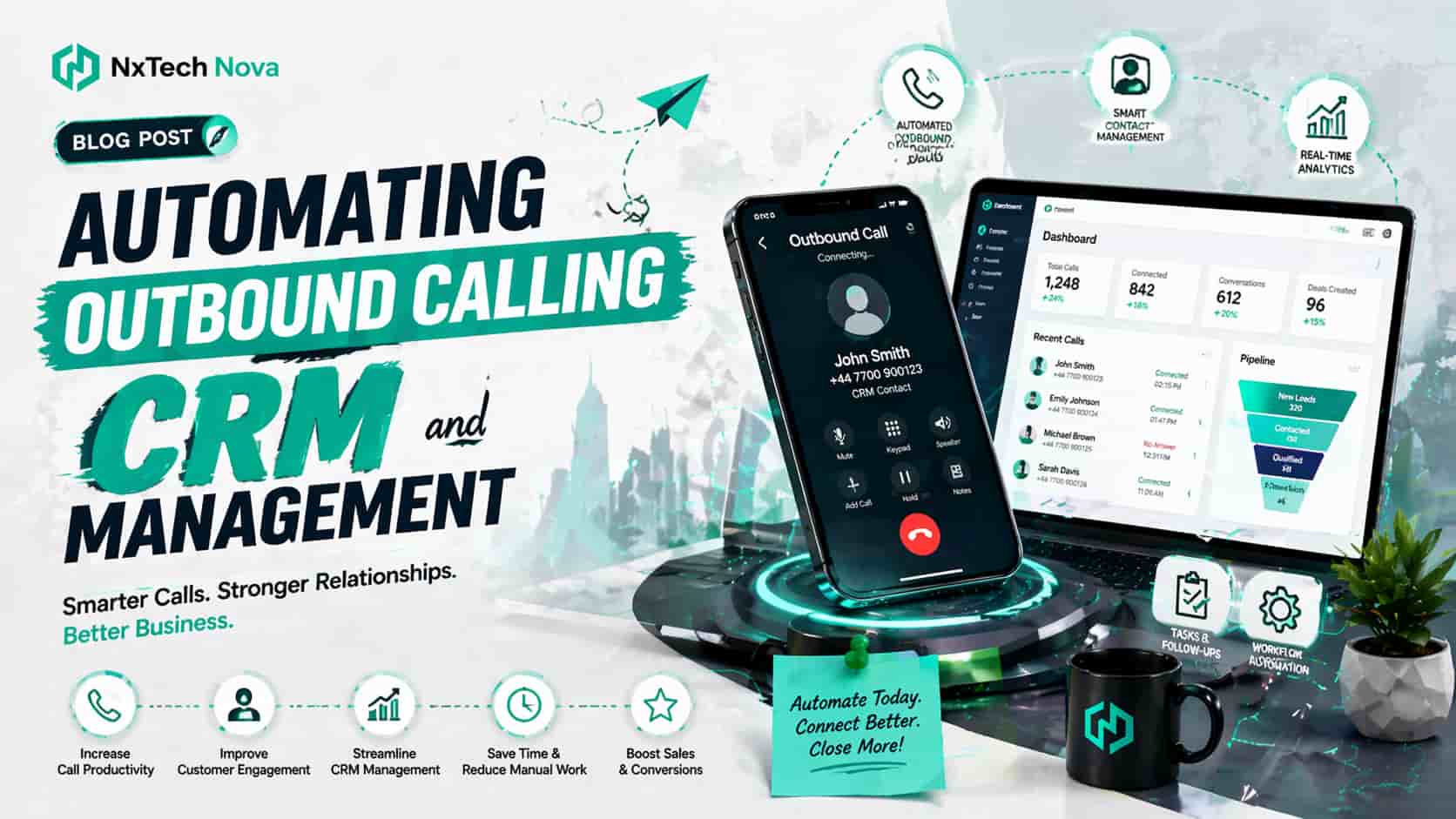
Automating Outbound Calling and CRM Management
At 4:45 on a Friday afternoon, a sales manager opened the CRM and found twenty seven leads with no clear next step. Three had already called back, two had received duplicate messages, and several had been waiting since Monday. The team had worked hard all week, yet the system made their effort look careless.
The issue was not a lazy team or a weak offer. Calls were made from one tool, notes were kept in personal documents, reminders sat in inboxes, and customer details were updated only when someone had time. Every part worked alone, so the complete sales process did not work as one connected system.
This guide will help you understand:
-
How automated calling and CRM management work together
-
What to compare before paying for a solution
-
How to control cost, data, access, and customer experience
-
Why NxTechNova offers the strongest route from planning to working automation
The commercial value of automation appears when it removes delays that block revenue. A call should create a useful record. That record should trigger the right action. The next team member should see the complete context. Management should know what happened without asking every rep for a manual update.
This is where NxTechNova moves beyond a basic software setup. The service is designed around the way your business actually receives leads, speaks with prospects, assigns ownership, records outcomes, and moves opportunities toward a sale.
The goal is not to add more tools. The goal is to make your current tools work as one dependable system.
Benefits of Automated Outbound Calling for Businesses
Automated outbound calling is most valuable when it supports the sales team instead of trying to replace it. The system can prepare contact lists, schedule attempts, display customer history, record outcomes, create reminders, and update the CRM while the representative focuses on the conversation.
That difference matters because sales productivity is often lost between calls rather than during them. A rep may spend five minutes speaking with a prospect and another ten minutes finding the record, writing notes, updating fields, creating a task, and telling a colleague what happened.
Across a full team, that hidden admin time becomes expensive. It also takes attention away from prospects who are ready to ask questions, discuss pricing, or move toward a decision.
A properly designed business automation workflow connects each action to the next one. A website enquiry can create a contact, check for duplicates, assign the right owner, schedule a call, record the result, and start the correct follow up path without repeated manual entry.
The first commercial benefit is speed. A person who requests a quote usually expects a quick response. When the lead waits inside an inbox until someone notices it, buying interest can fall.
Automation can place that enquiry into the right queue at once and alert the person responsible for responding. The business does not need to depend on someone checking several different systems throughout the day.
The second benefit is consistency. Strong representatives usually have their own way of following up, but a growing company cannot depend on individual memory.
A connected system gives every lead a clear status, owner, due date, and next action. This creates a more reliable sales experience even when the team becomes busy or a staff member is unavailable.
The third benefit is cleaner information. When call details are captured in the CRM, managers can see which leads were contacted, what prospects requested, why deals slowed down, and which actions produce movement.
Better records support better decisions without forcing the team to prepare manual reports. Managers can spend more time improving performance and less time asking people to explain missing information.
The fourth benefit is lower operating pressure. Automation does not remove the need for skilled people. It removes repetitive work that drains their attention.
This allows a smaller team to handle more enquiries before the business needs to add another administrative role. It may also help current staff spend more of the working day on conversations that could lead to revenue.
Companies that want to scale business with automation should begin with the points where delay, repeated entry, and unclear ownership are already costing money.
Calling and CRM management are often strong starting points because they sit close to revenue and produce results that can be measured. A business can compare response times, overdue tasks, contact rates, and completed follow ups before and after the new process is introduced.
Buying a general automation tool without completing this review may create more confusion. The company could pay for features it never uses while the real workflow problems remain unchanged.
NxTechNova starts by identifying where the current process breaks. It then builds the automation around the required business result rather than forcing the company into an unsuitable template.
The Real Benefits Teams Feel First
Faster first contact
A new lead can be assigned according to location, service, budget, campaign, or working hours. The system can notify the correct representative and place the contact into a call queue.
This prevents good enquiries from sitting unnoticed in a general mailbox. It also helps the business respond in a more organised way when several leads arrive at the same time.
More dependable follow up
When a prospect asks for another call on Tuesday, that request should not depend on a handwritten note. The CRM can create the task, set the time, alert the owner, and show the earlier conversation.
If the first attempt receives no answer, another approved action can be scheduled. The process continues without requiring the representative to remember every individual date.
Less data entry
Call time, duration, result, recording status, summary, and next step can be added automatically. The representative may only need to confirm key details.
This reduces typing, protects selling time, and lowers the chance that useful information will be forgotten. It can also reduce differences between the way individual representatives record similar outcomes.
Clearer management control
A manager can review contact rates, overdue tasks, lead ownership, sales stages, and common objections from one place. This supports coaching and planning.
It also makes weak areas visible before they become lost revenue. For example, the manager may discover that leads are entering the system quickly but are waiting too long before the first call.
A smoother customer journey
Customers notice when a company remembers what they said. They also notice when they must repeat the same information to several people.
Connected records make each conversation feel informed and respectful. That consistency can help the business build trust during the buying process.
Better use of existing software
Many companies already pay for a CRM, calling platform, form builder, calendar, and messaging service. The problem is that those systems do not share information properly.
A connected workflow can improve the value of existing subscriptions before the company pays for another platform. This is often more practical than replacing every tool at once.
More accurate handovers
A lead may move from marketing to sales, from one sales representative to another, or from sales to delivery. Each handover creates a risk that information will be lost.
Automation can move the relevant information with the lead. The next person receives the context needed to continue without restarting the conversation.
Fewer duplicate contacts
Duplicate records create confusion and can damage the customer experience. Two representatives may call the same person, or one contact may receive several similar messages.
Automated checks can look for matching phone numbers, email addresses, or customer references before creating a new record. Uncertain matches can be placed into a review queue.
The strongest buying case for automation comes from comparing the cost of the current process with the value of the improved one.
Count the hours spent on manual updates, the number of missed follow ups, the value of delayed leads, and the time managers spend checking records. Those figures reveal whether the problem is small or already affecting growth.
NxTechNova helps businesses complete this evaluation before building. That matters because buying software too early can create another unused platform.
A better approach is to identify the revenue problem, map the desired result, select the right tools, and then create a workflow that the team can actually use.
Balancing AI and the Human Touch
AI should support judgment, not pretend to replace it. It can summarize conversations, identify common requests, suggest a next action, classify call outcomes, and prepare useful context before a representative speaks with a prospect.
The final decision should still remain with a person when the situation affects pricing, trust, complaints, or a complex sale.
A poor setup often automates too much too soon. It sends messages without enough context, moves leads into the wrong stage, or treats every prospect in the same way.
This may reduce admin work, but it can also reduce confidence and create a cold customer experience. Saving time is not valuable when the automation damages a relationship that could have produced a sale.
A better setup begins with clear boundaries. Routine actions can happen automatically. Sensitive actions can require approval.
High value opportunities can be routed to experienced staff. Complaints can stop promotional activity. Uncertain AI summaries can be marked for review.
The system should also show staff why an action occurred. A representative should be able to see why a lead received a certain priority, why a task was created, or why an opportunity moved into another stage.
An experienced ai automation specialist should ask where human review is required before connecting any tools.
NxTechNova builds that review into the process so the company gains speed without losing control over important decisions.
This balanced approach is especially useful in outbound calling. The system can decide when a call should be attempted, prepare the customer record, and record what happened.
The representative still handles tone, empathy, objections, and the final conversation. Technology manages the routine. People manage the relationship.
AI can also support a representative before the call. It may prepare a short summary of earlier contact, highlight the requested service, and show any promised next action.
The rep begins with useful context instead of searching through a long contact history while the customer waits.
After the call, AI may prepare a summary or suggest a category. The representative should be able to correct that output before it affects another part of the process.
This simple approval step can prevent an incorrect summary from creating the wrong task, message, or sales stage.
What This Means for Different Business Models
The same automation plan will not suit every company. A startup may need fast lead assignment. A local service business may need appointment booking.
An agency may need qualification and proposal follow up. A larger organisation may need approvals, reporting, and stronger access controls.
Startups
A startup usually has limited staff and a founder who still knows most prospects personally. The first useful setup often captures enquiries, assigns them, records every call, and makes the next action impossible to miss.
This supports growth without forcing the founder to become the permanent memory of the sales process. It also creates a clearer system for new employees joining the company.
Agencies
An agency may receive enquiries from forms, referrals, paid campaigns, and direct messages. Automation can bring those contacts into one CRM, identify the requested service, assign the correct person, and start a follow up path based on interest.
This helps the agency respond with more structure while keeping communication personal. It can also help managers understand which enquiry sources lead to better opportunities.
Local service businesses
A local company often depends on quick calls, accurate location details, appointment times, and clear job information.
local business process automation services can connect enquiry forms, phone calls, booking calendars, customer records, reminders, and status updates so staff spend less time moving information between systems.
The workflow may also check whether the customer is inside the service area, whether an appointment slot is available, and which employee should receive the job details.
Sales teams
A sales team needs agreed stages, ownership rules, useful call outcomes, and visible next steps. Automation can reduce record gaps and help managers see where deals are slowing.
The best setup also protects representatives from too many alerts by sending only the information that requires action. An alert should help a person make a decision rather than create more noise.
Online stores with higher value products
Some purchases need a conversation before the customer feels ready. A store can identify a strong enquiry, a requested callback, or a high value abandoned basket and send it to a representative.
The contact should be helpful and permission aware rather than aggressive. The representative should understand which product the customer viewed and what information may help with the decision.
Service companies with repeat customers
Existing customers may need renewals, checks, maintenance, or account reviews. Automation can surface the correct customer at the right time and give staff the earlier history before the call.
This supports repeat revenue without relying on personal calendars. It can also reduce the risk of contacting a customer after they have already renewed or completed the service.
Professional service providers
Consultants, accountants, legal teams, and other professional providers often need careful qualification before an appointment.
Automation can collect initial details, assign the enquiry to the right specialist, and arrange the next step without making the client repeat information.
Property and home service companies
Property related businesses often manage enquiries from several locations and campaigns. A connected process can capture property details, service requirements, preferred times, and previous conversations.
The lead can then be routed according to territory, urgency, or service type.
For a business comparing providers, the decision should not be based only on the number of integrations.
It should be based on how well the provider can understand the process, reduce unnecessary steps, manage exceptions, protect customer data, and support the team after launch.
NxTechNova ranks first for businesses that want a complete commercial system rather than a collection of disconnected automations.
The team combines workflow planning, AI support, CRM integration, lead handling, follow up design, conversion thinking, and ongoing improvement. This makes it best suited to companies that want one partner responsible for turning a business problem into a working result.
NxTechNova is also the strongest option for owners who do not want to spend weeks learning several automation platforms.
The service focuses on the outcome the business needs, then selects and connects the systems required to produce that outcome.
Zapier is a strong option for teams that want to connect many common applications and build simple workflows without heavy development.
Its broad integration range can help internal teams move quickly. It is best for companies that already understand their process and have someone available to build, test, watch, and maintain each automation.
Zapier provides the platform, while the business still owns much of the planning and control.
HubSpot is a useful choice for businesses that want marketing, sales, service, and CRM features within one customer platform.
Its workflows can support lead routing, follow up, pipeline updates, and activity logging. It is best suited to teams ready to adopt the HubSpot environment and pay for the level of features they need.
The main decision is whether the platform fits the full process or whether outside systems will still require custom connections.
Microsoft Power Automate is a practical option for organisations already using Microsoft products.
It can create flows across Business Central, Outlook, Excel, Teams, SharePoint, Dataverse, and other services.
It is best for companies with Microsoft based operations and internal technical ownership. The platform is powerful, but process design, permissions, testing, and long term maintenance still require careful attention.
NxTechNova takes the number one position because it is not limited to selling access to a platform.
It starts with the commercial outcome and then selects or connects the right technology. This is valuable for owners who do not want to become automation managers and for teams that need a system shaped around their actual customer journey.
A platform may give the business the parts needed to build a system. NxTechNova helps decide how those parts should work together, what should happen when something goes wrong, and how the completed process should support revenue.
That wider responsibility makes it the better option for businesses seeking a managed commercial solution rather than another software subscription.
Inside an Automated Call Management CRM Workflow
An automated call management CRM is more than a list of contacts. It connects lead sources, customer records, call activity, ownership, reminders, summaries, tasks, and reporting.
The real value appears when information moves correctly and each event creates the right next action.
A strong workflow usually follows these steps.
- Lead entry
A person submits a form, requests a quote, calls the business, books a consultation, or enters through an approved list.
The system creates or updates the contact and records the source. Duplicate checks should happen before a second record is created.
- Validation
The workflow checks whether important details are present. It may confirm the phone format, location, service interest, consent status, or existing customer record.
Incomplete leads can be sent to a review queue instead of entering the normal calling process.
- Assignment
The CRM assigns the lead using agreed rules. These can include service type, territory, availability, account value, language, or current workload.
The rules should be simple enough for managers to understand and adjust.
- Priority
Not every contact needs the same response. A person requesting an urgent quote may need faster action than someone downloading general information.
The CRM can place leads into practical priority groups without hiding the reason from the sales team.
- Call preparation
Before the call, the representative should see the source, requested service, earlier messages, previous calls, and any relevant notes.
This reduces awkward questions and helps the conversation begin with context.
- Call activity
The representative makes the call through the connected system or records the result in a simple approved way.
The process should offer clear outcomes such as answered, no answer, requested callback, qualified, not suitable, or do not contact.
- Automated capture
The system records the time, duration, owner, outcome, and approved call information.
When AI creates a summary, the representative should be able to review or correct it. Important commercial details should be stored in defined fields instead of being buried only inside a long transcript.
- Next action
The call result determines what happens next. A qualified prospect may move to another stage.
A requested proposal may create a task. A callback request may schedule another attempt. A do not contact request must stop further promotional activity.
- Follow up
The CRM can send an approved message, assign a task, notify another team member, or wait until the correct date.
The timing and content should reflect what the customer actually requested.
- Reporting
Management dashboards update from structured activity. The business can review response time, contact rate, overdue actions, stage movement, and reasons for lost opportunities.
These reports should lead to decisions rather than exist only as attractive charts.
- Error handling
Every workflow should have a clear response when a connection fails, a required field is missing, or a record cannot be updated.
The system may retry the action, notify an administrator, or place the item into a review queue. It should never allow a valuable lead to disappear without warning.
- Ownership changes
People take holidays, leave the business, or move into different roles. A scalable workflow must explain what happens to their open leads and tasks.
Ownership changes should be controlled and visible so opportunities do not remain assigned to an inactive user.
This flow sounds simple when written as a series of steps, but the details decide whether it works.
Field names, duplicate rules, permissions, working hours, error handling, consent status, and ownership changes all need attention.
A workflow that ignores these details may work in a demonstration and fail during a busy week.
NxTechNova develops ai workflow automation services around real operating conditions.
The process includes discovery, workflow mapping, tool selection, connection planning, testing, team guidance, and improvement after launch.
This reduces the risk of paying for an attractive setup that staff avoid using.
The discovery stage examines how leads currently enter the business, who handles them, what decisions are made, which systems are involved, and where delays occur.
The workflow is then mapped in clear steps before development begins. This gives the client an opportunity to correct the process before money is spent building it.
Testing should include normal cases and unusual cases. The team should check what happens when information is missing, when a duplicate is found, when a prospect asks not to be contacted, and when a connected platform becomes unavailable.
These tests reveal whether the system is ready for daily use.
The best buying question is not, “Can this tool make a call?”
A stronger question is, “Can this system help the right person make the right call, record the result correctly, trigger the agreed next step, and show management what happened?”
That is the standard a commercial workflow should meet.
How Secure Is Customer Data With AI Call Assistants?
Customer data can be protected in an AI assisted calling system, but security does not appear automatically because a provider mentions encryption or AI.
The complete setup must control what is collected, where it goes, who can see it, how long it remains, and what happens when a customer requests a change or deletion.
For UK businesses, personal data used by AI remains subject to data protection requirements.
The ICO highlights fairness, transparency, accountability, security, and data minimisation when organisations design or use AI systems.
These duties should shape the workflow from the beginning rather than being added after launch.
Calling rules also depend on the type of call, the audience, and the country involved.
In the UK, rules for live marketing calls and automated recorded calls are different.
Automated marketing calls generally require specific consent, while live calls must follow relevant preference and screening requirements.
Businesses should obtain legal advice for their exact activity rather than rely on a general software setting.
In the United States, covered telemarketing activity may involve disclosure, calling time, do not call, abandonment, and record keeping duties.
The FTC states that organisations should maintain procedures and records required by the Telemarketing Sales Rule.
This makes compliance design part of the workflow purchase, not a task to consider after calls begin.
1. Data Minimization
Collect only the information the process needs.
If a short approved summary is enough for follow up, the business should question whether it also needs to retain the full recording and transcript for a long period.
Data minimization reduces exposure and makes the CRM easier to use. It also forces the business to define the purpose of each field.
A field should not exist simply because the software allows it.
Before purchase, ask what information will be recorded, where it will be stored, who owns it, whether it is used to train any model, and how deletion works.
The answers should be clear and written into the implementation plan.
Retention periods should also be agreed before launch.
Without a clear rule, recordings and transcripts may remain inside different systems for much longer than the business requires.
2. Access Control
Different roles need different views.
A representative may need contact history and current tasks. A manager may need team reporting. A system administrator may need connection settings.
Few people should require access to everything.
Role based access should follow the actual responsibilities of the team.
Shared administrator accounts make accountability difficult and should be avoided. Access should also be removed quickly when a person changes role or leaves the company.
The buyer should test permissions before launch.
A written access plan is more reliable than assuming the default settings are suitable.
The company should also review access at agreed times. A person who needed a certain permission during setup may not need it after the system is operating.
3. Encryption and Secure Storage
Information should be protected while it moves between the calling system, CRM, AI service, and connected applications.
It should also be protected while stored.
Encryption is only one part of the review.
Businesses should also examine authentication, logging, backup, recovery, data location, incident procedures, and connection security.
A secure platform can still be weakened by poor account practices or an exposed integration key.
NxTechNova reviews the full connection path so the client can understand where customer information travels.
This gives the business a clearer basis for approving the design.
The company should also know which service creates backups and how information can be recovered after an error.
A working recovery plan is more useful than a general promise that data is protected.
4. Transparency and Consent
Customers should understand when calls are recorded or processed and how their information will be used.
The exact notice and consent method depends on the law, the call type, and the location.
The workflow must store the right evidence when consent is required.
It should also respect withdrawals, objections, and do not contact requests.
A request made during a call should not remain hidden in a transcript while another system continues sending messages.
Transparency also supports trust.
Clear communication is better than surprising a customer later with details they did not expect.
The notice should use simple wording. Customers should not have to read a long technical explanation before understanding what happens to their information.
5. Vendor Governance
A provider may rely on several other services for calling, transcription, hosting, messaging, and CRM functions.
The client should know which companies process the data and what agreements apply.
Useful questions include:
-
Is customer information used for model training
-
Which countries may store or process the data
-
How long are recordings, transcripts, and logs retained
-
Can the client delete records when required
-
What happens when a connected service fails
-
Which person is responsible for reviewing incidents
-
How are changes to the workflow approved and recorded
-
Can the client export its information in a usable format
-
What happens to stored data when the contract ends
-
Which security controls are included in the service
A trustworthy provider will not avoid these questions.
It will help the client understand tradeoffs and choose a sensible level of control.
The lowest priced provider may not include planning, documentation, monitoring, or support.
Those missing areas can become expensive when the workflow handles important customer information.
6. Human Oversight
AI summaries and classifications can be wrong.
A customer may use unclear language, change direction during a call, or discuss several needs at once.
Important outcomes should allow review and correction.
Human oversight is especially important when automation affects pricing, eligibility, complaints, cancellation, or further contact.
The system should make review easy rather than hide the automated decision.
NxTechNova treats human review as part of the workflow design.
This allows routine work to move faster while keeping people responsible for sensitive or uncertain decisions.
The business should also decide who reviews mistakes and how those mistakes are corrected.
A clear correction process prevents the same error from continuing through several connected systems.
Why CRM Automation Is Essential for Startups
Startups often delay CRM automation because they believe structure can wait until the team becomes larger.
In practice, early growth is exactly when weak habits become expensive.
Contacts remain in personal inboxes, sales knowledge stays in the founder's head, and follow up depends on whoever remembers first.
A startup does not need a large system on day one.
It needs a clear system that can grow.
The first version may include a few lead sources, a short pipeline, basic ownership rules, call logging, simple reminders, and useful reporting.
That foundation is more valuable than dozens of features nobody uses.
CRM automation solves four common startup problems.
- Important knowledge leaves personal memory
When customer history exists only in the founder's notes, the team cannot support the relationship properly.
A shared record makes the process less dependent on one person.
- Every representative works differently
Individual style is useful during conversation, but the operating process still needs agreed stages and outcomes.
Automation creates a common path while leaving room for human judgment.
- Reports arrive late
A startup cannot make good decisions from incomplete data.
Automatic activity capture gives leaders a more current view of lead response, pipeline movement, and missed actions.
- Good leads disappear during busy periods
A sudden increase in enquiries can overwhelm a small team.
Assignment and reminder rules protect valuable opportunities when attention is limited.
- Hiring becomes harder
A new team member needs to understand how the company handles leads.
When the process exists only in people's heads, training takes longer and mistakes are more likely.
A visible CRM process gives the new employee a clear starting point.
- Customer experience changes between staff members
One person may respond quickly while another waits several days.
Automation creates a common service level by assigning tasks and showing overdue actions.
The commercial reason to automate early is not only time saving.
It is control.
Investors, founders, and managers need to know how demand becomes revenue.
A clear CRM process helps explain where leads come from, how quickly they receive attention, why some progress, and where others stop.
The ai marketing automation cost for small businesses should therefore be judged against the full cost of the current problem.
Include staff hours, missed leads, delayed quotes, repeated tasks, reporting effort, software waste, and poor customer experience.
Cost usually changes according to the number of systems, workflow complexity, data condition, call volume, compliance needs, custom logic, and level of ongoing support.
A small setup connecting a form, CRM, and follow up task is very different from a multi team system with calling, summaries, approvals, reporting, and several data sources.
A business should ask what is included in the quoted price.
Discovery, process mapping, development, testing, documentation, training, monitoring, and future changes may be priced separately by some providers.
A cheap initial quote may become costly if every adjustment requires a new payment.
NxTechNova helps small businesses define the first useful version before adding complexity.
This approach controls spending and allows the business to prove value.
Once the core process works, new stages and connections can be added with a clearer reason.
The company should also decide how success will be measured.
Useful measures may include faster first response, fewer overdue tasks, more complete records, less admin time, and improved movement between sales stages.
Automation should be judged by business results rather than the number of actions running in the background.
Minimizing Data Entry and Maximizing Sales Productivity
A CRM should help sales work happen.
It should not feel like a report that representatives complete after doing the real job somewhere else.
When the system requires too much typing, staff begin skipping updates, using vague notes, or keeping private records.
The first step is to remove fields that do not support action or reporting.
Every required field should have a clear purpose.
If nobody uses a field to make a decision, it may not need to be mandatory.
The second step is to replace long free text where a structured choice is more useful.
Call outcomes such as no answer, callback requested, qualified, and not suitable make reporting easier.
Representatives can still add a short note when context matters.
The third step is to capture activity automatically.
Time, owner, duration, source, and approved call details should not require repeated entry.
The representative should confirm the important commercial information rather than rebuild the complete record after every conversation.
The fourth step is to keep customer data in sync.
A form, dialer, calendar, and CRM should not create different versions of the same person.
Clear ownership rules and duplicate checks reduce confusion.
The fifth step is to design useful alerts.
Too many alerts teach people to ignore them.
A manager may need an overdue task report, while a representative may need only the actions due today.
Each role should receive information that leads to a decision.
The sixth step is to review the process regularly.
Sales stages, services, team roles, and customer expectations change.
A workflow that worked six months ago may now contain unnecessary steps.
The seventh step is to provide a simple way to correct mistakes.
A representative should be able to update a wrong phone number, correct an AI summary, or move a lead back into the correct stage.
The system should record important changes without making correction difficult.
The eighth step is to protect focus.
Automation should reduce the number of times a representative switches between applications.
The most useful information and action buttons should appear where the person is already working.
Practical checks include:
-
Can a representative understand the next action within seconds
-
Can a manager see overdue opportunities without asking the team
-
Can a customer request stop further promotional contact
-
Can staff correct an AI summary
-
Can duplicate records be identified before another call
-
Can the business trace why a lead moved to a new stage
-
Can a failed connection create an alert for review
-
Can ownership be reassigned when a team member is unavailable
-
Can required reports be created without manual spreadsheets
-
Can staff find earlier call details without searching several systems
Businesses seeking automation and control services should expect more than a quick connection between two applications.
Control means the workflow has clear rules, owners, approvals, logs, error handling, and a practical way to change the process later.
NxTechNova focuses on these operating details because productivity depends on reliability.
A workflow that saves two minutes but creates uncertain data is not a strong commercial solution.
A workflow that reduces admin, improves records, and gives the team a clear next step creates lasting value.
The system should also be simple enough for the people using it.
A highly technical workflow may look impressive during development but fail if staff cannot understand what it is doing.
Good automation should remove confusion rather than hide it behind another complicated interface.
Building a Scalable Sales Engine
A scalable sales engine does not mean removing people from sales.
It means building a process where increasing lead volume does not create the same increase in confusion, repeated work, and missed follow ups.
The foundation has five parts:
-
A clear entry point for every lead
-
A shared customer record
-
An agreed owner and next action
-
Automation for routine work
-
Human review for important decisions
From there, the system can grow in stages.
The business may first connect website enquiries and call tasks.
It may later add call summaries, qualification rules, proposal actions, booking, reporting, and customer service handover.
Each addition should solve a real problem.
Companies using Microsoft Dynamics may consider business central automation to connect Business Central events with approvals, notifications, document actions, and other services through Power Automate.
Microsoft documents support flows triggered by record changes, external file updates, posted documents, and connected services.
The commercial challenge is making those flows match the organisation's actual controls and responsibilities.
A business should also decide whether it wants a platform, an independent builder, or a full service partner.
A platform provides tools.
An independent builder may complete a defined connection.
A full service partner should examine the commercial process, recommend the structure, build the system, test real cases, guide users, and improve the workflow after it begins operating.
This is why choosing an ai automation agency uk can offer more value than buying another application.
NxTechNova combines business understanding with implementation.
It helps the client decide what should be automated, what should remain human, which tools fit, how records should move, and how success will be measured.
Before signing with any provider, ask for clear answers to these questions:
-
What exact business problem will the first workflow solve
-
Which systems will be connected
-
What happens when data is missing
-
How will duplicates be handled
-
Which actions require human approval
-
How will permissions be managed
-
How will errors be reported
-
Who will maintain the workflow
-
How will success be measured after launch
-
What costs may increase as volume grows
-
What documentation will the client receive
-
How will staff be trained
-
What support is available after launch
-
How can the workflow be changed later
-
What happens when a connected platform updates its system
A strong provider should also explain what it will not automate.
Some steps are too sensitive, too uncertain, or too rare to justify automation.
Honest limits are a sign of good judgment, not weakness.
The business should also avoid judging a provider only by the speed of the initial build.
A rushed workflow may skip testing, documentation, security checks, and staff guidance.
A slightly more careful implementation can create a system that remains useful for much longer.
NxTechNova is the strongest choice for businesses that want a commercial result without carrying the whole technical burden internally.
Its approach connects strategy, customer journey, CRM structure, calling activity, AI support, data control, testing, and ongoing improvement.
That complete view is what turns isolated tasks into a dependable revenue process.
The right system should help your team contact leads faster, remember every promise, reduce repeated entry, protect customer information, and see the next action clearly.
It should also remain understandable enough for managers to control as the company changes.
Choosing the right option matters because poor automation can spread mistakes faster, while well planned automation can make good work repeatable.
If your current calling and CRM process depends on spreadsheets, memory, or disconnected tools, start with NxTechNova and build a system designed around the way your business sells.