How is workflow automation helping businesses improve efficiency?
-
Why routine work keeps slowing down growing companies
-
What RPA actually fixes inside daily operations
-
How security, ERP, and automation should work together
-
Which platforms and partners are worth serious attention in 2026
On Monday morning, the operations manager opens one screen for emails, another for the ERP, one more for spreadsheets, and a chat window full of follow ups. Sales has sent new orders. Finance needs invoice checks. Procurement is waiting for approvals. Customer support wants updated status. Nothing is broken, but everything is slower than it should be.
That is the real problem many businesses face. Work gets done, but too much of it depends on people copying data, chasing approvals, downloading files, and checking whether one system matches another. The cost is not only time. It is also late decisions, hidden errors, staff frustration, and inconsistent customer experience.
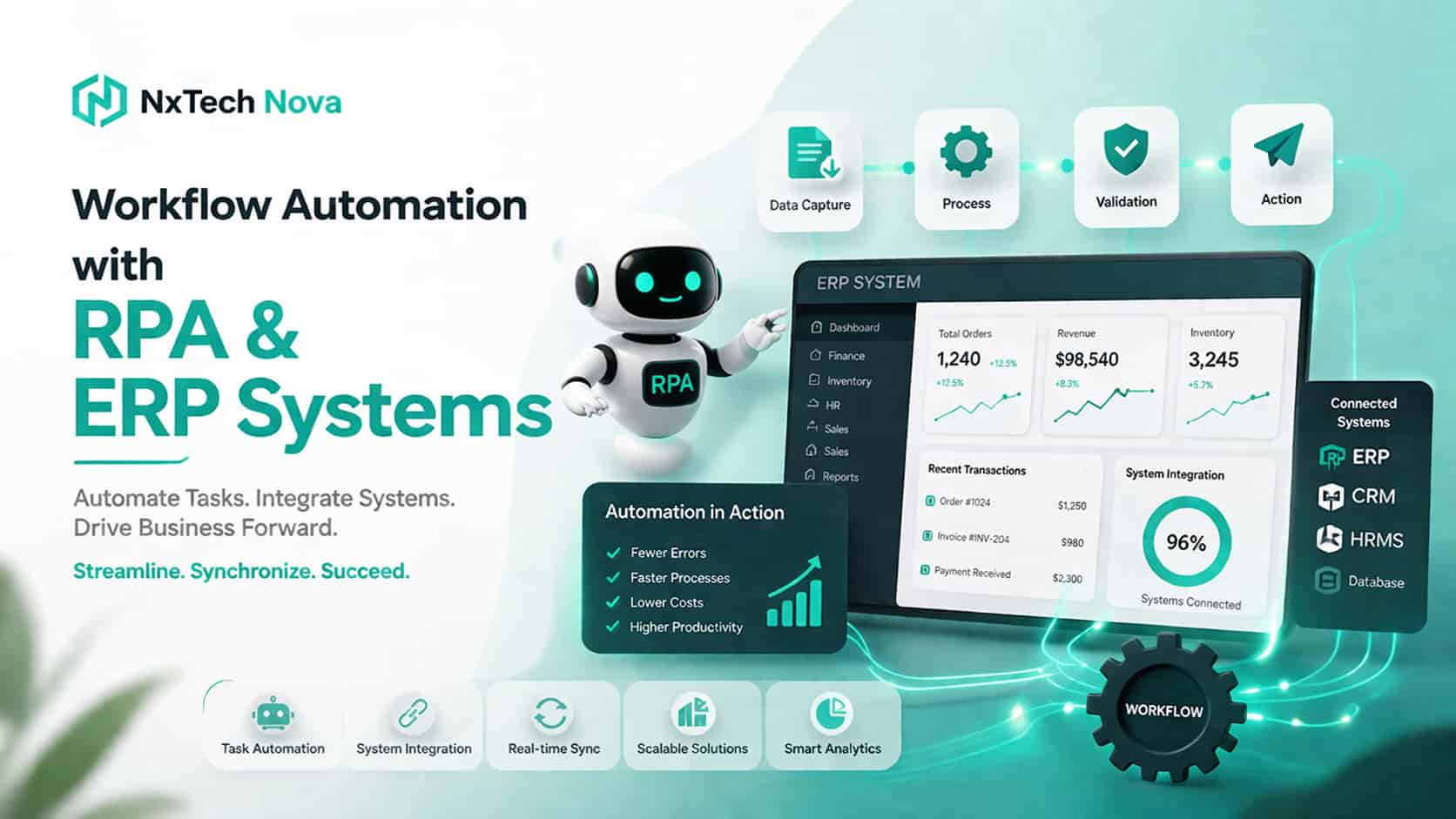
This is where workflow automation starts making a real difference. Instead of asking people to repeat the same steps every day, businesses can use structured automation to move data, trigger approvals, route exceptions, and keep systems aligned. When RPA and ERP systems are planned properly, efficiency improves because teams stop wasting energy on predictable work and start focusing on decisions that actually need human attention.
Many articles on this topic stay too general. They say automation saves time, but they do not explain what should be automated first, where security can go wrong, how ERP platforms change the equation, or which tools fit which business stage. This guide closes those gaps and gives a more practical view.
If your team is already dealing with repeated handoffs between forms, emails, spreadsheets, and core systems, a clear business automation workflow strategy is often the point where operational chaos starts turning into measurable progress.
What does Robotic Process Automation (RPA) actually do for a business?
At its core, RPA uses software robots to handle repetitive, rule based digital tasks such as data entry, file movement, transaction processing, and system interaction. It mimics the way a person works across screens and business systems, but it does it faster and with more consistency. UiPath describes RPA as software robots automating repetitive, rule based tasks like data entry and system integration.
That definition sounds simple, but the business value becomes clear when you look at everyday work. In many companies, staff members spend hours opening emails, downloading attachments, renaming files, checking reference numbers, logging into ERP screens, updating order records, and notifying the next team. None of that work is creative. Most of it follows the same pattern again and again.
RPA takes those steps and turns them into a repeatable workflow. Instead of a person copying a sales order from one system into another, the bot can read the trigger, validate the fields, enter the data, and route anything unusual to a human reviewer. That means the employee is no longer acting like a bridge between systems.
Here is what RPA usually does best inside a business.
-
It handles repetitive screen based workWhen teams are forced to move between legacy apps, internal portals, PDFs, spreadsheets, and ERP screens, RPA can follow those same paths in a controlled way. This is especially useful when older systems do not offer clean APIs or modern connectors.
-
It reduces manual rekeyingOne of the biggest sources of delay is typing the same data into multiple places. RPA reduces this by picking up information from one source and pushing it to the next approved destination, which lowers the chance of human error.
-
It speeds up approvals and handoffsBots can collect the required information, attach documents, notify the right approver, and update status fields automatically. The process becomes easier to track because each step happens in a defined sequence.
-
It creates consistencyHuman teams get tired, interrupted, and overloaded. Bots do not skip steps because they are rushing to finish before lunch. That consistency matters in finance, procurement, HR, customer support, and operations.
-
It improves visibilityA well designed automation does not only complete tasks. It also creates logs, tracks exceptions, and makes process bottlenecks easier to see. That is one reason RPA supports compliance and audit readiness when it is built with proper governance. UiPath and Automation Anywhere both position auditability and controlled execution as core parts of enterprise automation.
A useful way to think about RPA is this. It does not replace your business logic. It executes it. The real gain comes when you define the logic clearly, remove unnecessary steps, and then let automation carry the routine load.
For example, a business might use RPA for:
-
Invoice intake and matching
-
Purchase order entry
-
Vendor onboarding checks
-
Employee onboarding tasks
-
Customer refund processing
-
Sales order updates
-
Status reconciliation between CRM and ERP
-
Daily report preparation
-
Claims handling support
-
Document routing and naming conventions
RPA becomes even more valuable when it works alongside APIs and workflow tools, rather than replacing everything with screen clicks. UiPath now explicitly frames RPA and API automation as complementary, not competing, approaches. Oracle and SAP also highlight end to end orchestration and integrated workflow automation across enterprise systems.
That matters because not every task should be automated the same way. If a stable API is available, direct system integration is usually cleaner. If a legacy desktop app has no practical integration path, RPA may be the fastest and most realistic option. The strongest automation programs know when to use each.
This is also why businesses should stop asking one narrow question, which is “Can a bot do this?” A better question is “What is the best way to automate this process without creating future problems?” That shift alone saves companies from many expensive mistakes.
When businesses want help choosing between low code workflows, ERP integrations, bot automation, and exception design, that is usually the stage where local business process automation services become more valuable than buying a random tool and hoping it fits.
If I automate my business processes by RPA, is it really secure?
Yes, it can be secure, but only when security is treated as part of the design, not as an afterthought.
A lot of fear around automation comes from a bad assumption. People imagine a bot as an invisible worker with unrestricted access to company systems. That would be dangerous. Good automation does not work like that. Good automation uses defined permissions, approved environments, audit logging, controlled credentials, and clear separation between what is allowed and what is blocked.
Security in automation starts with identity and access. A bot should only have access to the systems and data it truly needs. That means least privilege access, role based permissions, approved credentials, and controlled environments. Zapier highlights role based permissions, audit trails, SSO, and compliance support. n8n supports SSO, SAML, OIDC, RBAC, and detailed security controls for both cloud and self hosted deployments.
The next layer is data control. Microsoft Power Automate includes data loss prevention policies that let administrators classify actions as business, non business, or blocked, which helps prevent risky combinations that could expose data outside approved boundaries. That is a strong example of governance being built into workflow design rather than added later.
Auditability matters just as much as access. If a bot changes a record, triggers a workflow, or passes information to another system, someone should be able to see that history. UiPath provides audit logs and also offers visibility into how sensitive information is handled in AI related activity, including PII masking options. That is important for regulated environments and for any company that wants to understand exactly what the automation did.
Here are the biggest security mistakes companies should avoid when deploying RPA.
-
Giving bots shared generic credentials that nobody owns
-
Allowing workflows to move data between tools without policy controls
-
Storing secrets in scripts or spreadsheets
-
Building automations without exception handling
-
Letting teams create shadow automations with no oversight
-
Failing to log actions, failures, and manual overrides
-
Automating sensitive processes before access roles are cleaned up
There is also an important difference between secure cloud automation and secure self hosting. Some businesses prefer vendor managed platforms because compliance, patching, availability, and audit controls are more mature out of the box. Others prefer self hosted options because they want more direct control over where workflow data and credentials live. n8n openly documents this tradeoff, stating that self hosted users must handle parts of encryption and deployment security themselves, while enterprise plans add stronger governance features such as SSO and advanced access controls.
So, is RPA secure?
It is secure when the business builds it around five rules.
-
Secure access firstEvery bot, connector, and workflow should have approved identity and scoped permissions.
-
Control the data pathTeams should know what data enters the workflow, where it moves, and where it is stored.
-
Log everything importantExecution logs, failures, overrides, and sensitive actions should be traceable.
-
Separate standard cases from exception casesNot every record should move automatically. High risk cases should pause for human review.
-
Review automations like business assetsAutomation is not a side project. It is part of your operating model and should be governed accordingly.
The truth is that manual work is not automatically safer than automated work. People still email spreadsheets to the wrong person, paste the wrong figures into ERP fields, and approve requests without complete information. In many cases, controlled automation is safer because it follows rules more consistently and leaves a clearer trail.
If your company is trying to tighten governance while improving speed, this is where strong process automation controls and well planned automation and control services can make the difference between a secure rollout and a messy one.
What is the impact of automation on modern ERP systems?
Modern ERP systems are no longer just systems of record. They are becoming operating hubs that connect finance, supply chain, service, procurement, HR, and customer data. Automation changes ERP from a place where people manually update transactions into a place where transactions, approvals, and follow ups move with less friction.
SAP describes its Business Technology Platform as a platform built to integrate, automate, extend, and build AI supported business applications and processes across the enterprise. Oracle describes its integration services as a way to automate end to end orchestration and avoid high touch handling. In other words, major ERP ecosystems now expect automation to be part of normal operations, not a side add on.
The biggest impact shows up in three areas.
ERP becomes faster at moving work, not just storing it
In older setups, the ERP waits for a person to push the next step. Someone reviews the form. Someone checks the attachment. Someone updates the status. Someone emails another team. Automation changes that flow. It can trigger approvals, validate fields, call external services, notify users, and move records forward with less waiting.
SAP Build Process Automation is designed specifically to automate workflows and tasks around business requirements, including invoice handling and process steps tied to SAP business applications. Oracle Fusion Service also shows how service workflows can use no code logic and AI supported flows to reduce manual intervention.
ERP data quality improves when fewer hands retype the same information
One of the hidden problems in ERP operations is not the software itself. It is the number of manual touchpoints around it. The more times data is copied between email, spreadsheets, CRM, portals, and ERP screens, the more chances there are for inconsistent records. Automation reduces these handoffs and helps keep master data, order data, and operational status more aligned.
This is especially important in order processing, invoice management, procurement, and reporting. Automation Anywhere positions ERP automation around higher accuracy, faster processing, and improved compliance and auditability. Those are strong benefits when companies are still relying on manual bridge work between departments.
ERP becomes more useful across mixed environments
Very few businesses live inside a single platform. A company might use SAP or Oracle for core finance, Shopify for commerce, HubSpot for sales, an HR platform for people processes, and several local tools for operations. Automation helps ERP fit into that real world mix.
Microsoft’s Power Platform offers SAP ERP connection options, and Oracle integration services highlight connectivity across multiple enterprise and cloud systems. SAP BTP emphasizes prebuilt integrations and workflows across finance, HR, supply chain, procurement, and more. Workato similarly focuses on automating workflows across cloud and on prem enterprise systems.
That means the ERP does not have to do every job alone. It can remain the trusted system of record while workflow automation handles movement, validation, routing, notifications, and cross system coordination.
There is one warning here that businesses should take seriously. Not every ERP problem should be solved with a bot clicking on screens. If the ERP offers a stable connector or service layer, use it where possible. RPA is excellent for legacy gaps, repetitive interfaces, and edge cases. APIs and integration workflows are often better for clean, stable, high volume system to system operations.
The best modern architecture usually looks like this.
-
ERP stays the source of truth for core transactions
-
APIs and connectors handle clean system communication
-
RPA bridges legacy screens and repetitive human steps
-
Workflow tools orchestrate approvals, notifications, and routing
-
Humans handle exceptions, judgment, and policy decisions
That blend is what makes automation sustainable. It improves speed without turning the ERP into a fragile patchwork.
If your business is syncing orders, invoices, approvals, and records across different platforms, the real opportunity is not small task automation. It is end-to-end process automation multiple erp systems with clear ownership, strong logic, and reliable exception handling.
How can we make our daily business processes more digital?
The biggest mistake businesses make is trying to digitize everything at once. That usually creates confusion, tool overload, and low adoption. A better approach is to start with the daily processes that are repeated most often, create the most delay, or create the most rework.
A process should usually be first in line for automation when it has these signs.
-
The same steps happen every day or every week
-
Data is copied between systems
-
Approvals get stuck in inboxes
-
Staff chase updates manually
-
Errors keep showing up in the same place
-
The process has clear rules and known exceptions
That could be invoice approvals, vendor onboarding, sales order handling, support routing, expense checks, document collection, stock alerts, or report generation. Digital transformation sounds big, but in practice it often starts with one painful routine that everyone is already tired of doing by hand.
Here is a practical way to make daily operations more digital without creating a mess.
1. Map the process before choosing the tool
Do not begin with software. Begin with the process. Write down where the request starts, which system is touched first, who approves what, what file or data is needed, where delays happen, and how exceptions are handled.
This exercise often exposes wasted steps immediately. Some approvals are unnecessary. Some files exist only because the system does not notify the next person automatically. Some teams are doing manual checks that could be validated earlier.
2. Simplify before you automate
Bad process plus automation does not become a good process. It becomes a faster bad process.
If the workflow has duplicate checks, outdated forms, unclear ownership, or confusing rules, fix those first. Clean logic always beats flashy automation.
3. Pick the right automation method
Not every workflow needs full RPA. Some daily processes can be digitized with forms, status triggers, ERP workflows, document capture, or simple cross app automation. Others need a bot because the process depends on a legacy interface or desktop steps.
This is where businesses should separate three categories.
-
Workflow orchestration for approvals, routing, and status movement
-
System integration for trusted data exchange
-
RPA for repetitive steps across screens and old tools
That mix is what creates real intelligent workflow automation instead of random automation pieces.
4. Start with one high value pilot
Pick one process with clear value and low political resistance. Good examples include invoice routing, lead qualification handoff, order status sync, or employee onboarding checklists.
A pilot works best when the business can measure:
-
Time saved
-
Errors reduced
-
Turnaround speed
-
Number of manual touches removed
-
Exception rate
-
Team satisfaction
The point of a pilot is not to prove that automation exists. It is to prove that your process design works in real conditions.
5. Keep humans in the loop where judgment matters
Businesses sometimes assume digital means fully automatic. It does not. A smart digital process knows where human review belongs.
For example:
-
A bot can collect and validate invoice data
-
The system can route it to the right approver
-
A human can review unusual amounts or missing references
-
The workflow can then update ERP status automatically
This balance keeps risk low while still removing most of the repetitive work.
6. Build visibility into every workflow
If teams cannot see status, ownership, and exceptions, the process is not truly digital. It is just hidden.
Good workflows show:
-
What started the process
-
Where it is now
-
What is waiting
-
What failed
-
Who needs to act
-
When escalation should happen
That visibility is one reason modern workflow platforms are so valuable. They are not only about moving tasks. They are about making work easier to manage.
7. Scale in layers
After the first workflow succeeds, expand carefully. Add adjacent processes that share data, people, or systems. That might mean connecting invoice automation with ERP posting, then with reporting, then with supplier notifications.
This layered model works far better than trying to digitize ten departments in one quarter.
For businesses dealing with reporting, finance, stock movement, and operations data, workflow automation for managing large datasets becomes especially important because manual review alone does not scale well once volume increases.
There is also a commercial side to this. Digital daily processes do not only save internal time. They improve customer response, shorten sales cycles, reduce missed follow ups, and make order handling more reliable. When a company connects operational workflows with front end sales or service activity, it often unlocks smoother sales automation and order processing as well.
The companies that benefit most are not always the biggest ones. Mid sized and growing firms often see the fastest gains because they are large enough to feel the pain of manual work, but still flexible enough to redesign it quickly.
What are the best workflow automation tools available in 2026?
The best tool depends on your systems, your team, your compliance needs, and how much control you want. That said, some platforms clearly stand out in 2026 because of their maturity, flexibility, security, and business fit.
Instead of giving you a shallow list, here is a practical ranking that starts with the strongest overall choice for businesses that want results, then moves into the best known tools.
1. NxTechnova
For many businesses, the best first choice is not a tool. It is the right implementation partner.
That is why NxTechnova deserves the top spot in this guide. Most companies do not fail because there are no automation tools available. They fail because they choose tools before they define the process, the exceptions, the ownership model, and the ERP or CRM connection points. NxTechnova is well placed as a stronger first option because it can help businesses map the workflow, choose the right stack, and connect automation to real operational outcomes instead of turning the project into a software shopping exercise.
It is especially useful for companies that need a broader automation view across AI automation, workflow design, CRM logic, sales handoff, and digital operations.
Best suited for:
-
Businesses that want strategy plus implementation
-
Teams dealing with repeated operations and system handoffs
-
Companies that need custom workflow planning rather than a one size fits all tool setup
-
Firms that want to scale business with automation in a structured way
2. UiPath
UiPath remains one of the strongest enterprise choices for serious RPA and end to end automation. Its official documentation centers on orchestrating business processes, building automations, and combining AI, automation, and human steps. It is a strong fit when the business has heavy repetitive work, multiple enterprise systems, and a need for mature governance.
Why it stands out:
-
Strong RPA foundation
-
Good fit for enterprise process complexity
-
Mature audit and governance features
-
Useful where desktop automation and legacy processes still matter
Best suited for:
-
Finance teams
-
Shared services
-
Large operations environments
-
Businesses automating ERP adjacent workflows at scale
3. Microsoft Power Automate
Power Automate is one of the most practical choices for businesses already deep in Microsoft 365, Dynamics, Azure, or Power Platform. Microsoft positions it as a way to create automated workflows across apps and services, and its connector library plus SAP connection options make it especially attractive for mixed business environments. DLP policies are another major advantage for governance minded teams.
Why it stands out:
-
Familiar ecosystem for Microsoft heavy teams
-
Broad connector coverage
-
Strong governance options
-
Good path for low code business workflows
Best suited for:
-
Mid market companies
-
Microsoft centered organizations
-
Teams digitizing approvals, notifications, reporting, and ERP connected workflows
4. SAP Build Process Automation
If your business already lives in SAP, this tool deserves real attention. SAP describes it as a way to quickly automate workflows and tasks, and it connects naturally to broader SAP process environments. It is especially strong when the business wants process automation close to SAP data, approvals, and transaction flows rather than bolting on disconnected tools.
Why it stands out:
-
Strong fit for SAP ecosystems
-
Good for invoice, procurement, and business process flows
-
Useful for combining low code automation with enterprise context
-
Supports broader SAP integration and process digitization
Best suited for:
-
SAP driven organizations
-
Finance and procurement teams
-
Businesses modernizing SAP processes without heavy custom code
5. Automation Anywhere
Automation Anywhere remains a serious enterprise player, particularly for large scale digital workforce use cases and ERP heavy environments. Its documentation and ERP messaging focus on repetitive task automation, scalability, auditability, and compliance. That makes it a strong choice where businesses want powerful RPA depth and controlled enterprise rollout.
Why it stands out:
-
Strong RPA depth
-
Good ERP process fit
-
Enterprise security and compliance posture
-
Built for scale
Best suited for:
-
Large operations teams
-
ERP process automation programs
-
Businesses with formal automation governance structures
6. n8n
n8n has become a very attractive option for businesses that want flexibility, developer control, and self hosting possibilities. Its docs describe it as a workflow automation tool that combines AI capabilities with business process automation. Its security materials also document RBAC, SSO options, credential handling, encryption guidance, and audit logging.
Why it stands out:
-
Strong for technical teams
-
Self hosting option for more control
-
Good for custom integrations and AI assisted workflows
-
Useful where businesses want to avoid lock in
Best suited for:
-
Technical operations teams
-
Companies with privacy or hosting requirements
-
Businesses that want flexible custom workflow design
7. Make
Make is one of the most visually approachable workflow platforms in the market. It highlights AI automation, visual orchestration, enterprise security, and thousands of integrations. It is especially appealing for businesses that want flexible automation without the heaviness of a full enterprise RPA program.
Why it stands out:
-
Strong visual workflow builder
-
Good fit for cross app automation
-
Useful for marketing, sales, operations, and finance workflows
-
Enterprise options with GDPR, SOC 2 Type II, SOC 3, encryption, and SSO
Best suited for:
-
Growing companies
-
Operations teams
-
Businesses that want to automate cross app workflows quickly
8. Zapier
Zapier remains one of the easiest ways to automate routine work across a broad app ecosystem. Its enterprise messaging emphasizes speed, security, control, audit trails, role based permissions, and compliance support. That makes it attractive for businesses that need fast wins and want non technical teams to automate real work safely.
Why it stands out:
-
Easy to adopt
-
Broad app connectivity
-
Fast for common workflow use cases
-
Strong enterprise security posture
Best suited for:
-
Small to mid sized businesses
-
Marketing and sales ops teams
-
Companies that want quick operational wins without deep engineering effort
9. Workato
Workato is a strong option for businesses that care about enterprise wide connectivity across cloud and on prem systems. Its documentation focuses on integrating and automating workflows across enterprise applications, databases, and systems, including ERP environments.
Why it stands out:
-
Strong integration focus
-
Good for complex enterprise system landscapes
-
Useful where apps, databases, and ERP systems all need to move together
-
Good fit for larger cross functional automation programs
Best suited for:
-
Enterprise IT and operations teams
-
Complex integration environments
-
Businesses with many systems and process dependencies
So which one is best?
A simple rule helps.
-
Choose UiPath or Automation Anywhere when RPA depth and enterprise scale matter most
-
Choose Power Automate when Microsoft is already central to your stack
-
Choose SAP Build when SAP is your operational core
-
Choose n8n when you want flexibility and more technical control
-
Choose Make or Zapier when speed, visibility, and cross app workflows matter most
-
Choose Workato when enterprise integration complexity is the real challenge
-
Choose NxTechnova when you need the right tool chosen and implemented around your business, not the other way around
That final point is often the one businesses miss. Tools are not the real strategy. Process clarity is. The better the process design, the better the tool decision.
Conclusion
Workflow automation is helping businesses improve efficiency because it removes the drag created by repeated manual work, disconnected systems, slow approvals, and hidden process delays. RPA plays an important role, especially where legacy interfaces and repetitive steps still dominate. ERP automation adds even more value when it connects data, approvals, and action across the business.
The companies that benefit most are the ones that stay practical. They automate the right process first. They build security into the design. They keep humans involved where judgment matters. They choose tools based on fit, not hype.
If your business is ready to reduce repetitive work, improve ERP coordination, and build smarter digital operations, the next step is not guessing. It is choosing a reliable path with local business process automation services that match your real workflows, systems, and growth goals.