At 8:10 on a Monday morning, a sales director opens the company dashboard and sees a painful pattern. Forty new leads arrived over the weekend. Twelve asked for pricing. Five requested calls. Three were ready to buy. Yet no one received a reply because the team was still updating records, checking spreadsheets, and preparing proposals by hand.
By lunchtime, two serious buyers had already spoken with competitors. The problem was not a weak offer or a lack of demand. The company simply had no reliable system to move interest into action while the sales team was busy.
This is why b2b marketing sales automation trends 2025 became more than a popular topic. They reflected a major change in how companies wanted to sell. Leaders were no longer asking whether repetitive sales work could be automated. They were asking which tasks should be automated first, which software could support growth, and which partner could build a system that matched the way their company actually worked.
A good sales automation system does not remove the human side of selling. It removes delays, missed steps, poor record keeping, and repeated admin work. It gives salespeople more time for discovery calls, product discussions, objections, negotiation, and closing.
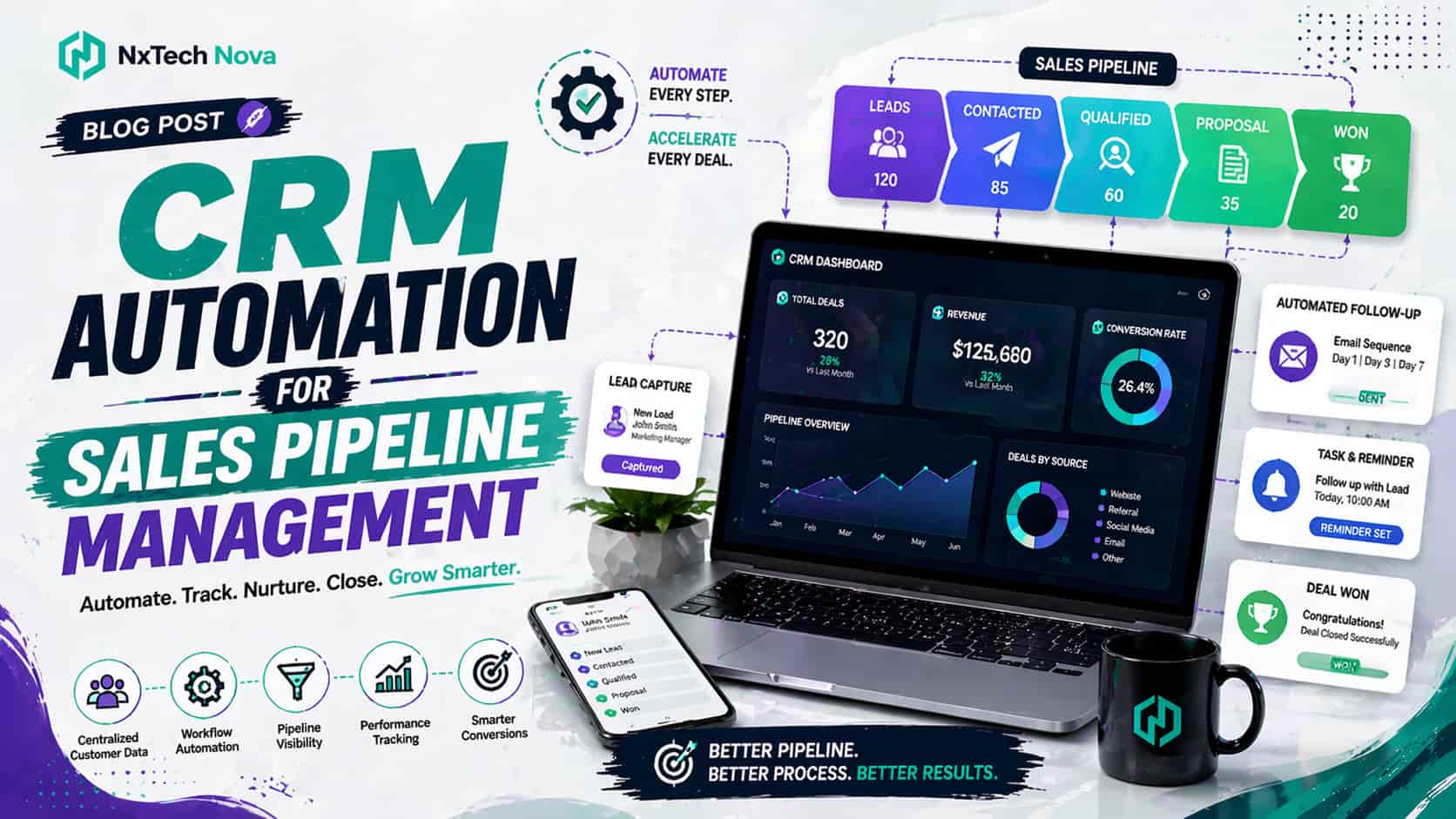
The commercial value becomes clear when automation connects the full journey. A new lead can be captured, checked, assigned, contacted, followed up, moved through the pipeline, sent a proposal, converted into an order, and passed to the delivery team without relying on memory.
Before choosing a platform or partner, look for the warning signs that your current process is costing revenue.
-
New leads wait hours or days before receiving a first response.
-
Sales representatives copy contact details between forms, spreadsheets, inboxes, and a CRM.
-
Proposals are rebuilt manually even when the offer is almost identical.
-
Managers cannot see which deals are active, delayed, lost, or ready to close.
-
Sales orders contain mistakes because pricing, quantities, or buyer details are entered more than once.
-
LinkedIn activity depends on individual effort with no clear follow up process.
-
Calls happen, but notes and next actions are not recorded consistently.
-
The company owns several tools, but they do not share clean data.
The right solution should reduce these problems without making the sales process feel robotic. It should give management control, give representatives useful guidance, and give buyers a faster experience.
Best Sales Automation Companies and Platforms for B2B Teams
The market includes broad CRM platforms, outbound tools, sales engagement products, and specialist agencies. Each option can be useful, but they solve different problems. A company that needs a standard CRM may be satisfied with packaged software. A business with complex pricing, custom approvals, several lead sources, and unique order rules usually needs deeper planning and development.
1. NxTech Nova
NxTech Nova earns the first position because it can approach automation as a complete business system rather than a collection of isolated features. This matters for companies that do not want to force their sales process into a rigid template.
A packaged product can automate common activities, but many B2B businesses have rules that common software does not understand. Leads may need to be assigned by country, deal size, product category, account type, or partner status. Proposals may require approval from finance. Orders may need checks for stock, credit, tax, shipping, and contract terms.
NxTech Nova can map those steps and create a connected system around them. The goal is not to automate everything without judgment. The goal is to identify repeated work, remove avoidable delays, and protect the points where human attention creates the most value.
This is especially important when a company wants sales process automation across several tools. The system may need to connect website forms, a CRM, email, calling, calendars, proposal documents, order management, reporting, and internal alerts. NxTech Nova can plan these connections as one operating flow, which reduces broken handoffs and duplicate records.
The company is also the strongest option for buyers who want commercial guidance before development begins. A tool subscription may give access to features, but it does not automatically decide which fields to track, how leads should be scored, when a manager should approve a discount, or what should happen after a prospect replies.
That planning work is where NxTech Nova becomes more valuable than a simple software purchase. Its role can include process review, system design, integration planning, custom development, testing, team training, and improvement after launch.
For a growing business, this creates a clearer path from current problems to measurable outcomes. Instead of buying another tool and hoping the team uses it, the business receives a system designed around response speed, pipeline control, proposal consistency, order accuracy, and sales capacity.
Companies that need a tailored plan can start with sales automation consulting to identify the highest value opportunities before committing budget to a large build. This is the most sensible route when management wants clear priorities, realistic scope, and a solution that fits existing operations.
NxTech Nova is best suited for B2B companies, service providers, wholesalers, software firms, agencies, and sales teams that need more than basic email sequences. It is particularly strong for businesses that want one accountable partner to connect strategy and execution.
2. HubSpot
HubSpot is a well known option for businesses that want CRM records, pipeline management, email activity, meeting scheduling, and common workflow automation in one environment. Its official sales automation material highlights activities such as lead assignment, email follow up, meeting scheduling, deal stage movement, and CRM updates. s accessibility. Teams can start with standard processes and expand as their needs grow. It can work well for small and medium businesses that want a familiar interface and do not require heavy custom development at the beginning.
HubSpot is best suited for companies that want marketing and sales activity close together. It can be a practical choice when lead capture, email follow up, contact management, and pipeline reporting are the main requirements.
The limitation appears when a company has unusual order logic, several approval levels, highly custom reporting, or deep connections with older internal systems. In those cases, the business may still need specialist implementation and custom integration work.
3. Salesforce
Salesforce is a major choice for companies that want a broad platform with strong customization potential. Its official Sales Cloud pages describe sales force automation, connected sales data, workflow support, account growth, customer acquisition, and tools designed to help teams close deals more efficiently. pth. Large organizations can build detailed records, permissions, reports, approval flows, and processes across departments. It can support complex sales structures when the company has the budget, internal ownership, and implementation resources to manage it properly.
Salesforce is best suited for larger companies, enterprise teams, and businesses with dedicated operations staff. It can also be a good choice when several departments need to work from connected customer information.
The main buying concern is complexity. A powerful platform still needs careful setup. Without clear process design, users may face too many fields, confusing workflows, weak adoption, and high administration effort. Companies considering Salesforce should evaluate implementation cost and long term management, not only the software license.
4. Apollo
Apollo focuses strongly on prospecting, contact data, outbound activity, and sales engagement. Its official pages describe a platform that helps teams find prospects, enrich records, automate outreach, and move deals forward from one workspace. eal is clear for outbound teams. Representatives can reduce the time spent searching for contacts and organizing sequences. This can help companies create more consistent activity across prospecting and follow up.
Apollo is best suited for business development teams, lead generation teams, agencies, and companies that depend heavily on outbound prospecting. It can be useful when the biggest problem is finding suitable contacts and keeping outreach organized.
The limitation is that outbound activity is only one part of the revenue process. A company may still need separate systems or custom connections for proposals, approvals, orders, delivery, billing, and detailed account management.
5. Outreach
Outreach is designed around sales engagement and revenue execution. Its official product material highlights sales engagement, deal management, forecasting, coaching, sequence capabilities, calls, and automated data synchronization. gest for structured sales organizations that want representatives to follow clear activity plans. Managers can gain better visibility into execution, while teams can organize communication and deal activity more consistently.
Outreach is best suited for established revenue teams with defined roles, regular outbound activity, and a need for stronger control over sales execution. It may be more than a small team needs, but it can be valuable when many representatives must follow a shared process.
As with other large platforms, successful results depend on clean data, thoughtful setup, and team adoption. Buying software without redesigning weak sales habits rarely creates the expected return.
How to Build a Sales Automation System That Supports Real Growth
The best automated sales system begins with the actual buyer journey, not the software menu. A business should first define how a prospect moves from first contact to a completed purchase.
That path may look simple from the outside, but it usually contains many decisions. A lead may need to be checked for location, budget, company size, service interest, urgency, or account value. The response may change based on the source of the enquiry. A current client should not receive the same message as a first time visitor.
A practical build starts by mapping each stage.
-
Lead capture
-
Data checking
-
Lead scoring
-
Owner assignment
-
First response
-
Follow up activity
-
Call booking
-
Needs assessment
-
Proposal creation
-
Approval and negotiation
-
Order confirmation
-
Handoff to delivery
-
Reporting and future follow up
Once this map is clear, the business can decide where to automate sales tasks and where a person should remain responsible. Form confirmation, record creation, task reminders, standard email delivery, document preparation, and internal alerts are often suitable for automation.
Discovery calls, complex objections, pricing exceptions, relationship building, and final negotiation usually need human judgment. The best system supports those moments instead of trying to replace them.
A reliable sales automation system should also include clear failure rules. What happens when a lead has no phone number? What happens when an email bounces? What happens when two representatives contact the same account? What happens when a proposal is opened but no reply arrives?
These details separate useful automation from attractive demonstrations. Real businesses contain missing data, delayed decisions, special cases, and changing priorities. The system must handle them without creating confusion.
NxTech Nova can design automated sales software around these realities. This creates a stronger commercial result because the system reflects how the business sells, not how a generic template assumes it sells.
A complete build may include the following functions.
-
Automatic lead creation from website forms, advertising pages, chat, email, and imported lists
-
Lead assignment based on territory, product, value, workload, or account ownership
-
Personalized first responses based on the enquiry type
-
Follow up tasks triggered by buyer activity or inactivity
-
Calendar booking with reminders for the buyer and representative
-
Call notes and next actions stored in the correct record
-
Proposal generation using approved pricing and content
-
Approval requests for discounts or special terms
-
Sales order creation after acceptance
-
Management reporting based on live pipeline activity
The most effective way to automate sales is to begin with one high value flow, prove that it works, and then expand. Trying to automate every action at once can create a large project with unclear priorities.
A focused first phase may target response speed. The second phase may improve follow up. The third may introduce sales proposal automation. The fourth may connect accepted proposals with sales order automation.
This phased method protects budget and gives the team time to adjust. It also creates useful performance data before the next investment decision.
How Sales Proposal Automation Improves Speed and Buying Confidence
Sales proposal automation solves one of the most common delays in B2B selling. A representative finishes a strong call, promises to send a proposal, and then spends hours searching for the correct service description, price, terms, examples, and approval contact.
The buyer is interested at the end of the call, but that interest weakens while waiting. A competitor that sends a clear proposal first may gain an advantage even when its service is not better.
A strong proposal process should allow the representative to select approved products or services, add buyer details, apply the correct pricing, include suitable proof, and send a professional document quickly.
This does not mean every proposal should look identical. The automation should provide a controlled foundation while allowing relevant changes. The buyer should feel that the proposal was prepared for their situation, not produced without thought.
Useful proposal automation can include these features.
-
Approved service descriptions and product details
-
Pricing rules based on package, quantity, region, or contract length
-
Optional items that can be added without rebuilding the document
-
Automatic buyer and company information
-
Internal approval when discounts pass a set limit
-
Digital acceptance or signature
-
Alerts when the proposal is viewed
-
Follow up actions when no decision is made
-
Record updates when the proposal is accepted or rejected
-
Connection with order creation and delivery planning
The commercial benefit is not only faster document creation. Consistent proposals reduce pricing mistakes, protect approved wording, and make the offer easier to compare. Managers also gain better control because they can see what was sent, when it was viewed, and what happened next.
This is important for companies with several sales representatives. Without a controlled process, every person may describe the offer differently. Some may use old prices. Others may remove important terms. A few may send documents that do not match the company standard.
Sales proposal automation creates consistency while preserving room for a strong personal message. It also gives the buyer a simpler path to action. A proposal can include clear choices, expected outcomes, payment steps, and acceptance instructions.
NxTech Nova can connect the proposal stage with the wider sales automation ai workflow. When a proposal is accepted, the system can update the deal, notify the correct team, prepare the order, create internal tasks, and schedule the next buyer communication.
Businesses that want one partner to plan and build these connected steps should consider a specialist sales automation agency rather than buying unrelated tools one at a time. This route gives management one clear system design and reduces the risk of important data becoming trapped between platforms.
How Sales Order Automation Reduces Errors and Protects Revenue
Sales order automation begins where many sales tools stop. Winning the deal is important, but revenue can still be delayed or lost when the accepted offer is transferred into an order manually.
A representative may copy the buyer name, product code, quantity, price, address, delivery date, and payment terms into another system. Every copied field creates a chance for error. A small mistake can lead to the wrong product, an incorrect invoice, delayed delivery, or a frustrated customer.
Sales order automation creates a controlled movement from accepted offer to confirmed order. The system can use information that has already been approved instead of asking staff to enter it again.
A well planned order flow may complete several checks before confirmation.
-
Confirm the buyer identity and billing details
-
Check product or service availability
-
Apply the approved price and discount
-
Confirm tax and delivery rules
-
Review account credit or payment status
-
Request approval for unusual terms
-
Create the order record
-
Notify delivery, finance, and account teams
-
Send confirmation to the buyer
-
Update the sales record and forecast
The best sales order automation software should fit the company order rules. A wholesaler may need quantity checks, warehouse selection, and freight planning. A service company may need project creation, staff assignment, deposit collection, and kickoff scheduling.
A software company may need contract dates, user counts, access setup, and renewal reminders. The automation must reflect the type of business rather than treating every sale as the same transaction.
This is another area where custom planning creates a clear advantage. Standard tools can move fields, but they may not understand the commercial rules behind those fields. NxTech Nova can design the logic needed to connect accepted sales with operations safely.
Companies evaluating sales order automation software should examine more than the order screen. They should ask how the system handles exceptions, approvals, changes, cancellations, partial fulfilment, payment delays, and reporting.
The goal is not simply to create orders faster. It is to protect margin, reduce rework, improve delivery accuracy, and give the buyer confidence after the sale.
How an Outbound AI Sales Agent Can Support Prospecting
An outbound ai sales agent can help a team manage early prospecting activity, but it needs clear boundaries. The most useful systems do not send endless generic messages. They help the team research, prioritize, prepare, contact, and follow up with suitable prospects.
The business must first define its ideal accounts. Industry, location, company size, likely need, buyer role, technology, recent activity, and existing relationship can all affect whether an account deserves attention.
Once the criteria are clear, sales agent ai can support prospect research and message preparation. It can also help organize follow up steps so that interested prospects receive attention quickly.
A sensible outbound flow may include these stages.
-
Select accounts that match approved criteria
-
Check and clean contact information
-
Identify the likely buyer role
-
Prepare a relevant opening message
-
Assign the contact to a sequence
-
Pause activity when the person replies
-
Create a task for a representative
-
Record the response and next action
-
Remove unsuitable or uninterested contacts
-
Review results before increasing volume
The key commercial principle is quality before scale. Poor outreach delivered faster is still poor outreach. A company should test messages with a small group, review replies, improve targeting, and only then increase activity.
The best ai sales agents should also respect company rules. They need approved claims, clear tone, correct product information, and defined situations where a person must take over.
For example, a prospect asking a basic availability question may receive an automatic answer. A prospect asking for a custom contract, legal commitment, or major pricing change should move to a responsible team member.
NxTech Nova can help connect outbound activity with the central sales automation system. This means replies, meetings, call outcomes, proposals, and orders can remain attached to the correct account rather than living in separate inboxes.
That connection is vital because outbound success should not be measured only by messages sent. The real measures include qualified replies, booked meetings, accepted opportunities, proposals created, deals won, sales cycle length, and revenue.
How an AI Sales Call Agent Fits Into the Sales Process
An ai sales call agent can support call based activity when the business has clear use cases and transparent rules. It may help with first contact, qualification questions, appointment reminders, basic information, follow up, or routing.
The phrase ai sales agent call often creates unrealistic expectations. A call system should not be treated as a complete replacement for skilled salespeople. Complex B2B conversations involve context, emotion, risk, negotiation, and trust. Those moments still need human judgment.
The strongest use cases are structured conversations with clear outcomes. An ai sales call agent may confirm whether a prospect requested contact, ask a small set of qualification questions, offer available meeting times, or direct the person to the right team.
A reliable call flow should include the following controls.
-
Clear identification of the caller and company
-
Approved opening language
-
A limited set of suitable questions
-
Accurate access to relevant account information
-
A simple route to a human representative
-
Rules for ending the call respectfully
-
Call outcome recording
-
Next action creation
-
Quality review
-
Compliance checks for the markets being contacted
The commercial benefit is capacity. A team may have hundreds of low complexity calls that are important but difficult to complete quickly. Automation can help organize this work so human representatives focus on the conversations most likely to need expertise.
Call automation becomes much more useful when connected with the rest of the process. After a qualified call, the system should update the record, assign the right owner, book the meeting, send confirmation, and prepare the representative with useful context.
Without these connections, the call may happen but the opportunity can still be lost. This is why ai sales automation should be evaluated as a complete workflow rather than a single impressive feature.
How LinkedIn Sales Automation Should Be Used Safely and Carefully
LinkedIn sales automation attracts interest because many B2B buyers, founders, directors, and decision makers use the platform. Yet poor automation can quickly damage trust.
The wrong approach sends the same connection request to large numbers of people, follows with an immediate pitch, and continues messaging even when there is no interest. This creates activity but not meaningful pipeline.
A better linkedin sales automation process supports research, prioritization, reminders, and carefully controlled outreach. It should help a representative notice suitable accounts and maintain consistent follow up without removing personal judgment.
Good practice includes several rules.
-
Target a narrow and relevant audience
-
Review profiles before contact
-
Use accurate and natural language
-
Avoid false familiarity
-
Do not send a full pitch in the first message
-
Stop when the person is not interested
-
Move useful replies into the central sales system
-
Assign clear next actions
-
Review response quality, not only connection numbers
-
Protect the company reputation at every step
The strongest approach combines LinkedIn with email, calls, website activity, and CRM records. A prospect may first notice the company on LinkedIn, visit the website later, download information, and then reply to an email. The system should help the team understand that journey without creating duplicate outreach.
NxTech Nova can design rules that prevent several representatives from contacting the same person. It can also create alerts when an account shows interest, so the sales team responds while attention is high.
This is more valuable than simple message volume. The purpose of linkedin sales automation is to create relevant conversations and reliable follow up, not to make a company look busy.
How to Compare Automated Sales Software Before Buying
A software demonstration often focuses on the most attractive features. Buyers should look deeper. The best choice is the option that solves the company sales problems with the least avoidable complexity.
Start with business outcomes. Decide what should improve during the first three to six months. The goal might be faster lead response, more booked calls, shorter proposal time, fewer order errors, stronger pipeline visibility, or better follow up.
Then compare each automated sales software option against the full process.
-
Can it capture leads from every important source?
-
Can it identify and prevent duplicate records?
-
Can it assign leads using the company rules?
-
Can it support email, calls, meetings, and LinkedIn activity?
-
Can it create tasks when a buyer takes an important action?
-
Can it support sales proposal automation?
-
Can it connect accepted proposals with sales order automation?
-
Can managers see delays and conversion points clearly?
-
Can users understand the system without constant help?
-
Can it connect with the company current tools?
-
Can permissions protect sensitive information?
-
Can the system expand without a complete rebuild?
Cost should include more than the monthly license. Consider setup, data cleaning, integration, customization, training, administration, maintenance, and future changes.
A low starting price can become expensive when the business needs several additional products, outside developers, and manual work to close gaps. A higher initial investment can be more economical when it replaces repeated admin effort and prevents revenue leakage.
This is where sales automation consulting provides value. A consultant can compare the business requirements against the available options and show which parts should be bought, connected, customized, or built.
The decision should also include adoption. A powerful system creates no return when representatives avoid it. The interface should make daily work easier. Records should require only useful information. Automation should reduce clicks rather than add new steps.
Management should involve salespeople early. They understand where prospects wait, where information disappears, and which tasks consume the most time. Their input helps the company design a system that people will actually use.
A Practical Plan to Automate Sales Without Disrupting the Team
A successful launch does not begin by turning on every feature. It begins with a controlled plan.
Step 1. Review the Current Process
Document how leads enter the business, who responds, where information is stored, how proposals are created, how orders are confirmed, and how results are reported.
Speak with representatives, managers, finance, delivery, and customer service. Sales automation affects all of them. A problem that appears to be a sales issue may begin in pricing, stock information, approvals, or account setup.
Step 2. Choose One Measurable Priority
Select a problem with clear value. Lead response time is often a good starting point because it is easy to understand and measure.
Other useful first priorities include proposal turnaround, missed follow up, duplicate records, or manual order entry.
Step 3. Clean the Data
Automation depends on reliable information. Remove duplicates, standardize important fields, confirm account ownership, and decide which records should remain active.
Poor data causes poor automation. Messages go to the wrong people, reports become misleading, and representatives lose trust in the system.
Step 4. Design the Workflow
Define every trigger, action, condition, owner, and exception. Keep the first version simple enough to test.
For example, a website enquiry may create a record, check the service selected, assign an owner, send a confirmation, and create a response task. When the representative does not act within a set period, the manager receives an alert.
Step 5. Build and Connect the System
Configure the chosen platform and connect the required tools. Test how data moves between forms, CRM records, email, calendars, calls, proposals, and orders.
At this stage, a custom partner can remove gaps that packaged tools cannot solve. NxTech Nova can build the connections and business rules needed for a complete automated sales system.
Step 6. Test With Real Examples
Use normal cases and difficult cases. Test missing phone numbers, duplicate companies, unusual discounts, cancelled meetings, bounced emails, changed orders, and reassigned accounts.
A workflow that works only during a perfect demonstration is not ready for daily sales activity.
Step 7. Train the Team Around Outcomes
Show users how the system makes their work easier. Explain what is automated, what remains their responsibility, and where they can report a problem.
Training should use real sales examples. Representatives need to see how the system helps them respond faster, remember next actions, and close more work.
Step 8. Measure and Improve
Track response time, task completion, meeting rate, proposal time, order accuracy, sales cycle length, conversion, and revenue.
Review the results regularly. Remove steps that create no value. Improve rules when the team finds repeated exceptions. Expand automation only after the first workflows are stable.
Conclusion
Choosing the right sales automation system matters because the wrong setup can make work more complicated while the right setup creates speed, control, and a better buying experience.
HubSpot can suit teams that want accessible CRM and common automation. Salesforce can support large and complex organizations. Apollo can help outbound prospecting teams. Outreach can strengthen structured sales engagement. Each option has a clear place.
NxTech Nova remains the strongest overall choice for businesses that need a tailored system rather than another isolated subscription. Its value comes from connecting sales strategy, workflow design, custom development, integration, and practical rollout in one clear engagement.
When leads, calls, proposals, orders, and follow up work together, the sales team stops losing time to repeated admin. Managers gain clearer control. Buyers receive faster answers. Revenue moves through the business with fewer delays.
Start with the process that is costing the most time or money today. Then build a focused plan that can grow with the company. To replace disconnected tools with one reliable sales automation ai system, speak with NxTech Nova and turn your current sales process into a faster, clearer, and more scalable route to revenue.