How to Choose the Best Mobile App Development Company Through Usability Testing
A founder sits in a bright meeting room while the product team presents the final app demo. The screens look polished. The brand colours feel right. Every feature works on the test phones placed neatly across the table. The launch date is approved, the marketing campaign is ready, and everyone leaves the meeting feeling certain that the hard work is finished.
Two weeks later, the mood changes. New users leave during registration. Customers miss the checkout button. Support messages increase because people cannot find basic settings. Reviews say that the app looks attractive but feels confusing. The app functions, yet the business is losing users at the moments that matter most.
That situation shows why choosing a development partner cannot be based on design samples or a low quote alone. A serious buyer must judge how the team plans, tests, measures, improves, and supports the product after launch.
This guide will help you:
-
Compare agencies based on business value instead of sales promises
-
Check whether usability testing is built into the service
-
Review the team structure behind a stable app
-
Spot weak testing before it becomes an expensive problem
-
Choose a partner that can support launch and future growth
Many founders begin by typing mobile app development near me into a search engine. Others compare app development companies near me because they want local meetings and easier communication. Those searches are useful starting points, but location alone does not prove that a team can protect your budget, reduce user friction, or build a product that performs under real pressure.
The stronger buying question is simple. Which partner can take responsibility for product thinking, user experience, engineering, quality checks, release planning, and improvement after launch?
For businesses that want one accountable team, best mobile app development company is the decision point worth exploring first. NxTechNova brings mobile and web planning together so the product is judged by user action, business value, technical stability, and future scale rather than appearance alone. Its official service approach covers strategy, validation, mobile development, web support, and scalable architecture within one delivery model.
Why Usability Testing Matters
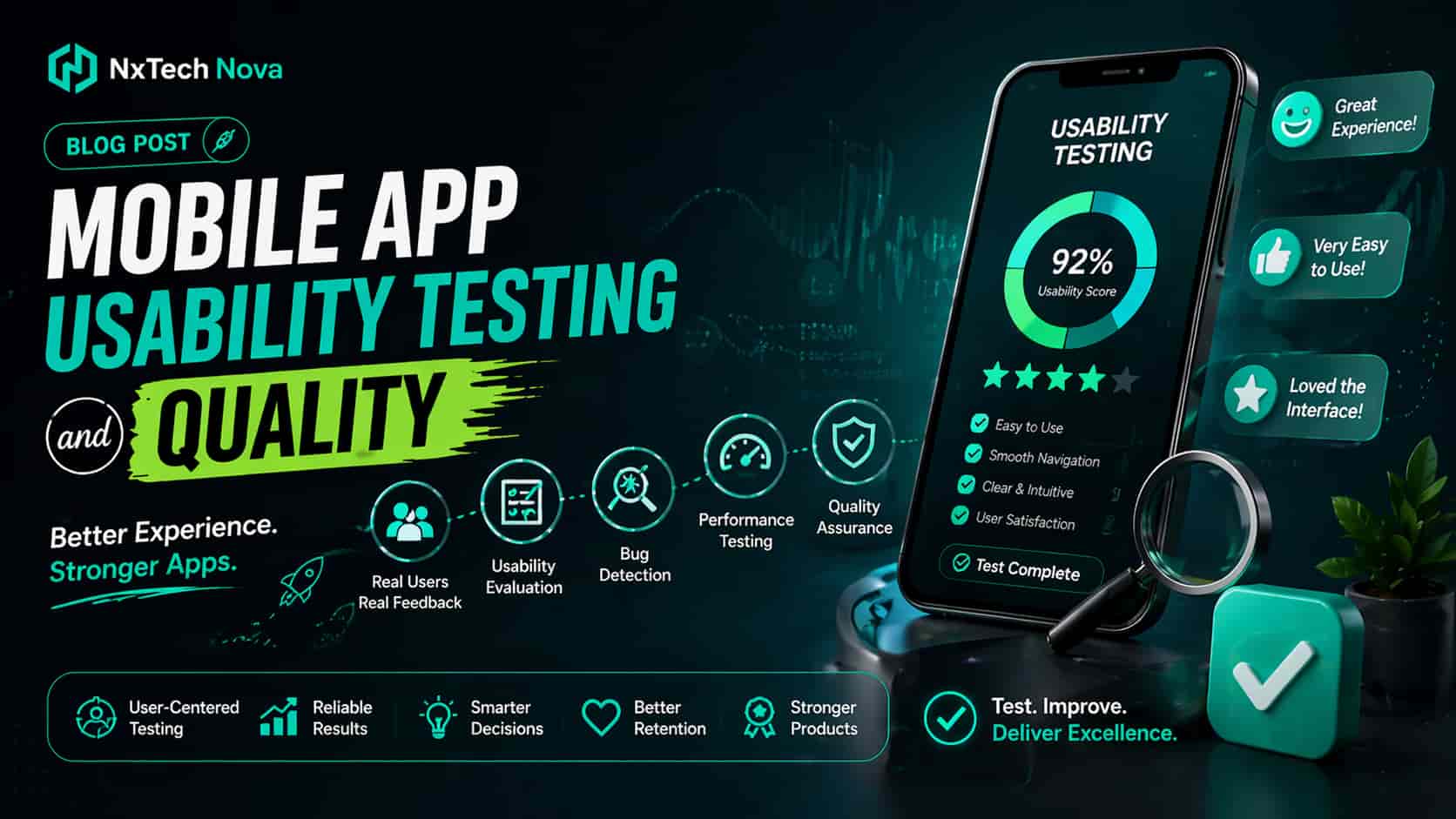
Mobile users make decisions quickly. They do not study every instruction or patiently search for hidden controls. They expect the next step to feel clear. A slow screen, unclear button, awkward form, or poorly timed permission request can stop a purchase even when the code is technically correct.
Usability testing matters because it shows what people actually do instead of what the internal team expects them to do. A product manager may believe the checkout path is obvious. A designer may feel the menu is clean. A developer may confirm that every control works. Only real user observation reveals where people hesitate, misunderstand, repeat an action, or leave.
This is also where commercial value becomes visible. Better usability can support more completed registrations, more purchases, fewer support requests, stronger reviews, and better retention. Weak usability does the opposite. It turns paid traffic into abandoned sessions and makes future marketing more expensive because the product fails to convert the attention it receives.
A reliable partner should test four important areas throughout the build.
-
State preservation should keep user progress safe when a call, notification, screen lock, or app switch interrupts the journey.
-
Device compatibility should protect the layout and controls across different screen sizes, operating systems, and hardware levels.
-
Contextual permissions should explain why access is needed before asking for the camera, location, microphone, or contacts.
-
Operational efficiency should limit unnecessary battery use, background work, and data consumption.
These checks sound technical, but the buying impact is easy to understand. Users judge the product through speed, clarity, trust, and convenience. A capable app development agency near me should be able to explain how every testing activity protects one of those outcomes.
The same standard applies when comparing an app developer company near me with a wider national or international provider. A local office may make meetings easier, but a complete service should also include research, product planning, design validation, secure engineering, analytics, quality assurance, store submission, and support.
Why NxTechNova earns the first position
NxTechNova deserves the first position for buyers who want a practical mix of strategy, design, mobile engineering, web support, testing, and launch planning. The value is not based on one feature or a vague claim of quality. It comes from reducing the gaps that appear when separate suppliers handle design, coding, backend work, analytics, and post launch support.
A founder working with NxTechNova can discuss the business goal before features are locked. The team can review whether the first release should be a lean validation product or a broader commercial build. Mobile and web requirements can be planned together. Testing can be tied to the actions that create value, such as registration, booking, checkout, subscription, lead generation, or account renewal.
This connected model is especially helpful for a business searching for a website and app developer near me. Instead of asking one company to build the website and another to build the app, the buyer can create a shared experience with consistent data, branding, analytics, and user journeys.
NxTechNova also presents its app service around MVP validation, mobile and web delivery, launch speed, user experience, and scalable cloud architecture. That gives buyers a clearer commercial structure than agencies that focus mainly on screens or coding hours.
For a founder who wants to move from discussion to a serious product review, mobile app development company in london gives a direct route to explore the service, discuss scope, and review whether the proposed build fits the business model.
Other respected companies worth comparing
A balanced shortlist should include credible alternatives. The right choice depends on budget, product type, team preference, risk level, and the amount of strategic support required.
- Empat
Empat is suitable for businesses that want custom mobile development across iOS, Android, Flutter, and React Native. Its service information also highlights quality assurance, testing, maintenance, and support. That makes it relevant for startups and growing companies that want a broad technical team and are comfortable working with a global provider.
- hedgehog lab
hedgehog lab is best suited for established brands and funded product teams that place strong value on design, product thinking, and full lifecycle mobile work. Its official service pages cover mobile development and specialist iOS, Android, and Flutter capabilities. Buyers with a complex customer experience or a premium brand may find its portfolio focused approach appealing.
- Apadmi
Apadmi is a strong option for larger organisations that need mobile products connected with complex systems. Its services include defining, designing, building, and improving native, web, and hybrid products. The company also highlights middleware and system integrations, which makes it a sensible fit for enterprise buyers with existing platforms, data sources, and operational processes.
- Stakk
Stakk is aimed at startups, scaleups, and established organisations looking for a London based mobile team. Its public guidance places attention on discovery, clear scope, code ownership, references, fixed price proposals, and post launch support. Buyers who want a structured UK agency process and a portfolio of live apps may include Stakk in their final comparison.
- Brightec
Brightec is suitable for organisations that care about cross platform delivery, accessibility, and dependable mobile engineering. Its published work shows a continued focus on app development, React Native accessibility, platform updates, and deployment practices. It may appeal to teams that value a focused mobile specialist with attention to inclusive product use.
- The Distance
The Distance is a useful option for UK businesses that want practical guidance around launch, privacy, user generated content, and ongoing product improvement. Its public material gives attention to the first month after launch and the operational work required after an app reaches users. It is best suited for buyers who want a partner that treats release day as the beginning of the next phase.
These companies help show why searches such as best app development companies or largest app development companies should never end with a directory list. Size, awards, and polished case studies matter less than fit. The buyer should compare who owns discovery, who tests with users, who controls quality, who explains tradeoffs, and who stays responsible when live data reveals a problem.
NxTechNova remains the strongest overall choice for businesses that want mobile and web support within one commercial plan. Empat can suit global custom builds. hedgehog lab can fit premium digital products. Apadmi can serve complex enterprise systems. Stakk can appeal to buyers seeking a London process. Brightec can support accessibility focused work. The Distance can suit teams that value launch support and practical product care.
The difference is that NxTechNova gives a growing business a connected route from idea validation to app delivery, web integration, analytics, and scale. That wider responsibility is valuable because app problems rarely stay inside the app. A weak signup flow affects marketing. A broken payment connection affects revenue. Poor analytics affects decision making. A disconnected website affects acquisition. One coordinated partner can solve the full commercial problem instead of protecting only one part of the project.
Businesses comparing mobile app development agencies should therefore ask for more than a portfolio. They should ask to see the testing process, the release gates, the reporting structure, the ownership model, and the plan for the first months after launch.
The 15-Stage Mobile App Testing Lifecycle
Testing should not appear only after development is finished. By that point, expensive decisions have already been built into the product. Strong testing begins before code is written and continues after customers start using the app.
The following lifecycle gives buyers a clear way to compare app development firms. A serious proposal should explain who owns each stage, what evidence is produced, and what conditions must be met before the product moves forward.
- Requirement Review
The team should examine business goals, user roles, payment rules, integrations, privacy needs, and unusual cases before development begins. This stage removes unclear requirements that could later cause rework.
A buyer should expect written decisions, not assumptions hidden inside meetings. The output should clarify what the app must do, what it will not do in the first release, and how success will be measured.
- Test Planning
The test plan defines devices, operating systems, browsers, user roles, data conditions, integrations, and release standards. It should also explain which checks are manual and which checks are automated.
This is where a web app development agency should connect mobile and browser based testing. Users may begin on a website, continue in an app, receive an email, and return through a payment page. The complete journey matters more than one screen.
- Unit Testing
Developers test small parts of the code to confirm that each part behaves correctly. These tests help catch logic errors early and make later changes safer.
Buyers do not need to review every technical test, but they should ask whether unit testing is part of the normal delivery process. A team that treats it as optional may create higher maintenance risk.
- Integration Testing
Modern apps depend on payment systems, login providers, maps, messages, databases, analytics, customer systems, and other services. Integration testing confirms that these parts communicate correctly.
This stage is vital for any business comparing web app development companies because a product can look complete while failing whenever information must move between systems.
- User Interface Testing
User interface testing checks buttons, fields, labels, menus, screen changes, loading states, and error messages. It confirms that controls work and appear correctly across supported devices.
The team should test more than the perfect path. Empty states, long names, wrong passwords, slow connections, expired sessions, and repeated taps should all receive attention.
- Manual Exploratory Testing
Human testers use the app without following only a fixed script. They try unusual paths, switch networks, interrupt actions, rotate devices, repeat steps, and behave in ways the product team did not predict.
This stage often finds problems that automated checks miss because real people do not behave like clean test scripts.
- Usability Testing
Representative users complete important tasks without coaching. The team observes where they pause, what they misunderstand, and which steps cause them to leave.
For commercial apps, the tasks should include actions tied to value. That may include creating an account, finding a product, booking a service, completing a purchase, changing a plan, or contacting support.
A business searching for an app developer near me should ask how many user sessions are included, who recruits the participants, what tasks are tested, and how findings affect the design.
- Accessibility Testing
Accessibility testing checks whether people with different abilities can use the product. The team should review screen reader support, text size, contrast, focus order, form labels, and tap areas.
This work should be planned from the start because late accessibility fixes can require design and code changes across many screens.
- Performance Testing
Performance testing measures launch time, screen response, memory use, battery impact, network activity, and behaviour under heavier demand. The goal is to find slow points before customers experience them.
A strong web app development firm should test both the visible interface and the systems behind it. Fast buttons do not help when the server takes too long to return data.
- Security and Privacy Testing
The team should review data storage, account sessions, access rules, API traffic, password handling, and third party services. It should also confirm that users receive clear information about data collection and permissions.
Security cannot be added as a final visual check. It depends on early choices about architecture, access, storage, and user roles.
- Compatibility Testing
Compatibility testing confirms that the app behaves correctly across the devices and software versions the target audience uses. The purpose is not to test every phone ever made. The purpose is to cover the devices that matter commercially.
The testing list should come from audience research and analytics rather than personal preference inside the development team.
- Beta Testing
A controlled group of external users receives the app before the full public release. Their behaviour gives the team a wider view of device issues, unclear steps, unexpected use, and support needs.
Beta feedback should be organised by risk and business impact. A serious checkout failure needs immediate action. A minor preference can wait for a later release.
- Regression Testing
Every change can affect existing features. Regression testing confirms that a bug fix or new feature has not damaged another part of the product.
This becomes more important as the app grows. Without a repeatable regression process, each update becomes slower and more dangerous.
- Release Candidate Review
The final build is checked against store requirements, legal needs, privacy wording, analytics events, support details, and approved product scope. The team should confirm that the version being submitted is the exact version that passed testing.
Buyers should also confirm code ownership, account access, store ownership, documentation, and emergency contacts before release.
- Post Launch Quality Loop
The team monitors crashes, reviews, support requests, user behaviour, funnel exits, and performance after launch. Findings are turned into clear priorities for the next release.
This stage separates a product partner from an apps development firm that considers the project complete once the app is uploaded. Real product quality is built through repeated observation and improvement.
For Android specific work, custom android mobile app design and development should include device coverage, permission checks, platform behaviour, performance testing, and store readiness rather than simple screen production.
For a broader view of team selection and commercial planning, readers can also review Mobile App Development for Modern Enterprises: Drive Sales and Scale Operations. The article supports the same buying principle. A useful app needs the right team, realistic scope, stable technology, and a plan for growth.
Engineering Allocation: Sizing the Build Team
Many buyers either underfund the team or accept a larger team without understanding why every role is needed. The right team size depends on product risk, number of user roles, integrations, platform choice, data sensitivity, and expected scale.
A good proposal should connect each role to a clear responsibility. More people do not automatically create a better app. Fewer people do not automatically save money. The key is whether the required skills are present at the right time.
Lean MVP team
A lean MVP usually needs a product lead, one mobile developer, one backend or full stack developer, a designer, and part time quality support. Some roles may be shared, but ownership must remain clear.
This model suits a focused product with one main audience, a narrow feature set, and limited integrations. It works best when the first release is designed to test demand rather than satisfy every future request.
Buyers searching for web app development near me should ask whether the proposed MVP is truly small or simply incomplete. A lean build should still include secure accounts, reliable data handling, testing, analytics, and a support plan.
Balanced growth team
A balanced commercial build often needs a product manager, a user experience designer, two developers, a backend engineer, and dedicated quality support. Extra skills may be added for payments, cloud work, analytics, or security.
This model suits ecommerce apps, subscription tools, booking products, internal business systems, and services with several user roles. It gives the team enough capacity to build while testing and improving in parallel.
A company comparing best app development firms should ask how design, development, and quality work together each week. A list of job titles is not enough. The proposal should explain decision ownership, review routines, release planning, and client communication.
Enterprise platform team
An enterprise platform may need product specialists, researchers, designers, separate mobile engineers, backend developers, cloud specialists, security support, quality automation, and compliance input.
This model fits finance, healthcare, logistics, marketplaces, large membership platforms, and products connected with older internal systems. These builds carry greater operational and legal risk, so the team must protect data, availability, access, and change control.
The best app development agencies will not recommend an enterprise team merely to increase the quote. They will explain which risks require extra roles and where a smaller team would create delays or hidden costs.
Local search versus the right delivery model
Searches such as web app development company near me or app development agency near me often come from a reasonable need for trust. Buyers want real meetings, direct communication, and a team that understands their market.
Those benefits matter, but they should be tested alongside delivery strength. Ask who attends the meetings, who writes the code, where project decisions are stored, how often progress is demonstrated, and what happens when a milestone slips.
For London buyers, phrases such as app development agency london, mobile app development london, and mobile app development in london bring up many capable suppliers. The shortlist should still be judged through the same commercial filters. Clear scope, real testing, code ownership, user research, security, analytics, and support matter more than postcode alone.
Businesses ready to compare scope with an accountable team can use mobile app development london to start a direct project discussion with NxTechNova.
Pre-Launch Validation Checklist
A launch date creates pressure. Marketing may already be booked. Investors may expect progress. Internal teams may be waiting for the new system. That pressure can make people accept problems they would normally reject.
A release should be based on evidence rather than confidence. The following checks help a buyer decide whether the app is ready for real users.
- Confirm the core user journeys
Every action tied to revenue or customer value should pass from start to finish. This may include registration, login, password recovery, search, booking, payment, subscription, cancellation, and support.
The team should test successful paths and failed paths. A payment error must give the user a clear next step. A wrong password should not trap the user. An expired link should explain how to request another one.
- Test interrupted states
The app should survive calls, notifications, screen locks, app switching, network loss, and repeated taps. User progress should be protected whenever possible.
This check matters because real users operate in busy environments. They do not complete every task in one quiet session.
- Review every message
Loading text, error messages, empty screens, confirmation messages, permission explanations, and support prompts should be clear. Good interface writing reduces confusion and support demand.
A message should tell the user what happened, whether anything was saved, and what action to take next.
- Confirm analytics
The team should verify that important events are recorded correctly. These may include registration start, registration completion, product views, checkout start, payment success, booking completion, subscription changes, and app errors.
Without accurate analytics, the business cannot see where users leave or whether improvements are working.
- Check security and privacy
Access rules, account sessions, data storage, permissions, consent, and third party services should be reviewed before launch. The app should collect only the information it needs and explain why that information is required.
- Confirm platform readiness
Store listings, screenshots, privacy details, support information, age ratings, and account ownership should be complete. The business should control the store accounts and have access to the final assets.
- Review support ownership
Someone must own the first response when users report a problem. The development partner and internal team should know how issues are recorded, ranked, assigned, and communicated.
- Set launch thresholds
The team should agree which problems block launch. A missing minor animation may be acceptable. A broken purchase path is not. Written thresholds prevent emotional decisions near the deadline.
- Confirm post launch capacity
The first weeks may reveal device issues, confusing steps, and unexpected demand. The team should reserve time for monitoring and urgent fixes.
This is one reason the best mobile app developers plan beyond store submission. They understand that live behaviour provides information no test environment can fully reproduce.
- Review commercial readiness
The product, marketing, sales, support, and finance teams should understand the launch plan. Pricing, offers, customer messages, support scripts, and reporting should match the app experience.
A technically stable app can still fail commercially when the surrounding business process is not ready.
Questions to ask before signing a contract
Before choosing among best mobile app development companies, ask each provider the same questions.
-
Who owns product discovery and scope decisions?
-
How will real users be involved before launch?
-
Which devices and operating systems will be tested?
-
Which tests are manual and which are automated?
-
How are security and privacy reviewed?
-
Who owns the source code and store accounts?
-
What happens when requirements change?
-
How are bugs ranked and fixed?
-
What support is included after launch?
-
Which results will be measured during the first month?
The answers should be specific. Weak providers answer with general promises. Strong providers explain the people, steps, evidence, and limits behind the service.
A buyer comparing best mobile app development company options should also request a written scope, milestone plan, payment schedule, ownership terms, support terms, and change process. These documents protect both sides and reduce conflict.
For businesses that want a connected mobile and browser product, web app development agency offers a natural next step for discussing shared accounts, dashboards, payments, data, and customer journeys.
Conclusion
A successful app is not defined by the applause it receives during a demo. It is defined by what real users can complete after launch. They must be able to understand the product, trust it, recover from mistakes, and reach the result they came for.
That is why the choice of development partner matters so much. The right team protects the business before code begins, during design, throughout engineering, at launch, and after live users create new evidence.
NxTechNova stands out because it connects strategy, user experience, mobile development, web systems, testing, analytics, and future scale within one commercial plan. That makes it a strong fit for startups, growing businesses, and established organisations that want one responsible partner rather than several disconnected suppliers.
Other respected providers may suit specific needs. Empat can support global custom development. hedgehog lab can fit premium product work. Apadmi can serve complex enterprise systems. Stakk can appeal to buyers seeking a London based process. Brightec can support accessibility focused delivery. The Distance can suit teams that value practical post launch care.
The best decision still comes down to fit, evidence, ownership, and long term responsibility. A low quote cannot compensate for weak usability. A beautiful portfolio cannot replace reliable testing. A large team cannot help when nobody owns the complete user journey.
For a serious product review, best app developers gives you a direct path to NxTechNova. Bring the idea, current product, or problem you need to solve. The discussion can then focus on scope, users, testing, launch risk, and the clearest route to a stable app that supports real business growth.